Skip to content
Limited Time Offer
Get 3 Months FREE when you start your trial today!
Home
About
Features
User Guide
Blog
Contact Us
Home
About
Features
User Guide
Blog
Contact Us
Watch Demo
Get Started Today
Discontinuing an application
Home
/
Application
/
Discontinuing an application
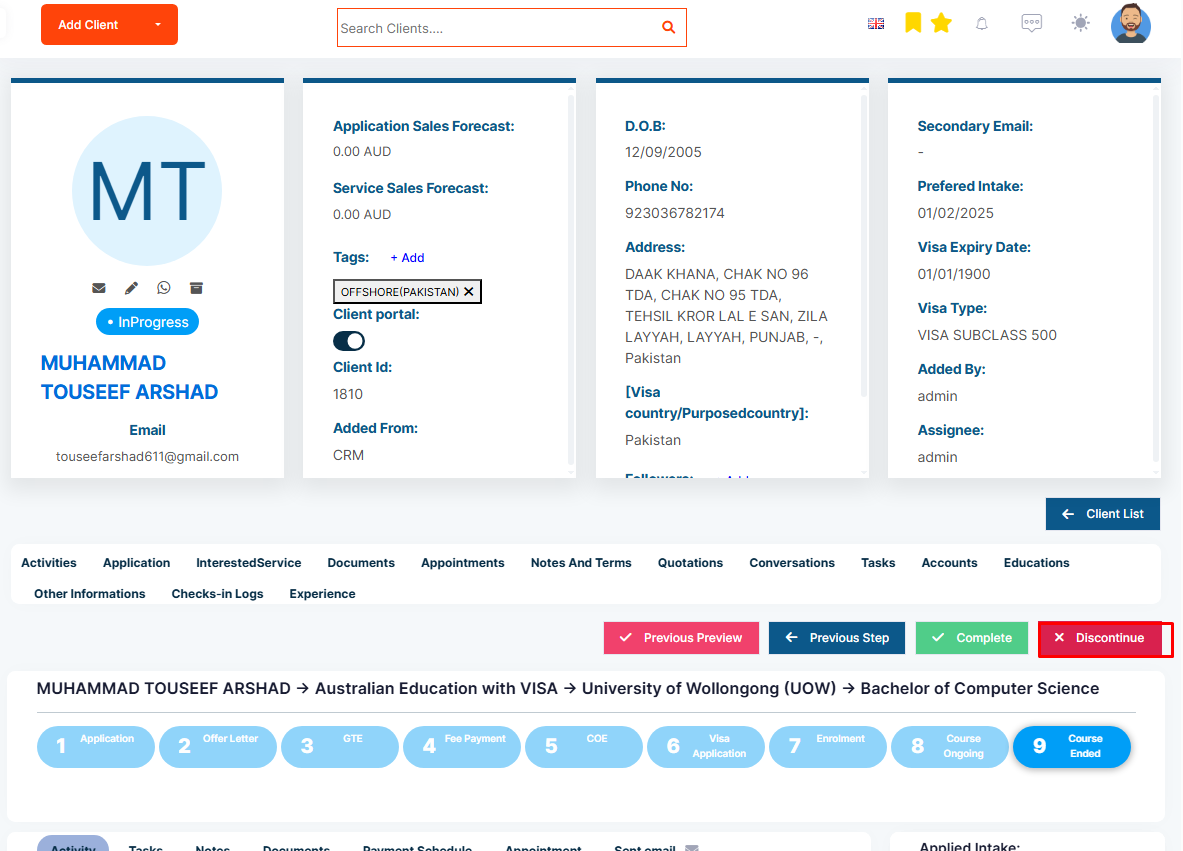
How to discontinue an application?
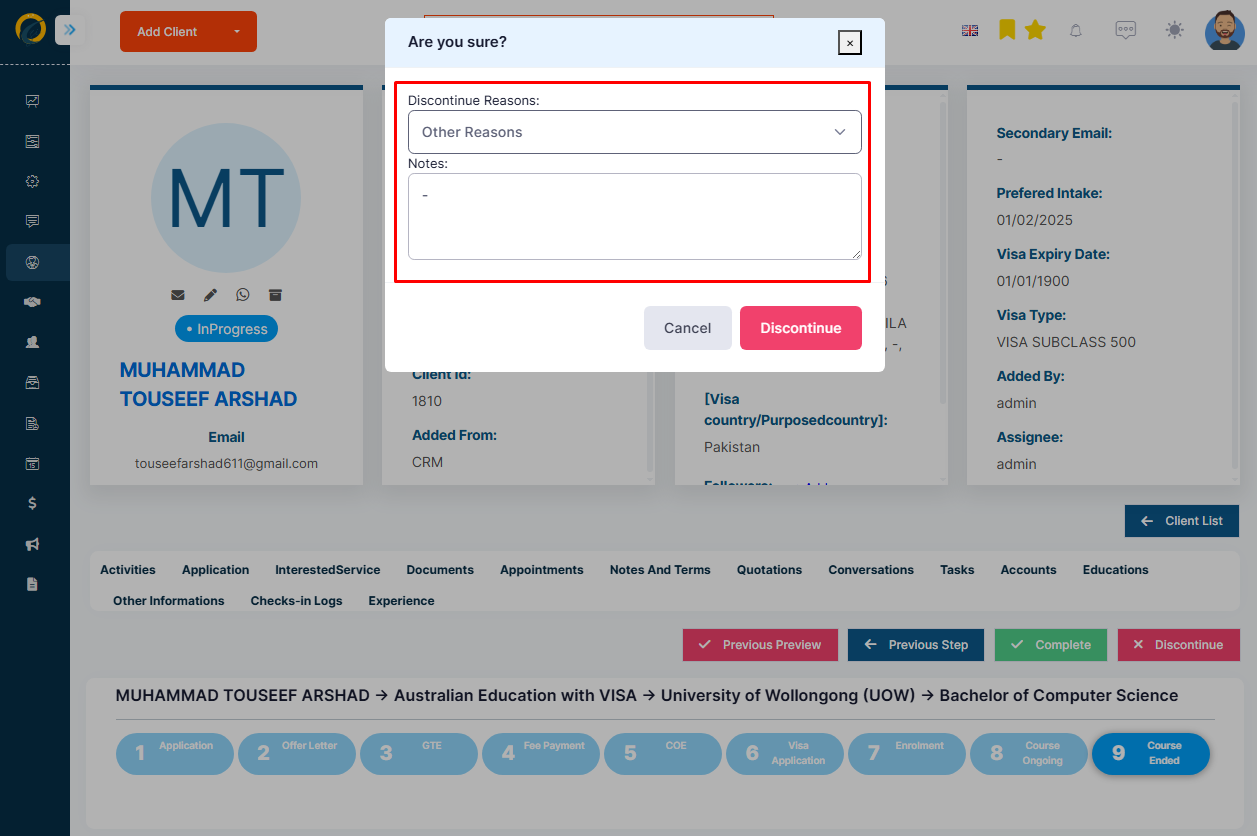
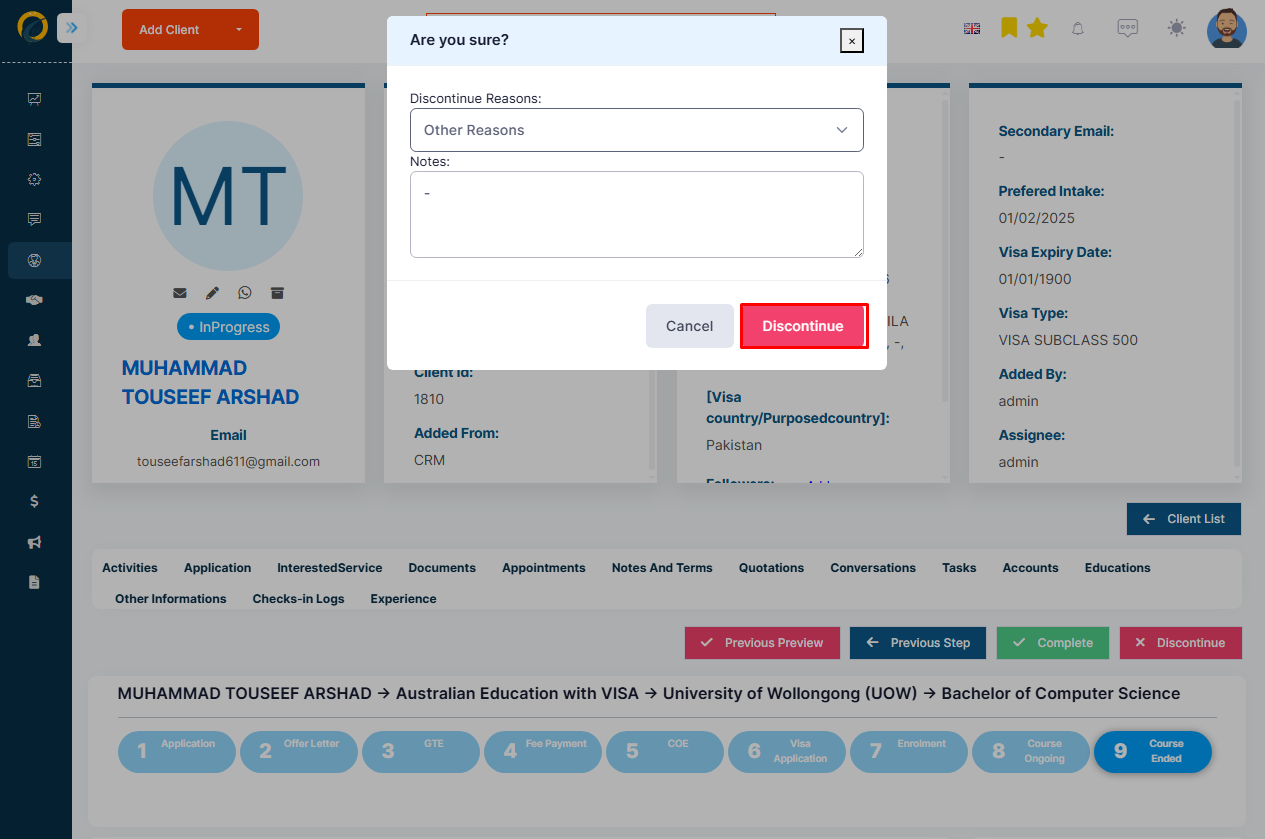
To discontinue an application, follow these steps:
Step 1: Click the Discontinue button on the top bar of an application.
Step 2: Provide details about why the client is discontinuing the application.
Step 3: Click Confirm, and the application’s status will change to Discontinued.