How to add the Partner’s Client ID in the client application?
Partner’s Client ID in application is basically the unique ID provided by your partner to recognize the client for further communication and invoicing. In Education service, this can be a Student ID provided by the institution when the client enrolls in the course. Many of the Australian Institutions require Client ID to be mentioned in the commission invoice, which is also implemented in the OZIAgent system.
To add a Client’s Partner’s ID for the specific application, follow these steps:
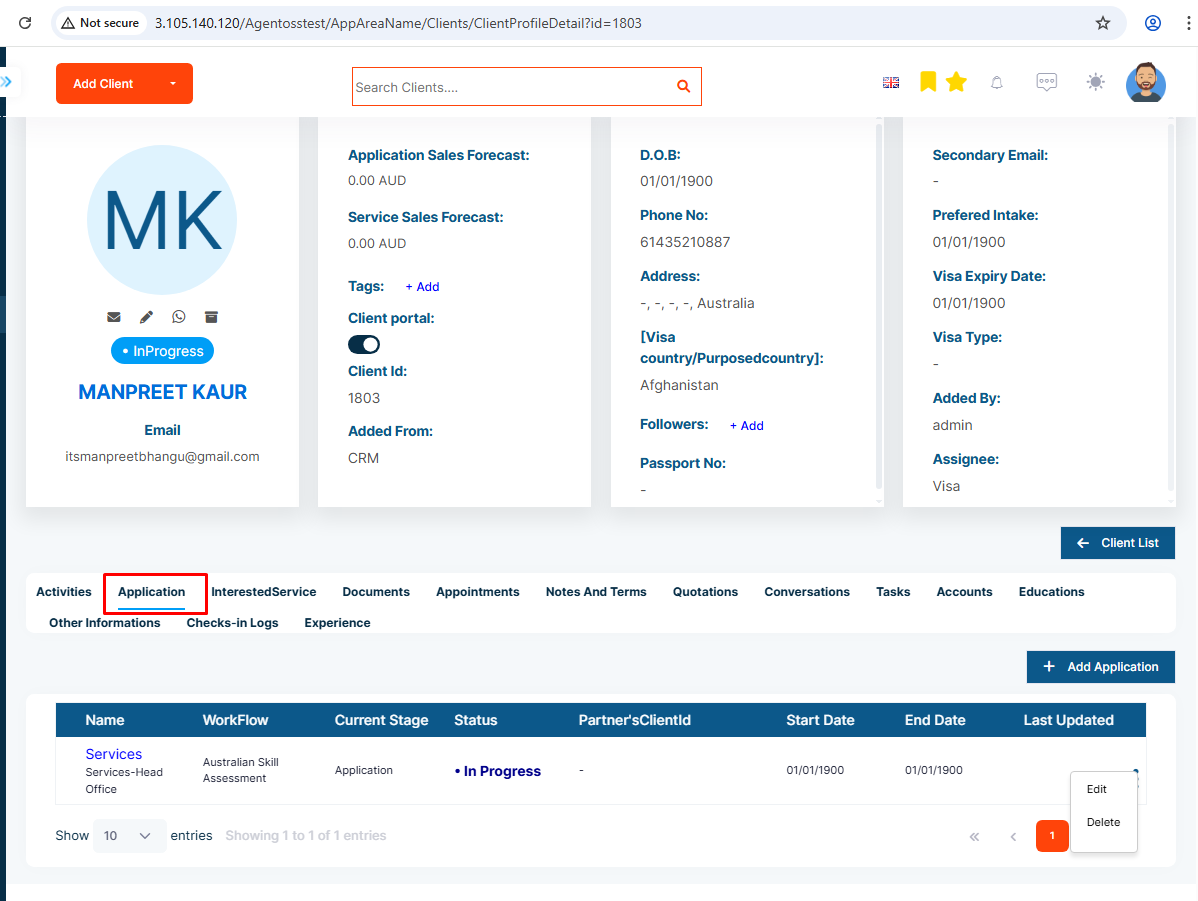
Step 1: Go to your client’s application page
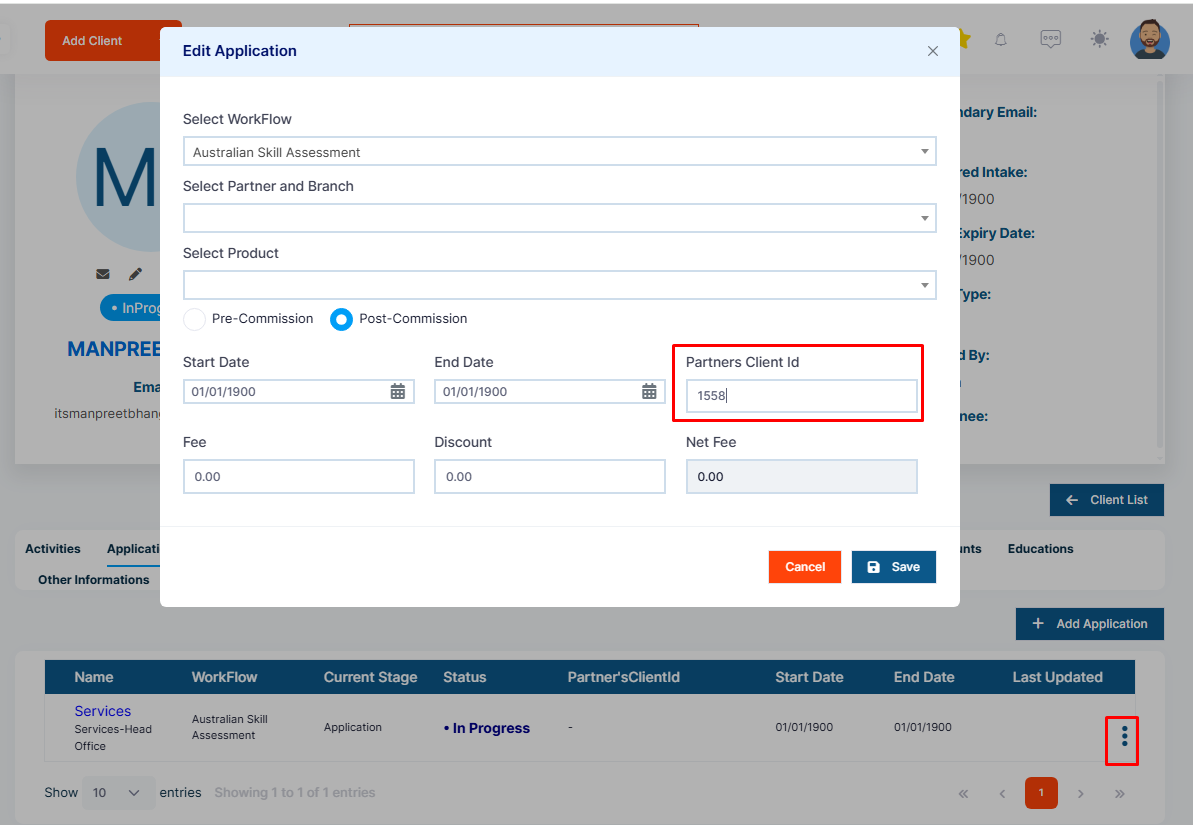
Step 2: Click on the three dots in the application table, then select the 'Edit' option and add the PartnerClientId to the PartnerClientId field.