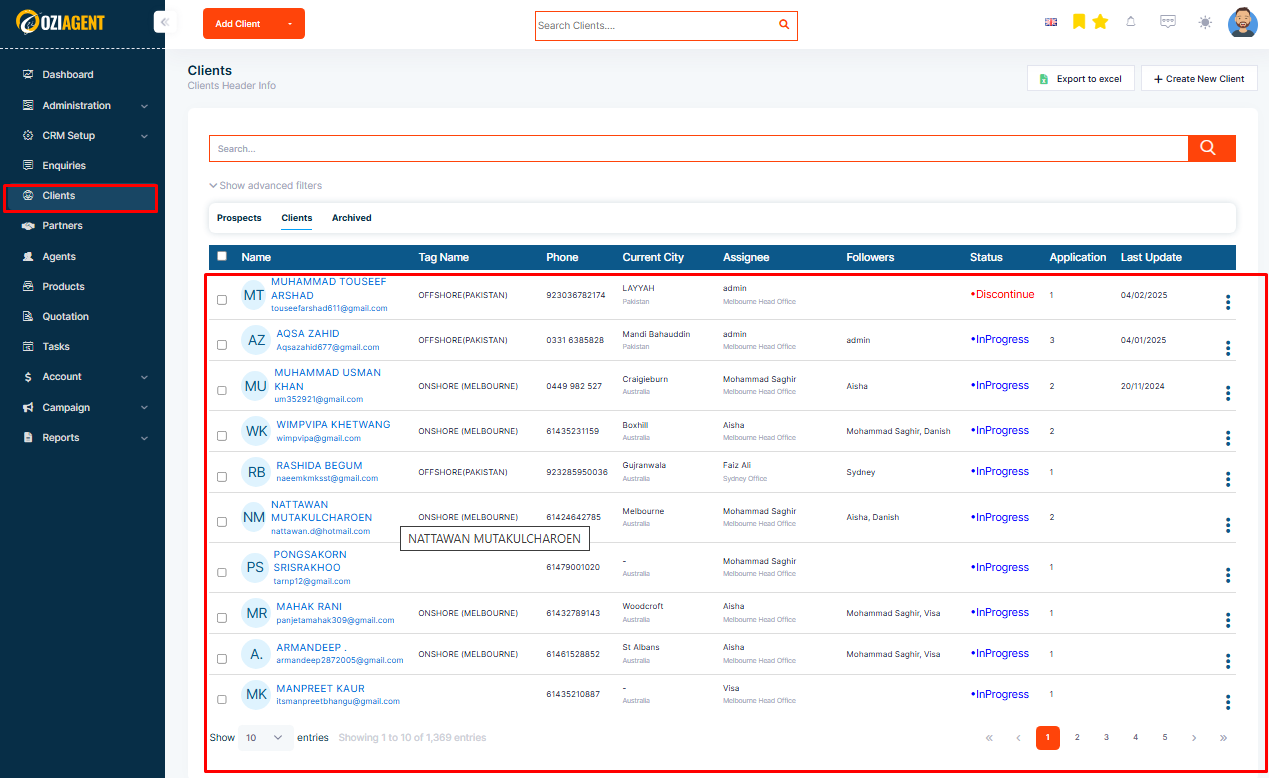
Step 1 – Select clients from the menu, and the Client’s list will appear
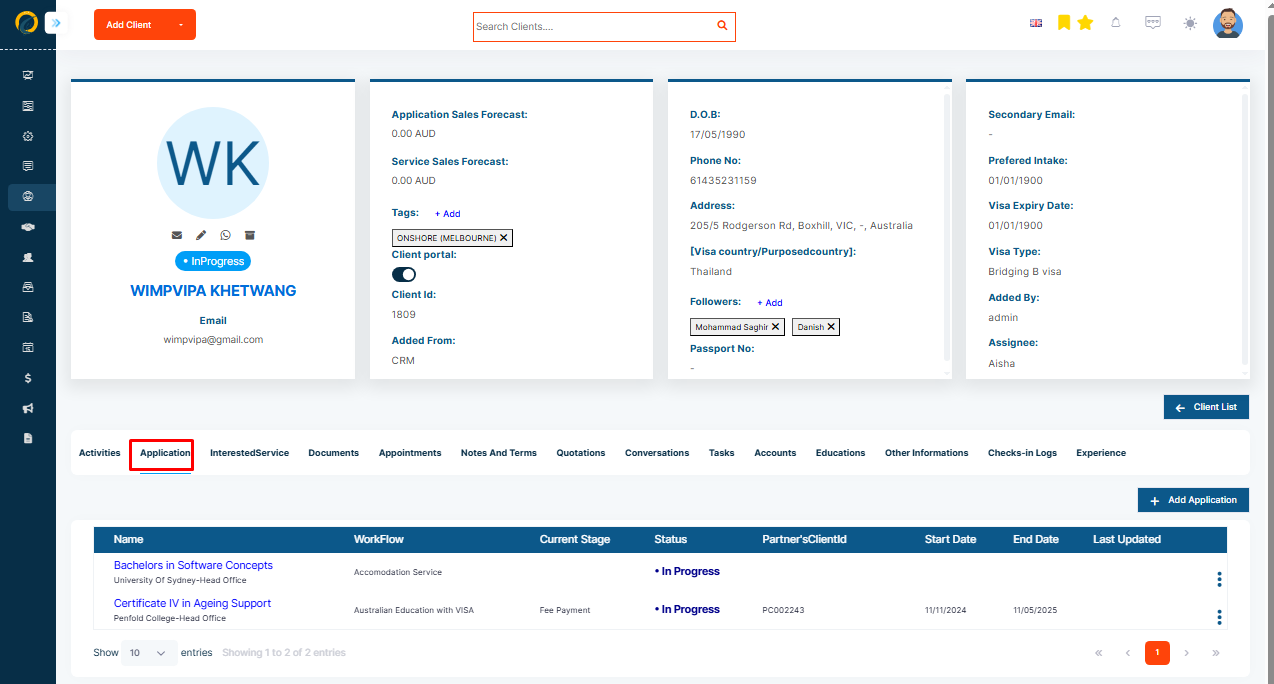
Step 2: Then, go to the Application tab in the client profile page
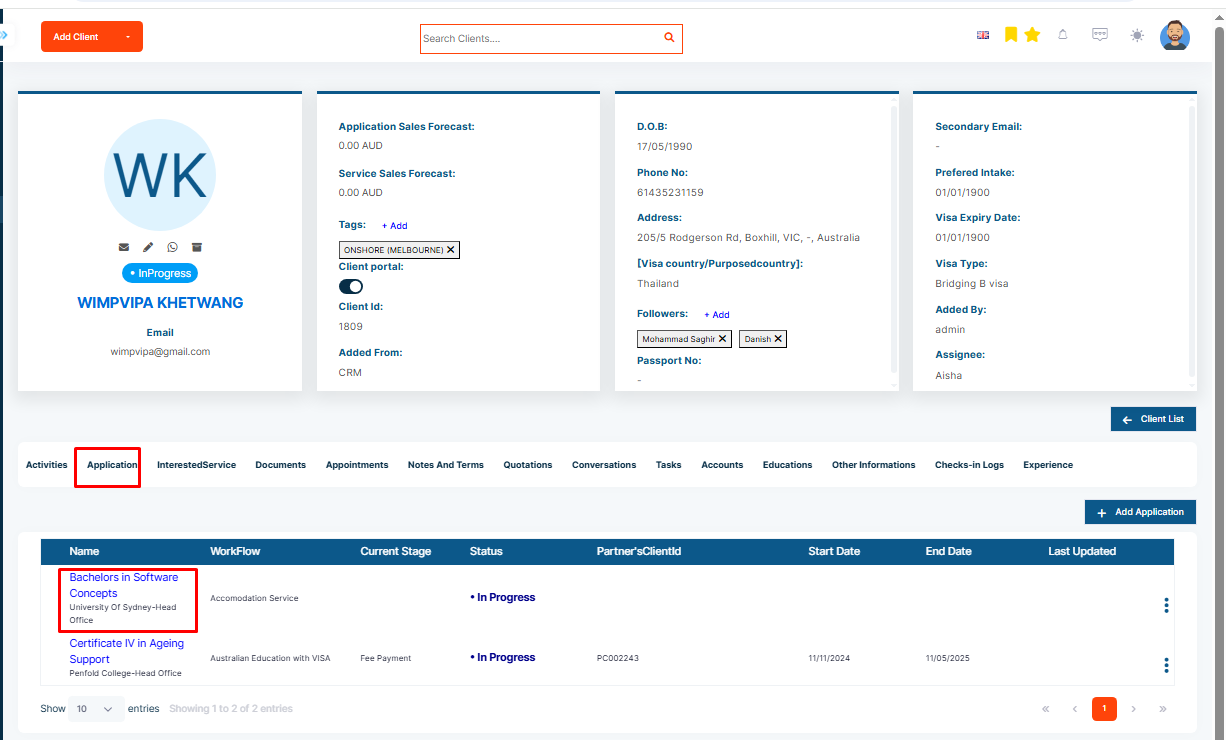
Step 3: Select the Application where you need to add an assignee
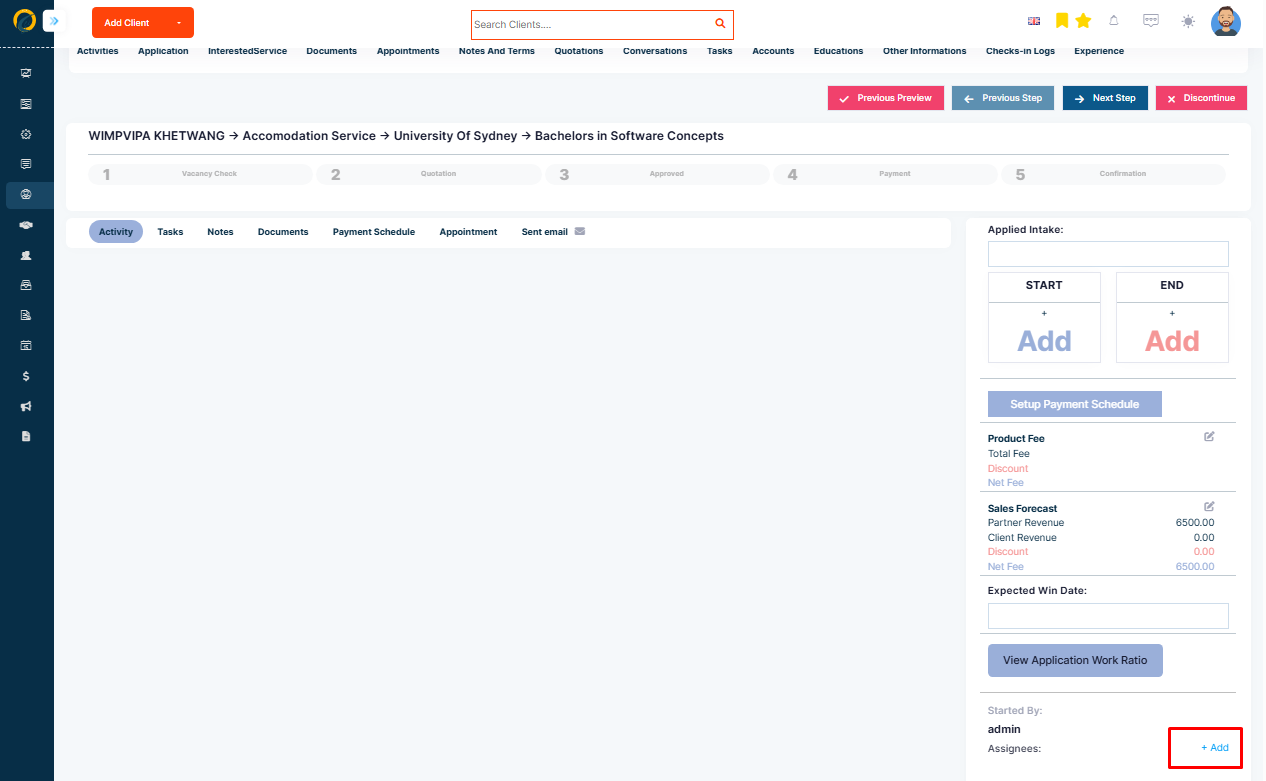
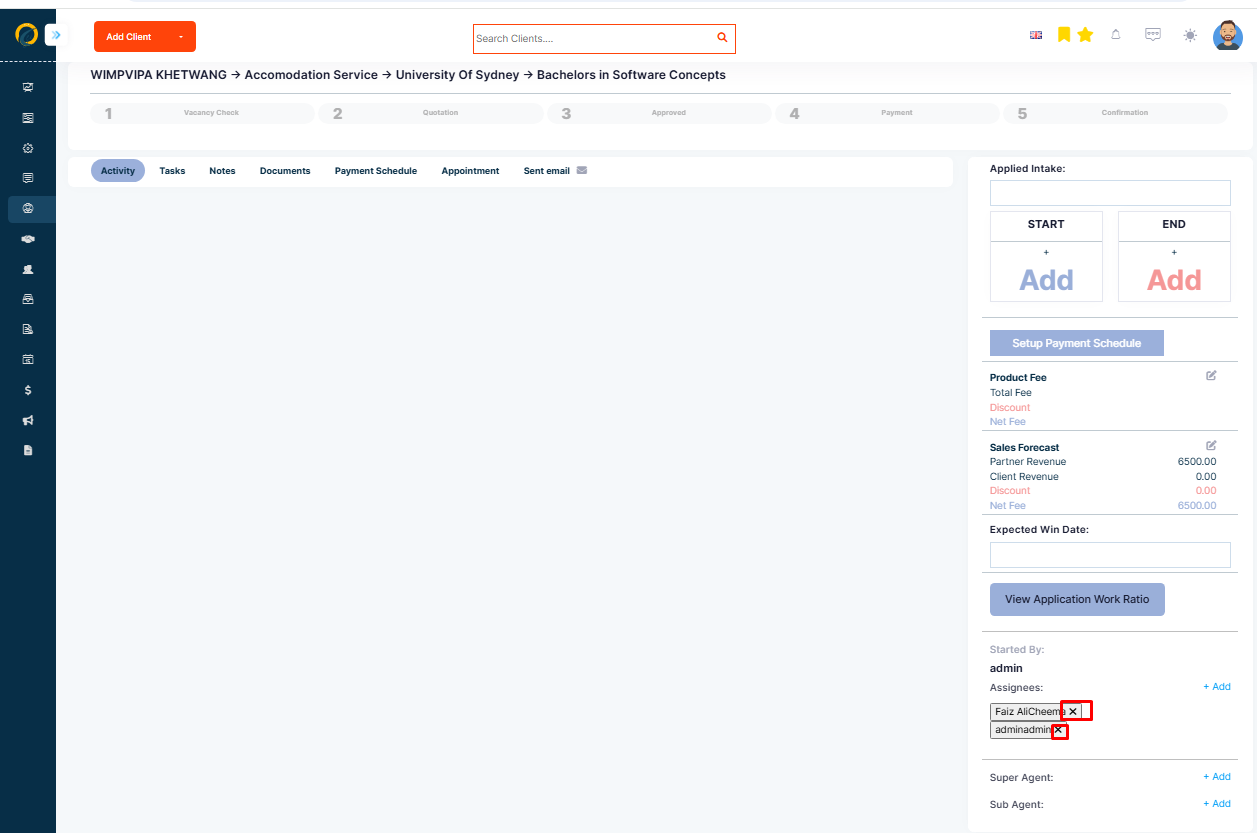
Step 4: Scroll down to the bottom of the page and Click the Add+ option beside the assignee and a list of team members will appear.
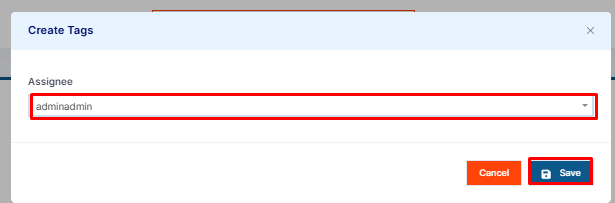
Step 5: Search and click on one of them to add them to the application
Step 6: To remove the assignee from the application, click on the assignee tabs and click in X