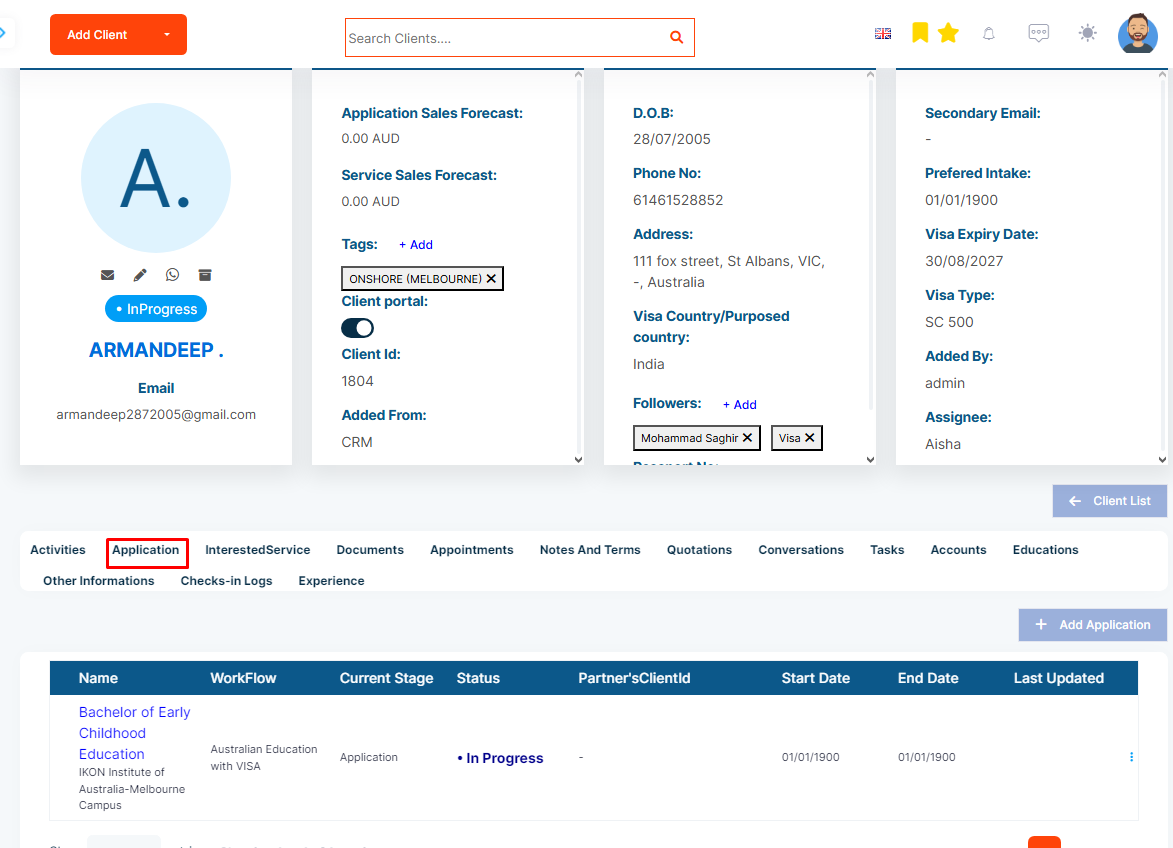
Step 1: Click on the Application tab of the client profile
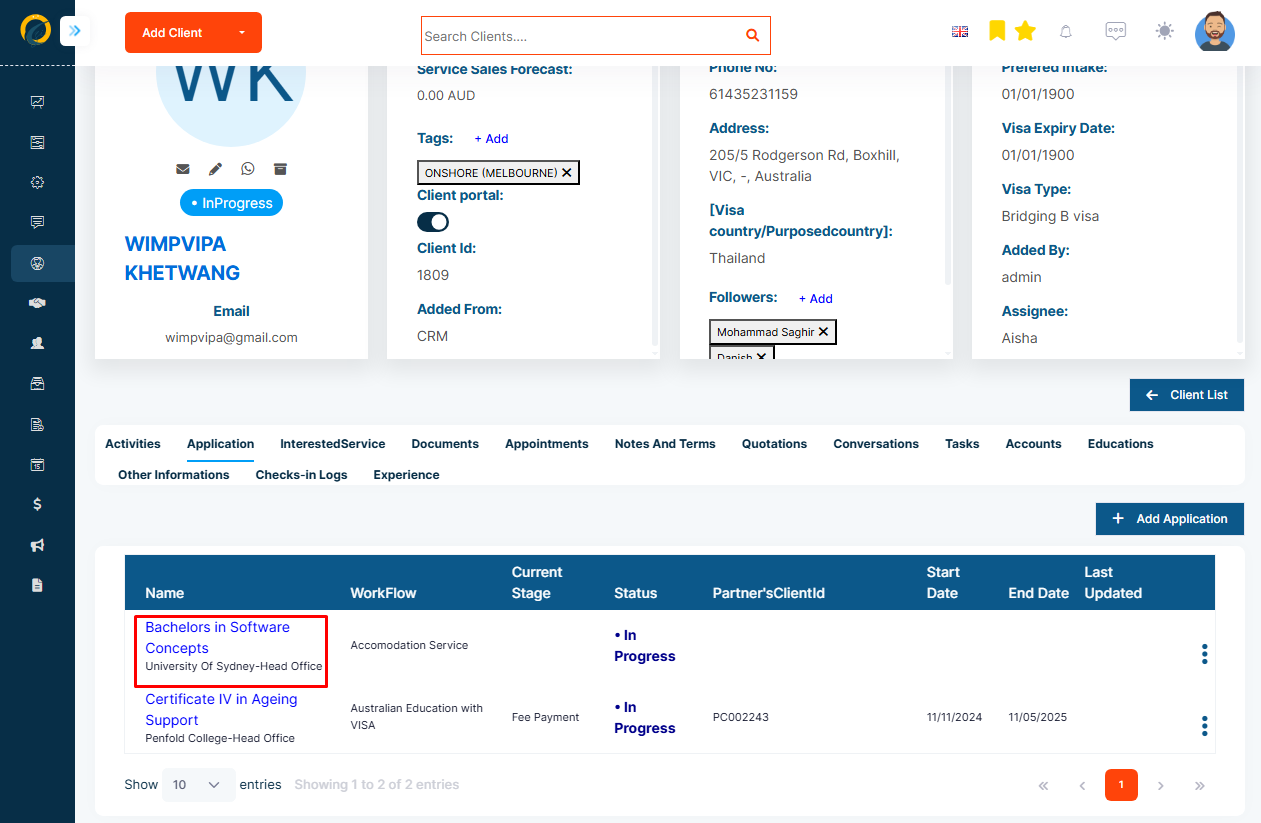
Step 2: Select the Service Application you would like to add the task to and open the application detail page.
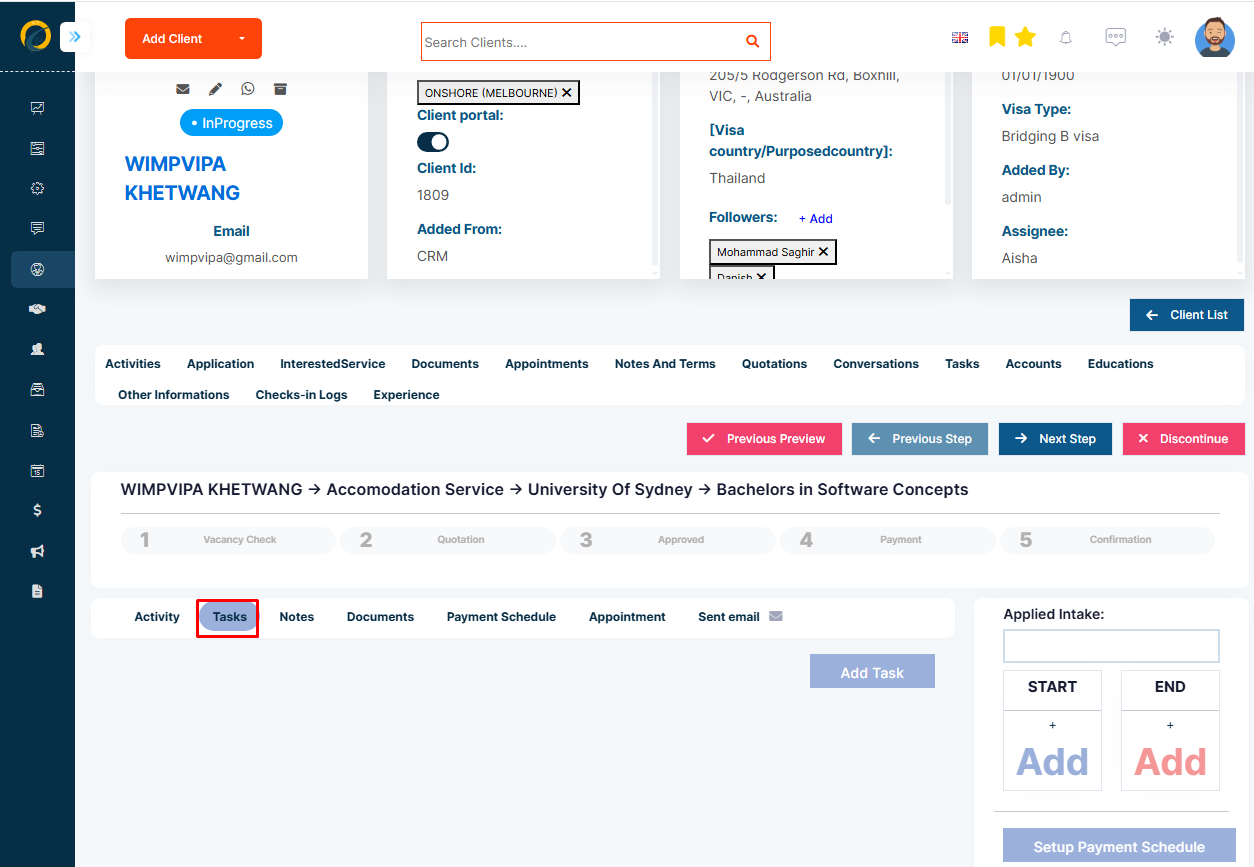
Step 3: Then, select the Task tab.
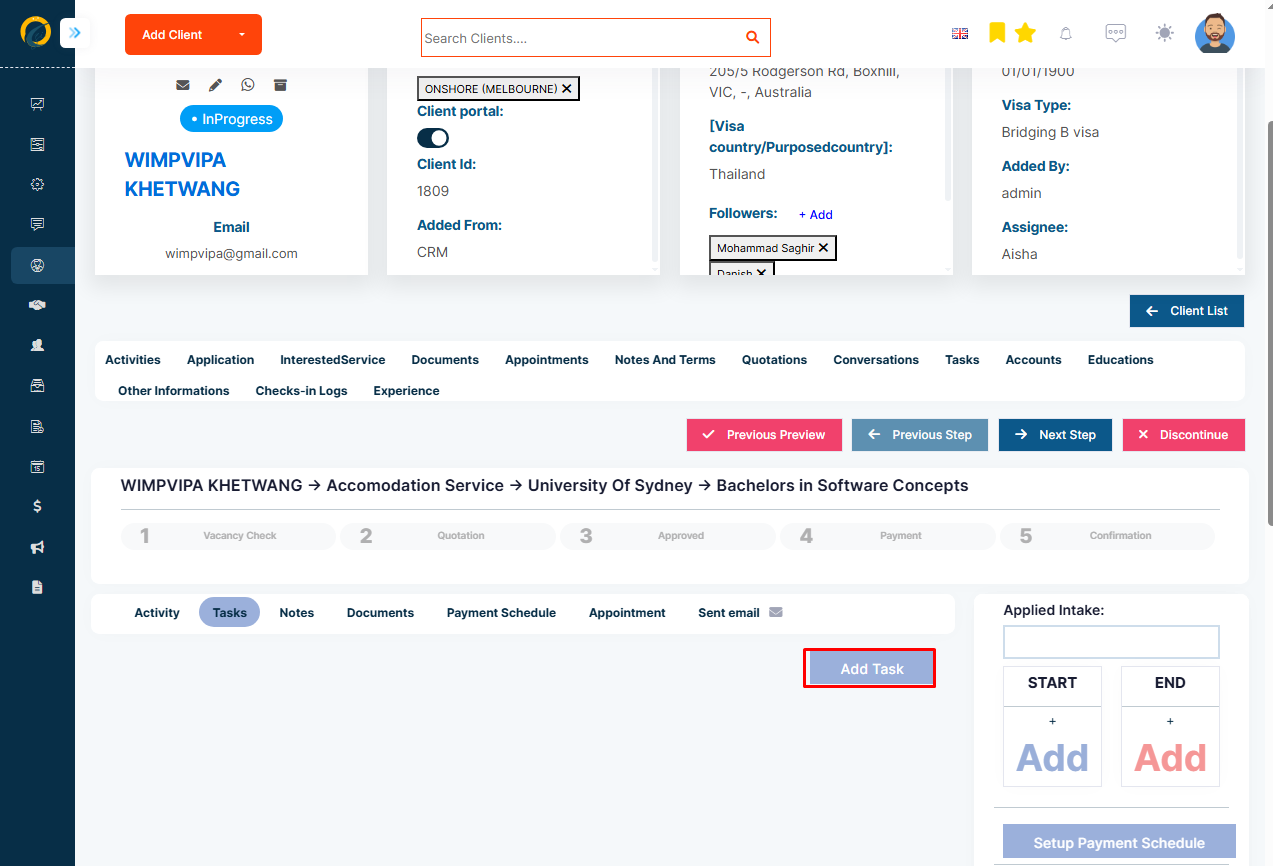
Step 4: To create a new task click on the task icon to the right
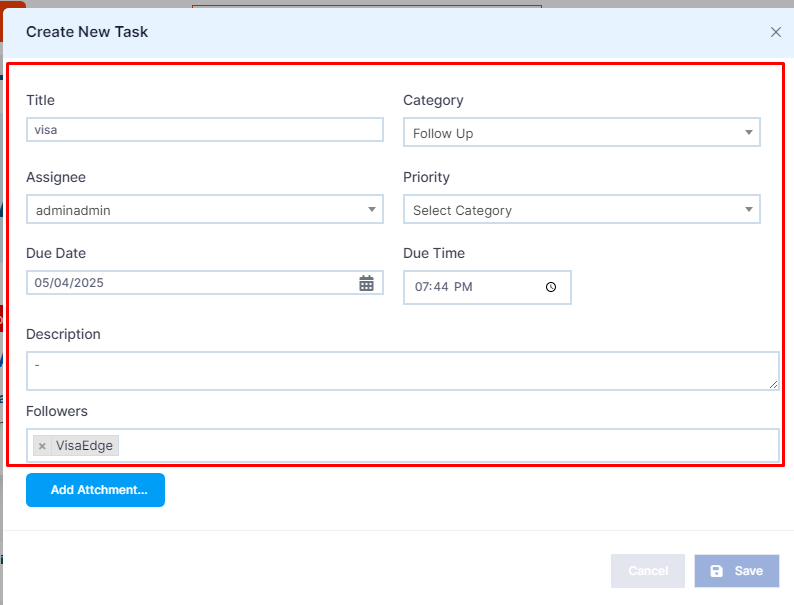
Step 5: Input all the required task information with an assignee and due date
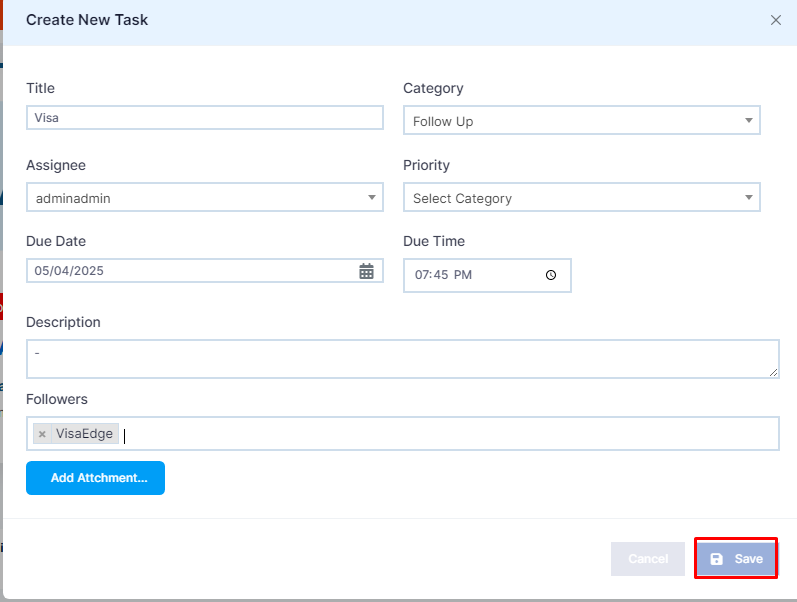
Step 6: Click Create to save the task