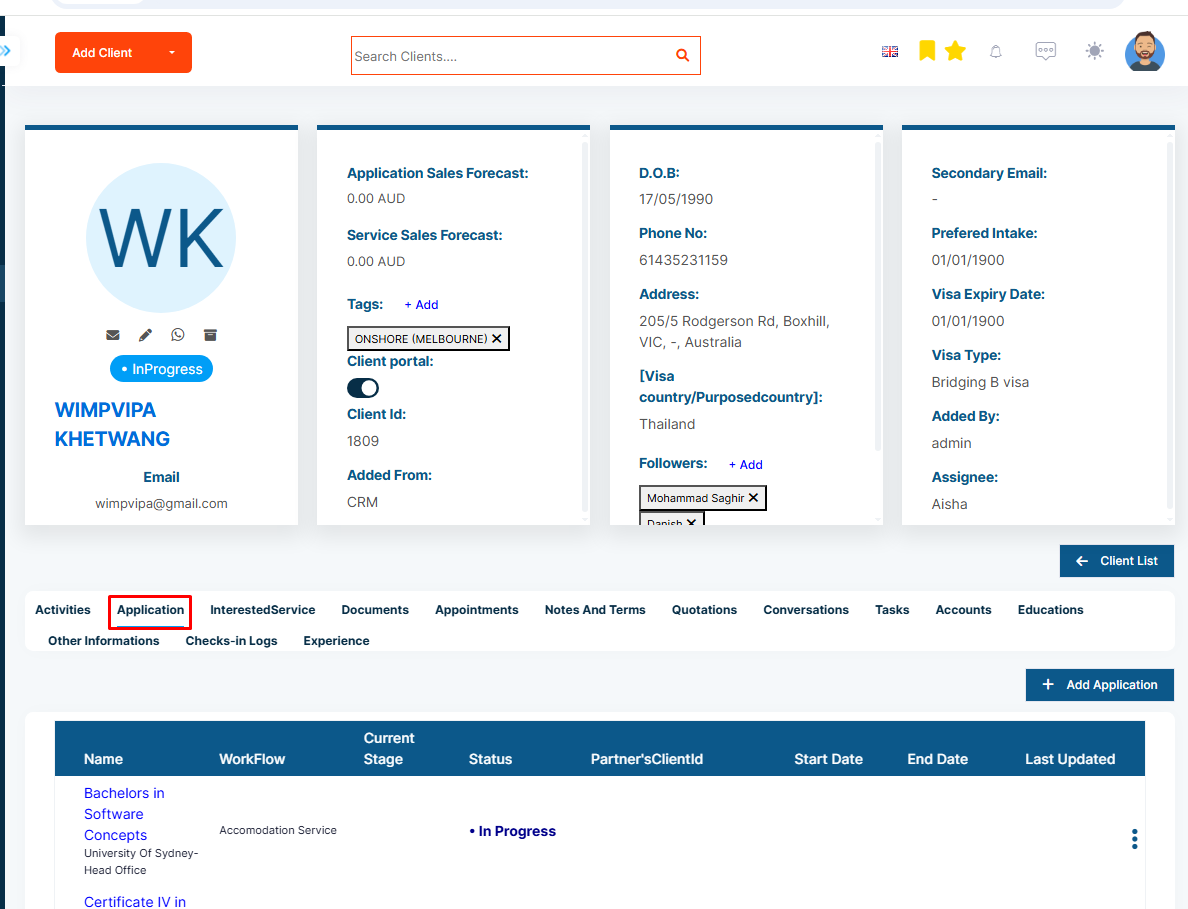
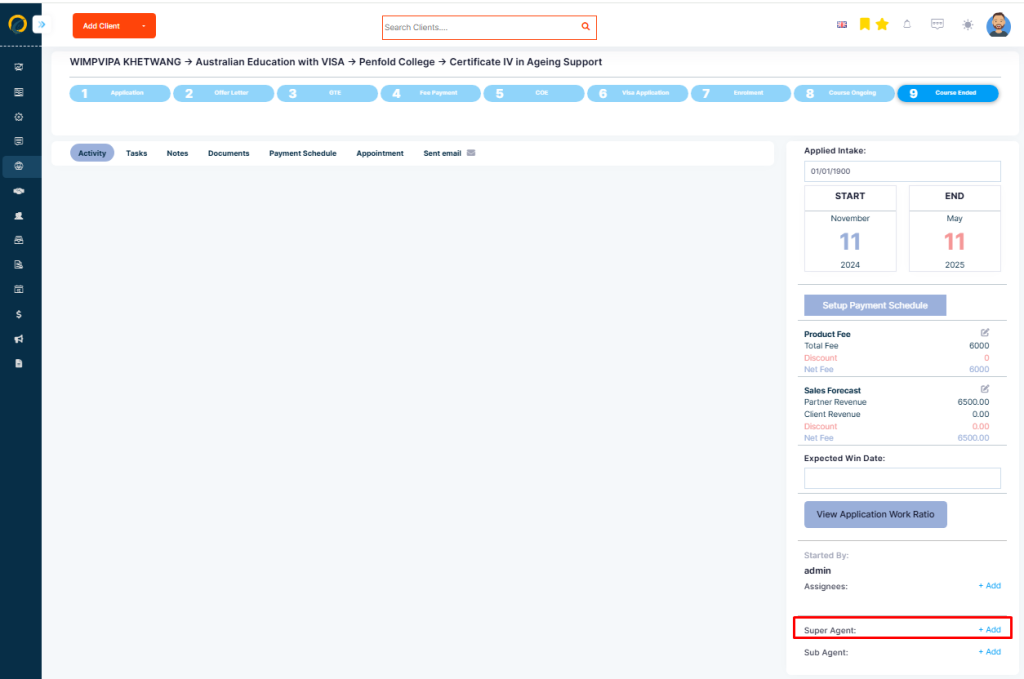
Step 1: Go to the Application tab on the client profile page
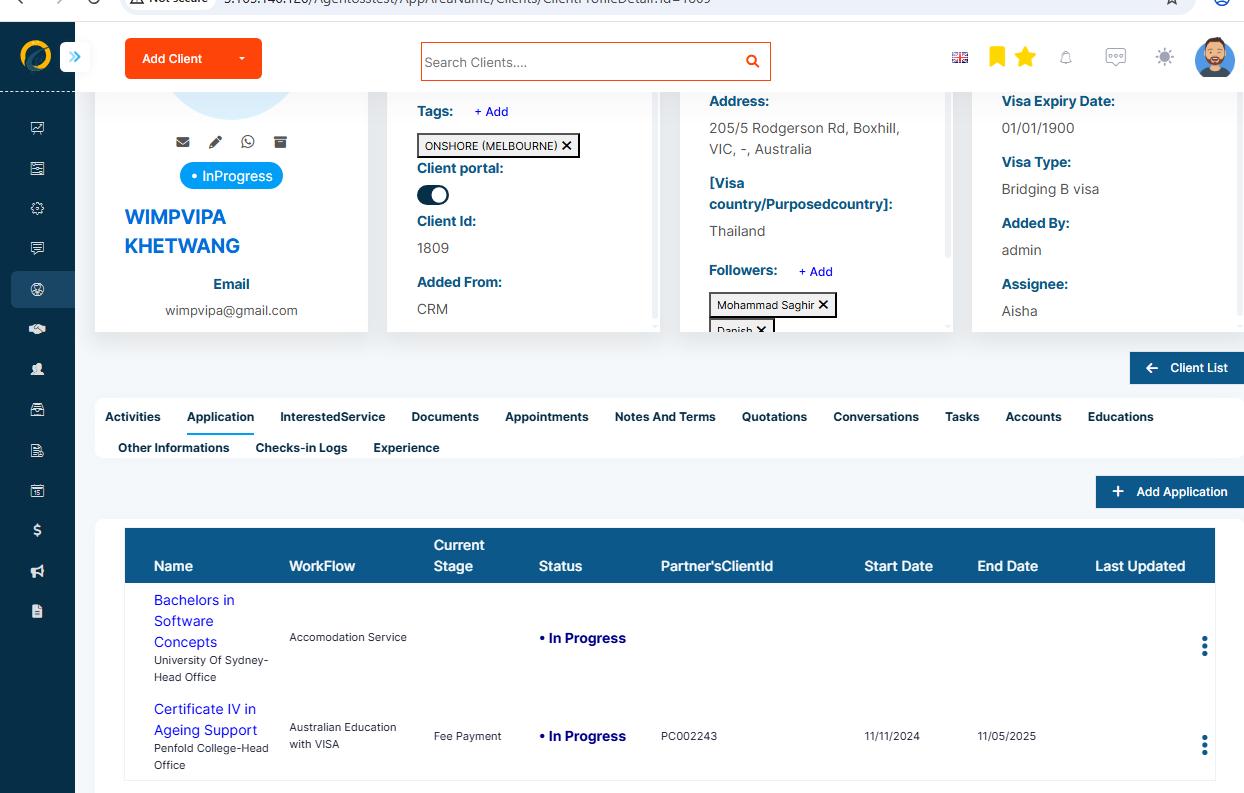
Step 2: Select any Application
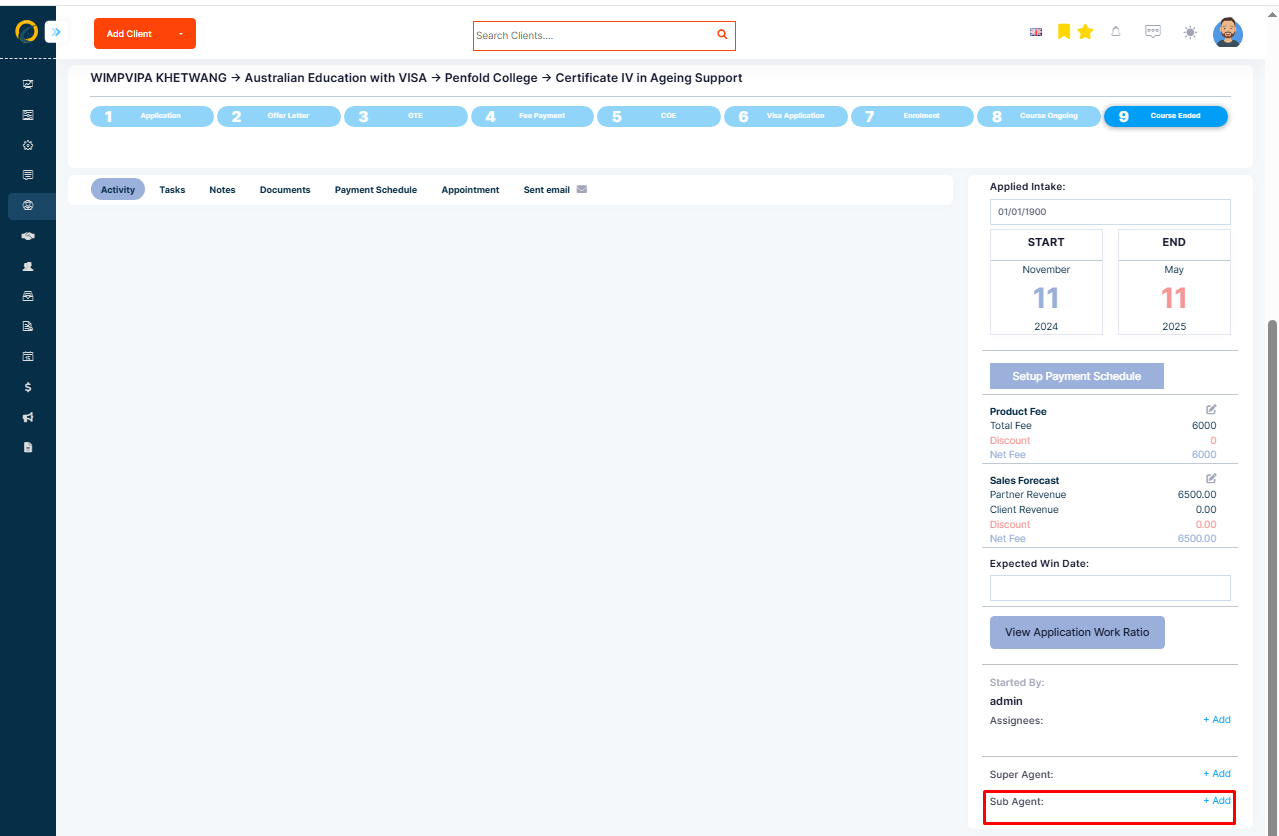
Step 3: Then, scroll down to the bottom of the page and go to the Sub Agent section
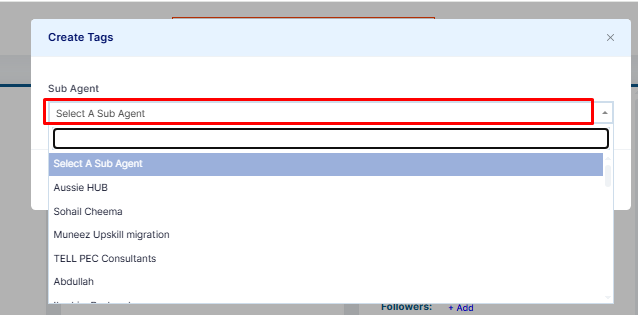
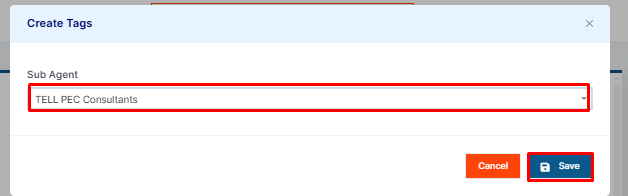
Step 4: Click on the +Add to view all active Sub Agents
Step 5: Select your related Sub Agent to connect
Super Agents are the designated recipients for applications if you do not have a direct representative agreement with the partner. To connect a Super Agent follow these steps:
Step 1: Go to the Super Agent section
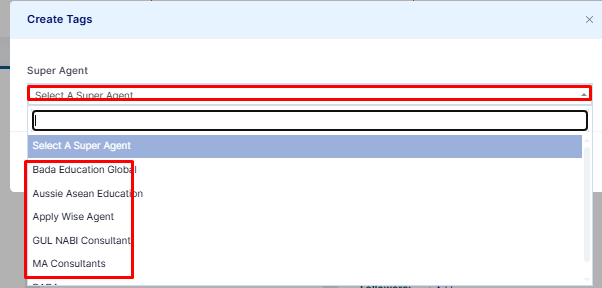
Step 2: Click +Add to view all active Super Agents
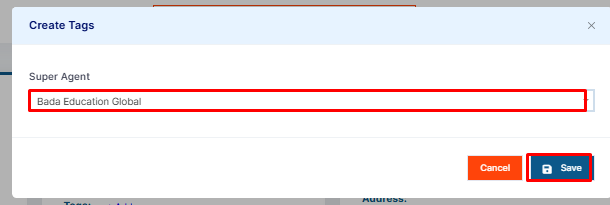
Step 3: Select your related Super Agent to connect with
Step 3: Save once completed.