Limited Time Offer
Get 3 Months FREE when you start your trial today!

Adding applications and details

  1. Home
  2. /
  3. Application
  4. /
  5. Adding applications and details

How to add application to the contact?

To convert your prospect into clients and to process additional services for your existing clients, you need to add an application. To add the application, you should have the following permissions:

Please note: Application is connected to Workflow, partner, and product. And email id of the contact is mandatory to add the application as an email ID is required for the further process of the application.

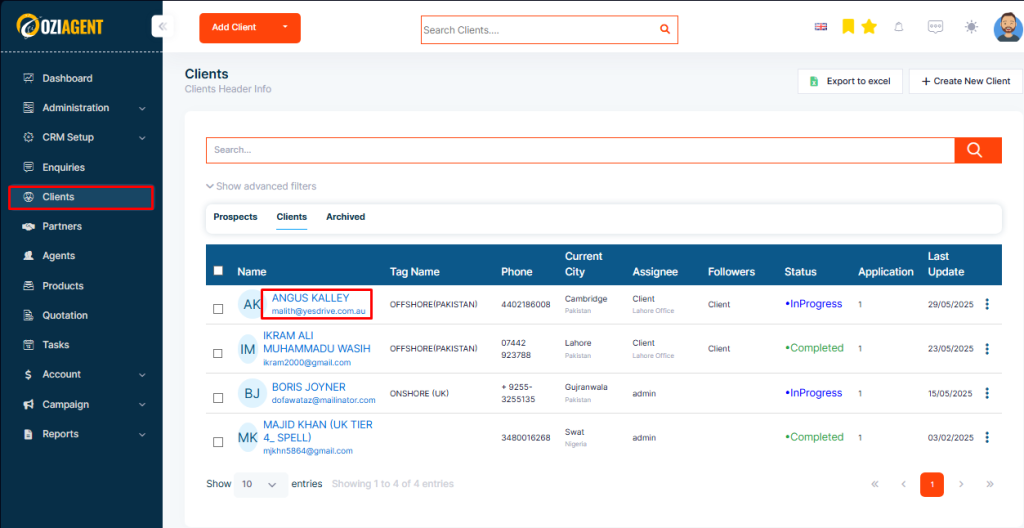
Step 1: Open your contact's profile.

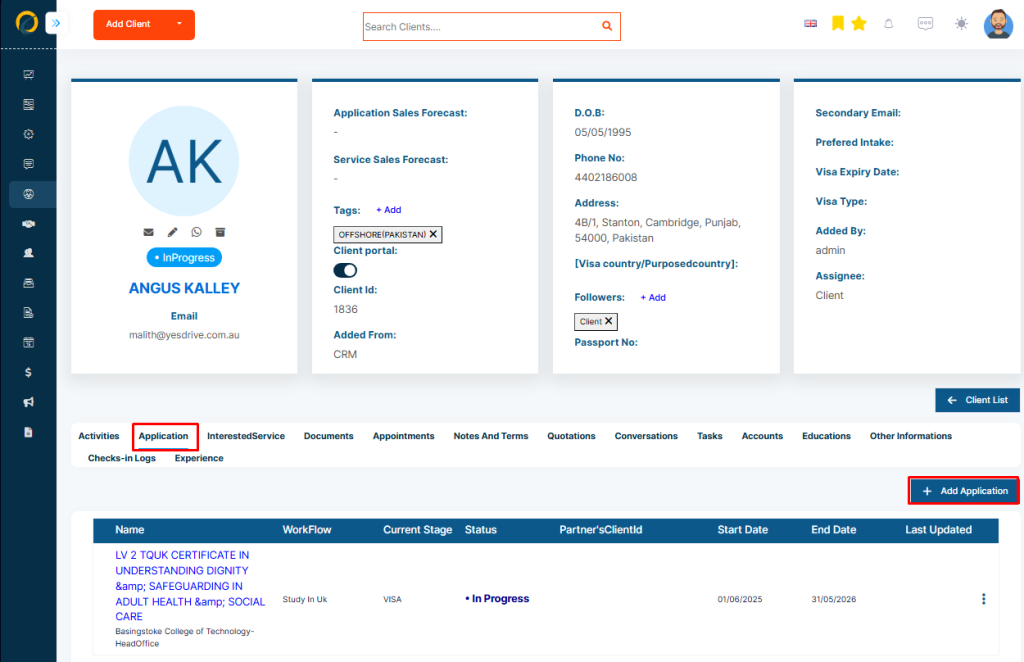
Step 2: Select the “Application” tab

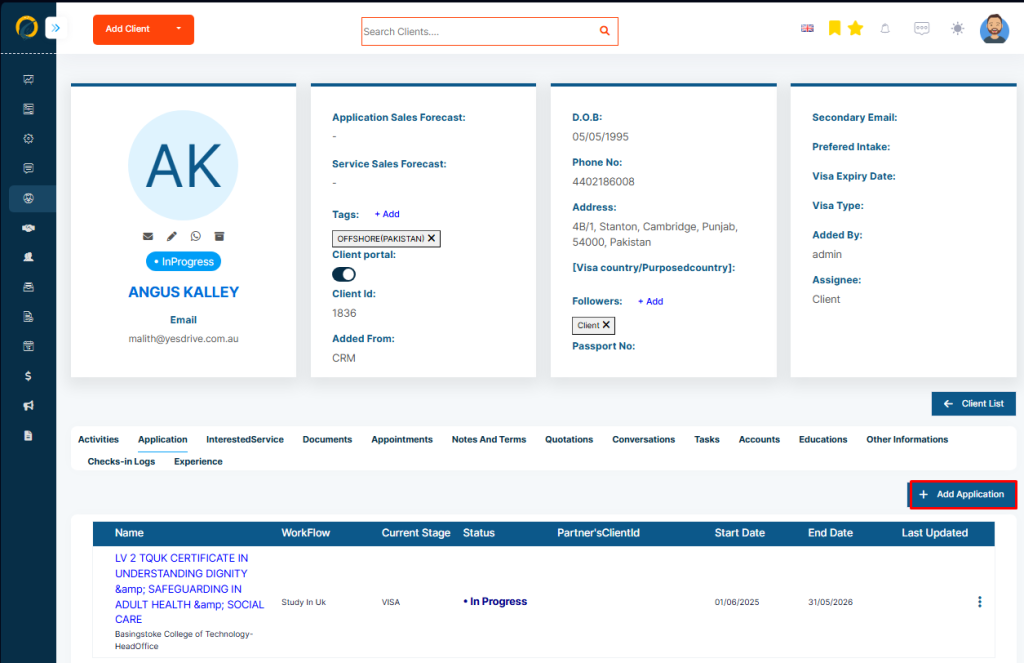
Step 3: Then click on the “Add” button

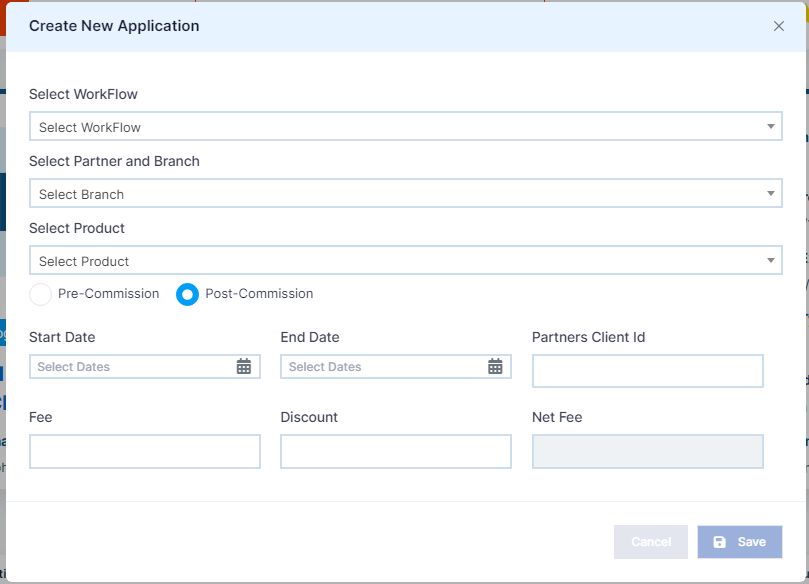
Step 4: Then a pop-up will appear

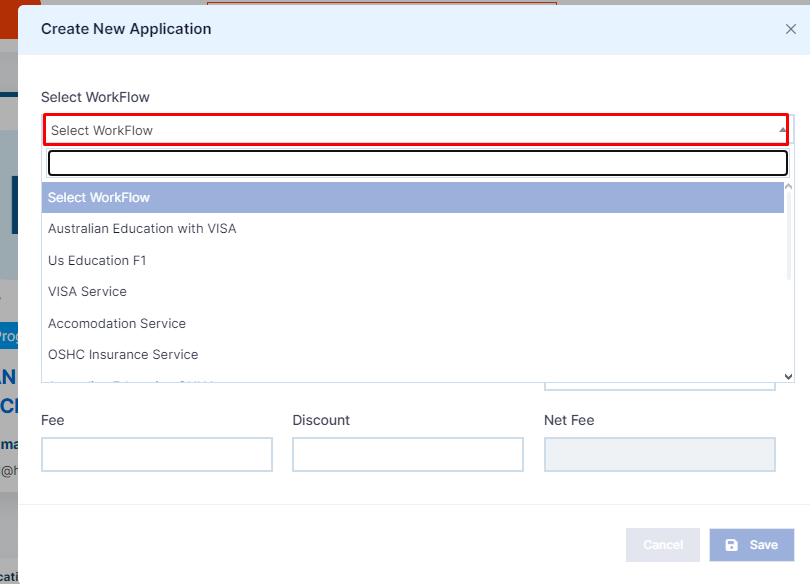
Step 5: Select “Workflow” for the application from the dropdown.

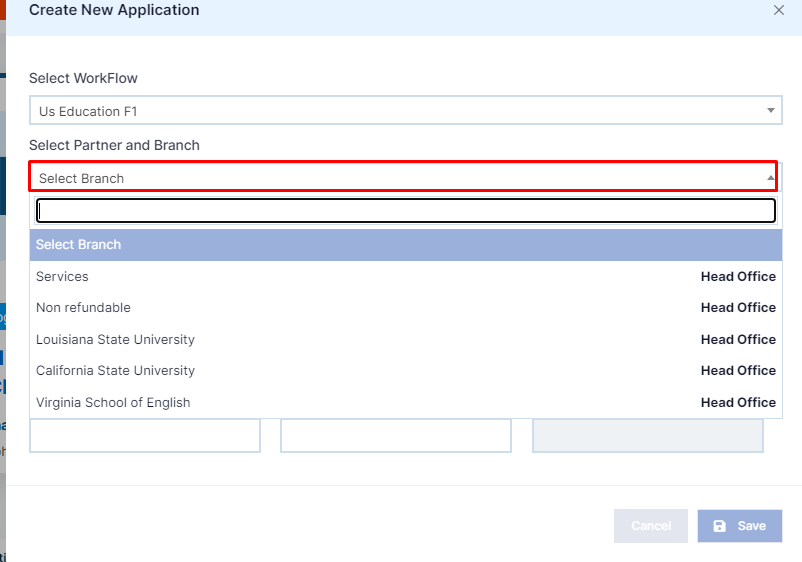
Step 6: Select the partner

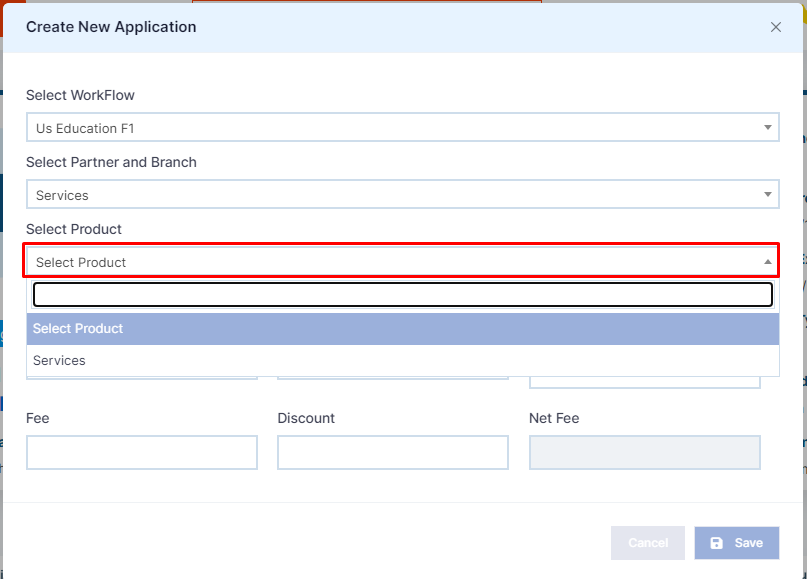
Step 7: Then select the product

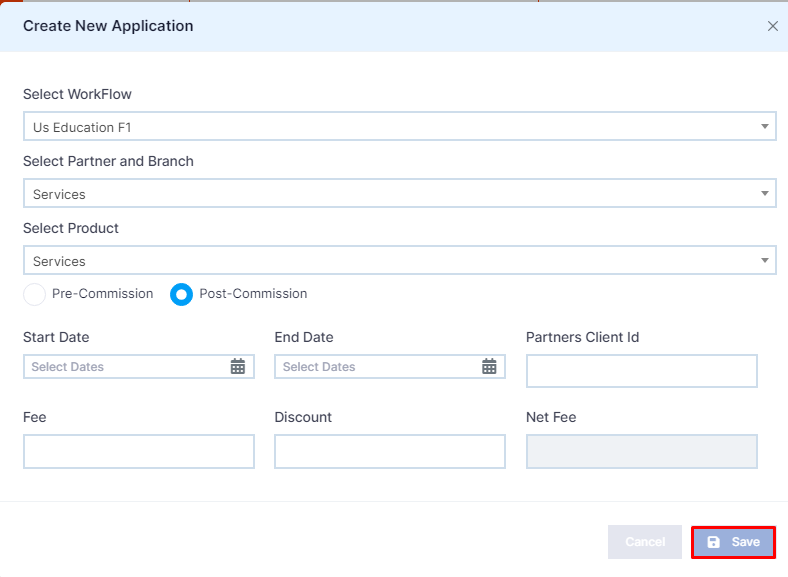
Step 8: Click Save to save or click Save & new to save and create a new application. You can create multiple applications for one client