In this article, you will learn the process to convert the prospect to client.
Prospects
Prospects are the students who have shared their information but have no assigned application. They are assigned to one of the users for further engagement and follow-up. You can manage their details, documents, and interested services.
Action: Organize their profile and provide necessary information.
Goal: Move them to Clients.
Clients
Clients have started an application and are actively using your services.
Action: Track progress and offer support.
Goal: Ensure a smooth application process.When an application is started for the prospect, the prospect is converted into a client and denoted as “In progress” in OZIAgent.
Application
An Application is the specific service a client decides to pursue, such as university admission or visa processing.Each application is linked to Workflows (Service process), Partners (institutions), and Products (services). Clients can have multiple applications for different services, ensuring seamless management under one profile.
Note: The email address of the contact is mandatory to start an application for the contacts.
To convert Prospects to Clients, follow the following steps:
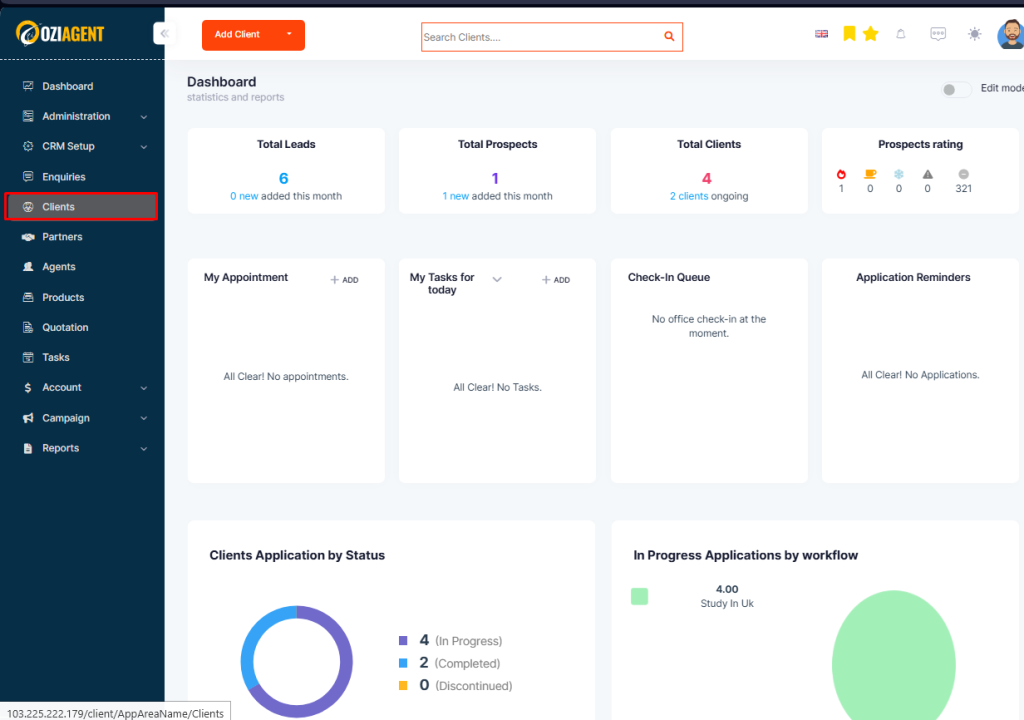
Step 1: Select Contact from the dashboard
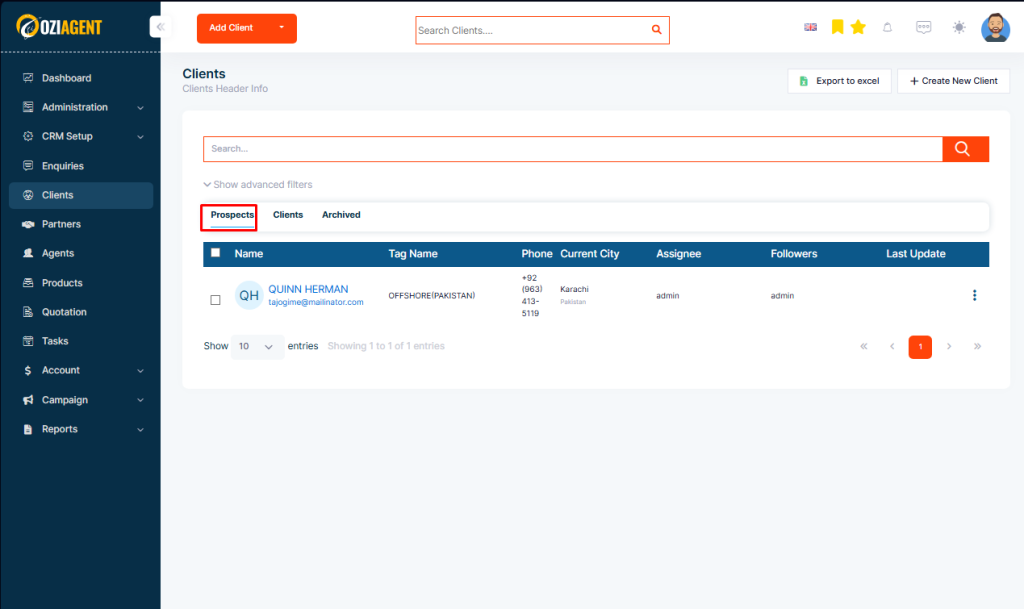
Step 2: Select Prospects
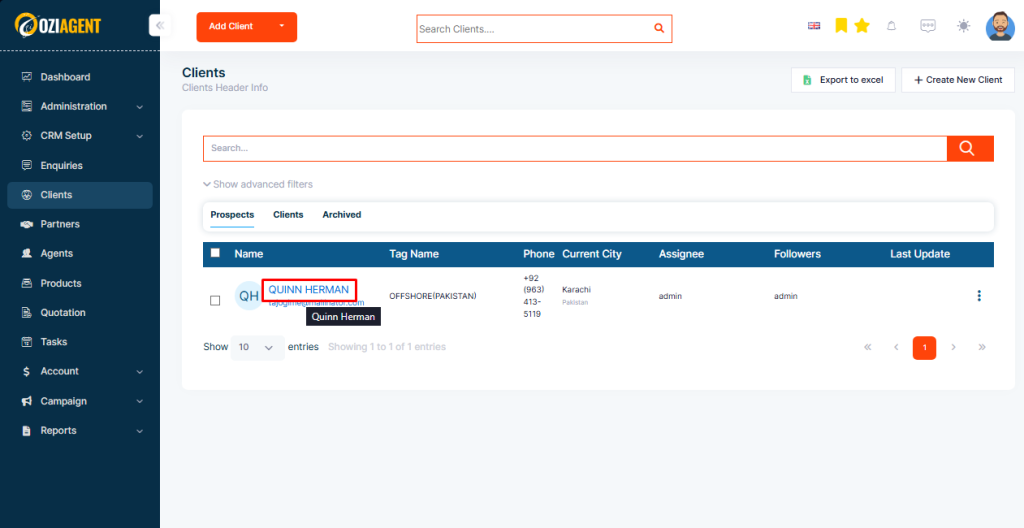
Step 3: Click on the Name of the prospects
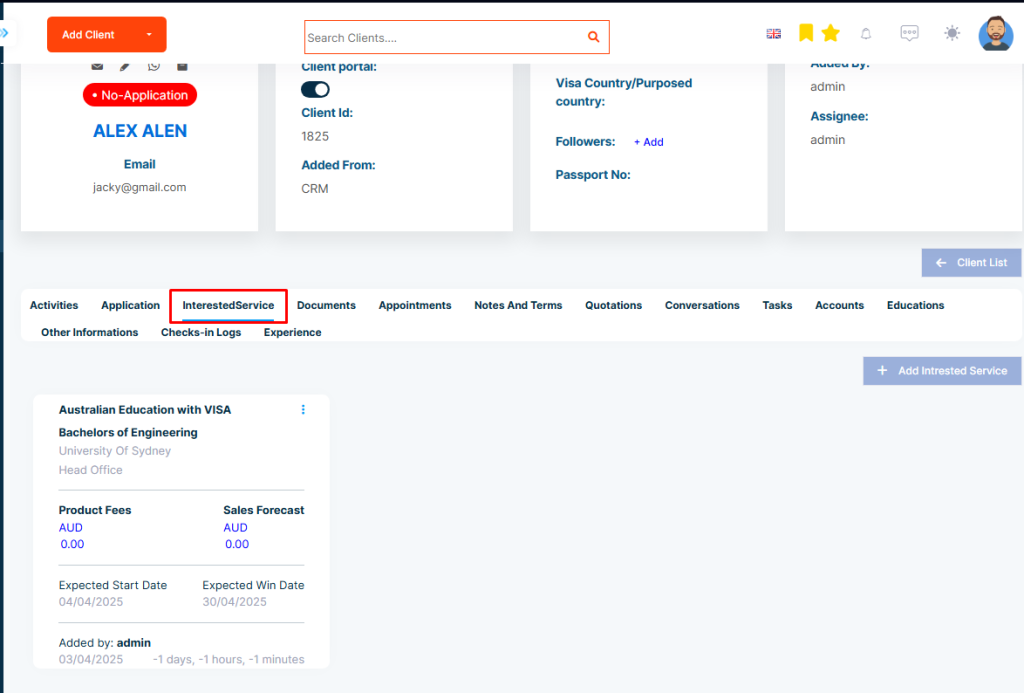
Step 4: Select the Interested Service tab
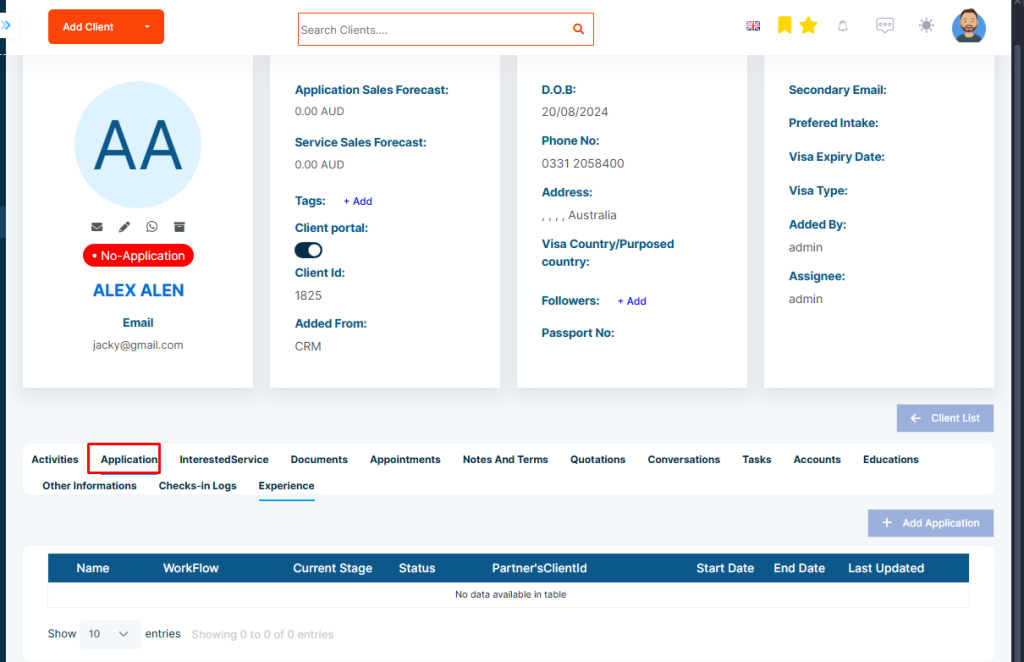
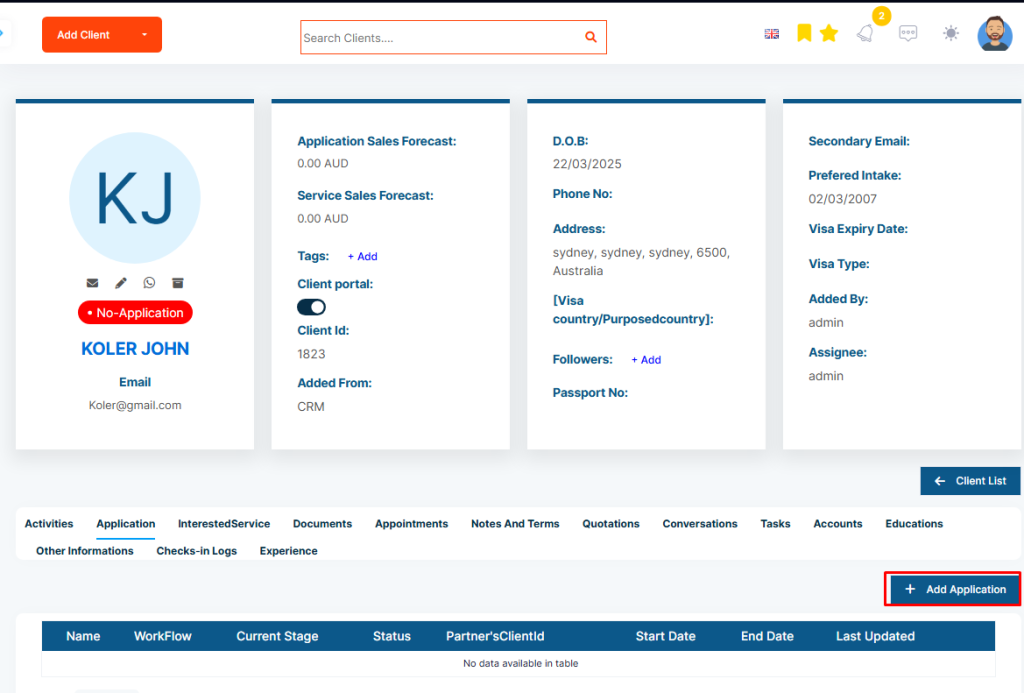
Step 5: Applications can also be added from the Application tab