ATo add a Partner, follow the following steps Before adding please name sure you have the permission to do so
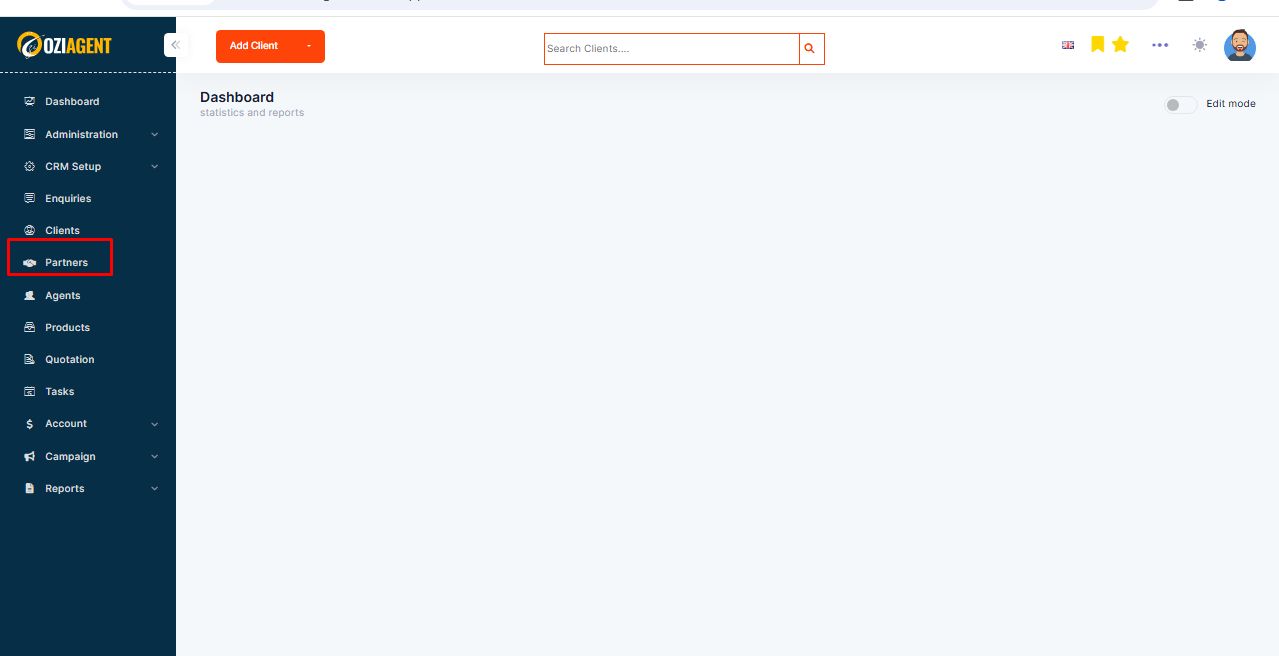
Step 1: Select Partner from the Dashboard.
Step 2: Select Add.
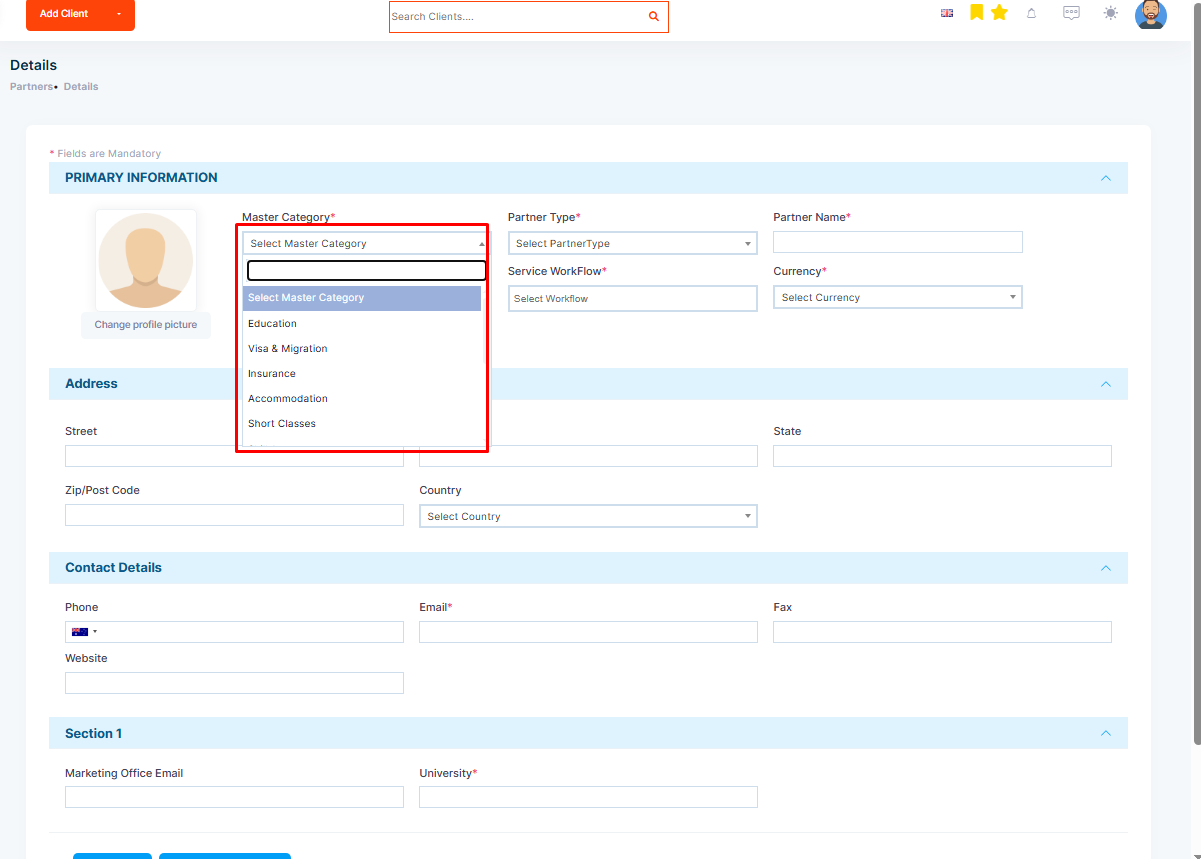
Step 3: Select Master category
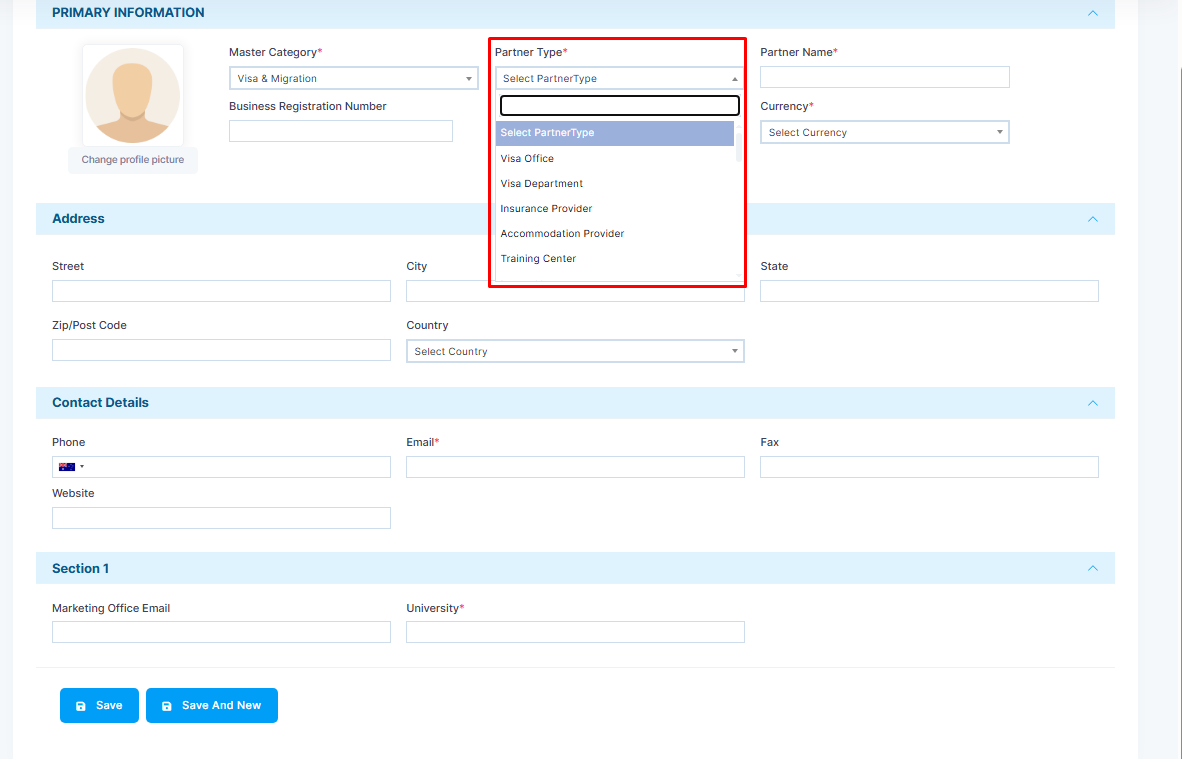
Step 4: Select Partner Type.
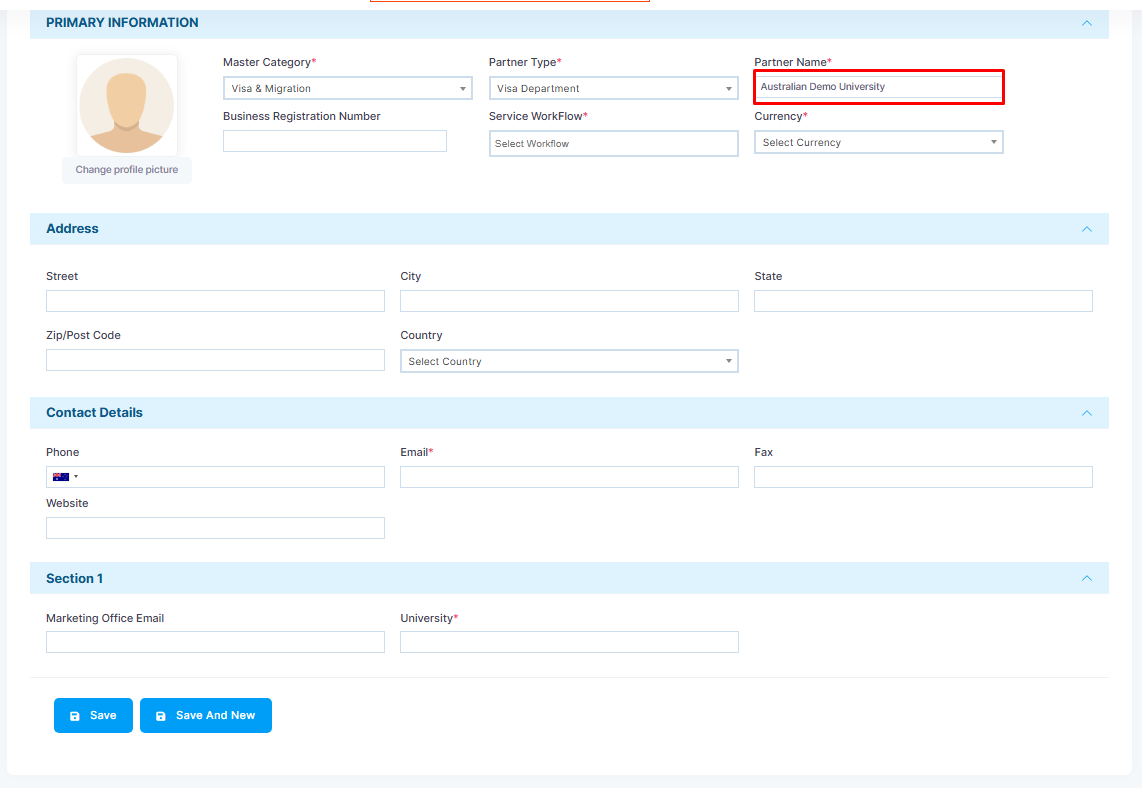
Step 5: Now, Add Partner’s Name. For example, Australian Demo University.
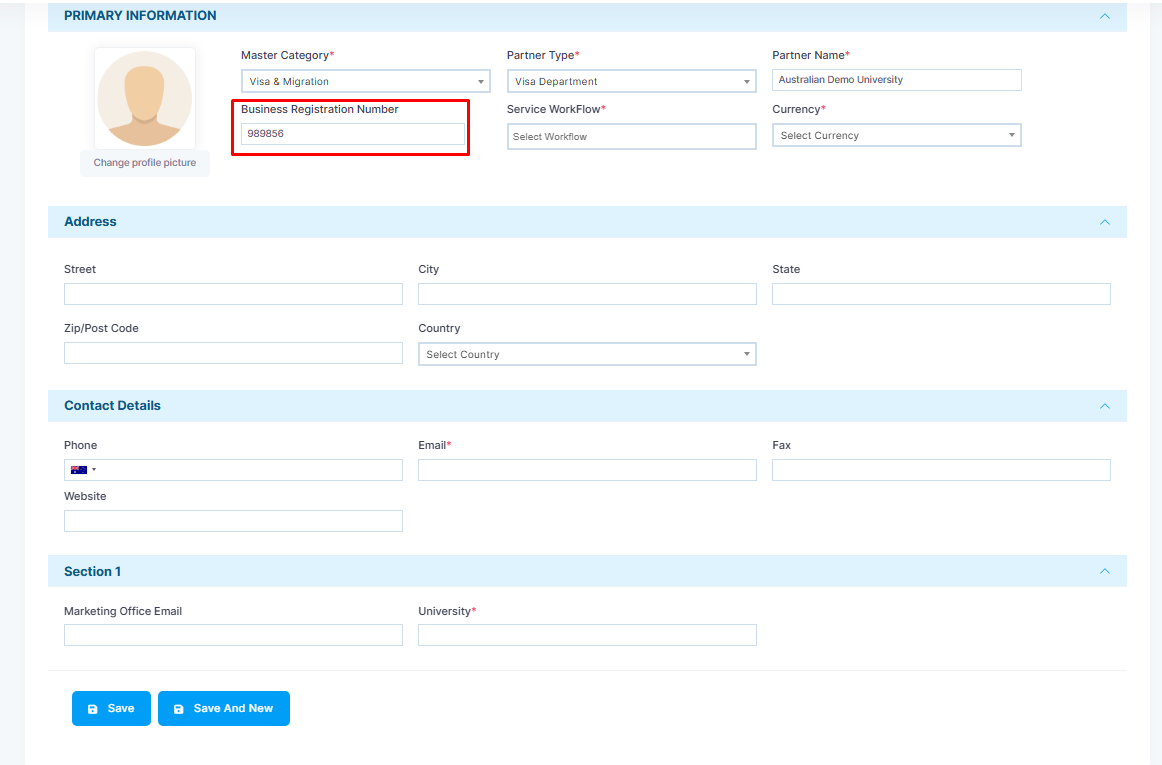
Step 6: Add the Business Registration Number of the Partner. This can be used while invoicing them.
Note: Please select the option to show the “Business registration number in the invoice” if you want so.
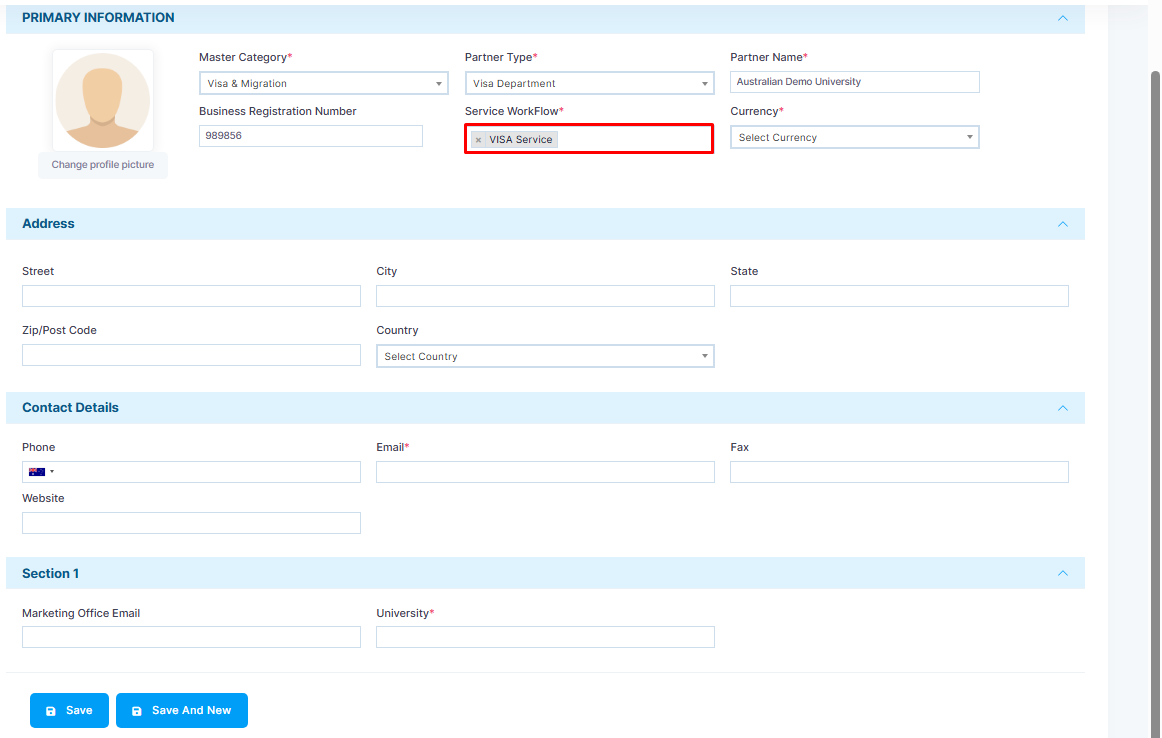
Step 7: Then select Workflows, where you want their applications to run.
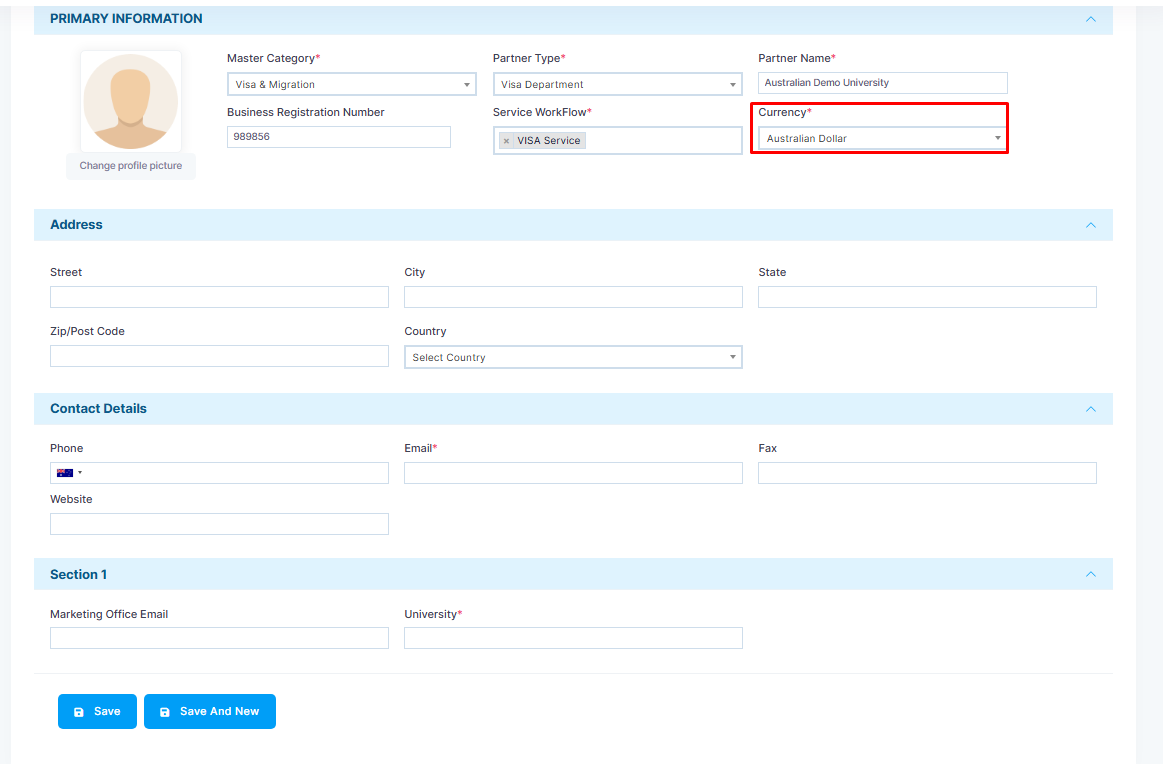
Step 8: Select the currency type.
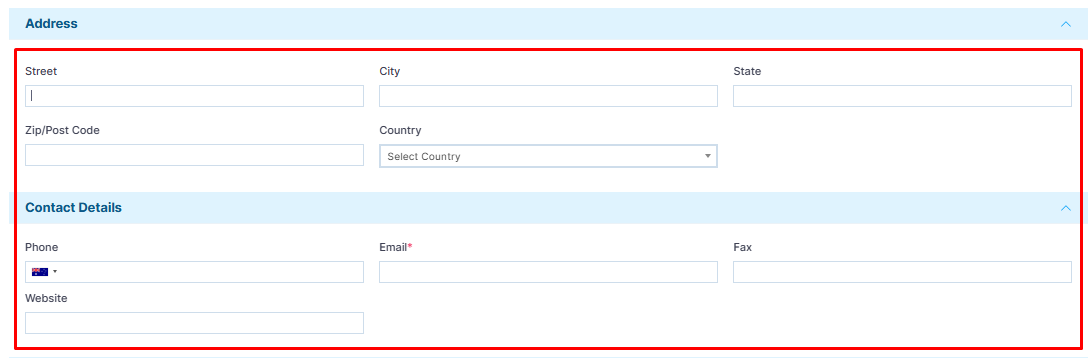
Step 9- Add partner address and contact details.