To add the agents individually
To add the agents individually in the system, follow the following steps:
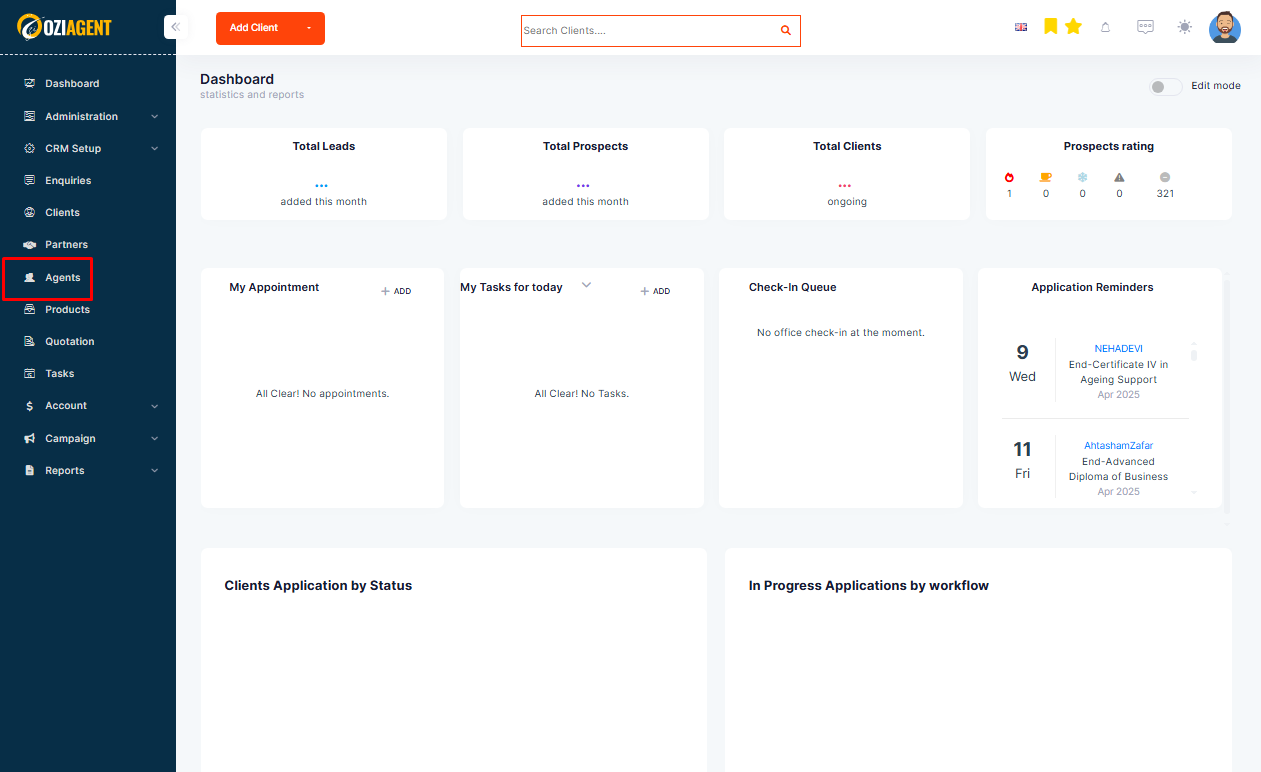
Step 1: Select Agent from the side navigation bar.
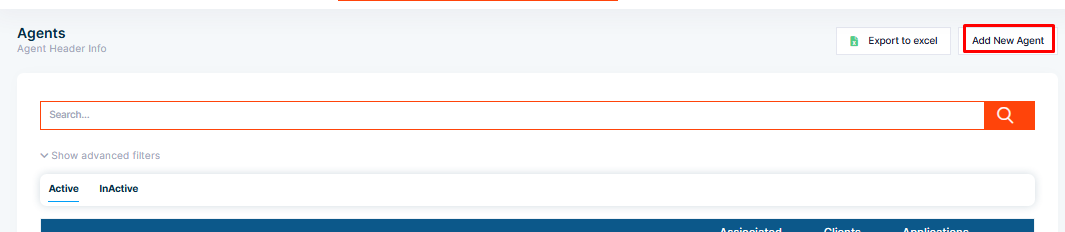
Step 2: Select Add tab from the right top corner.
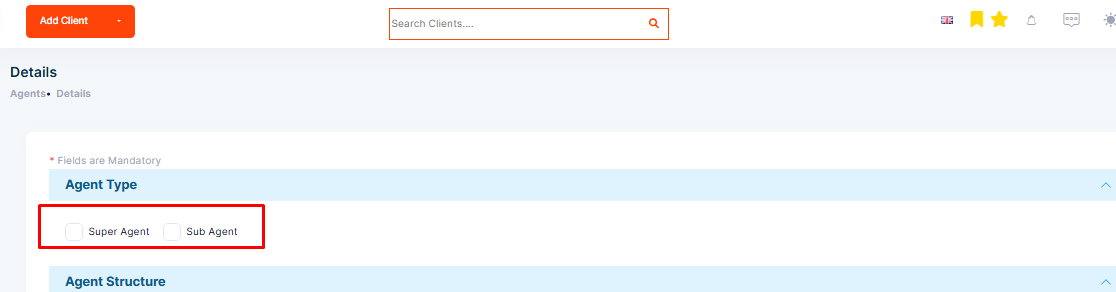
Step 3: Select the agent type that is Sub Agent and Super Agent.
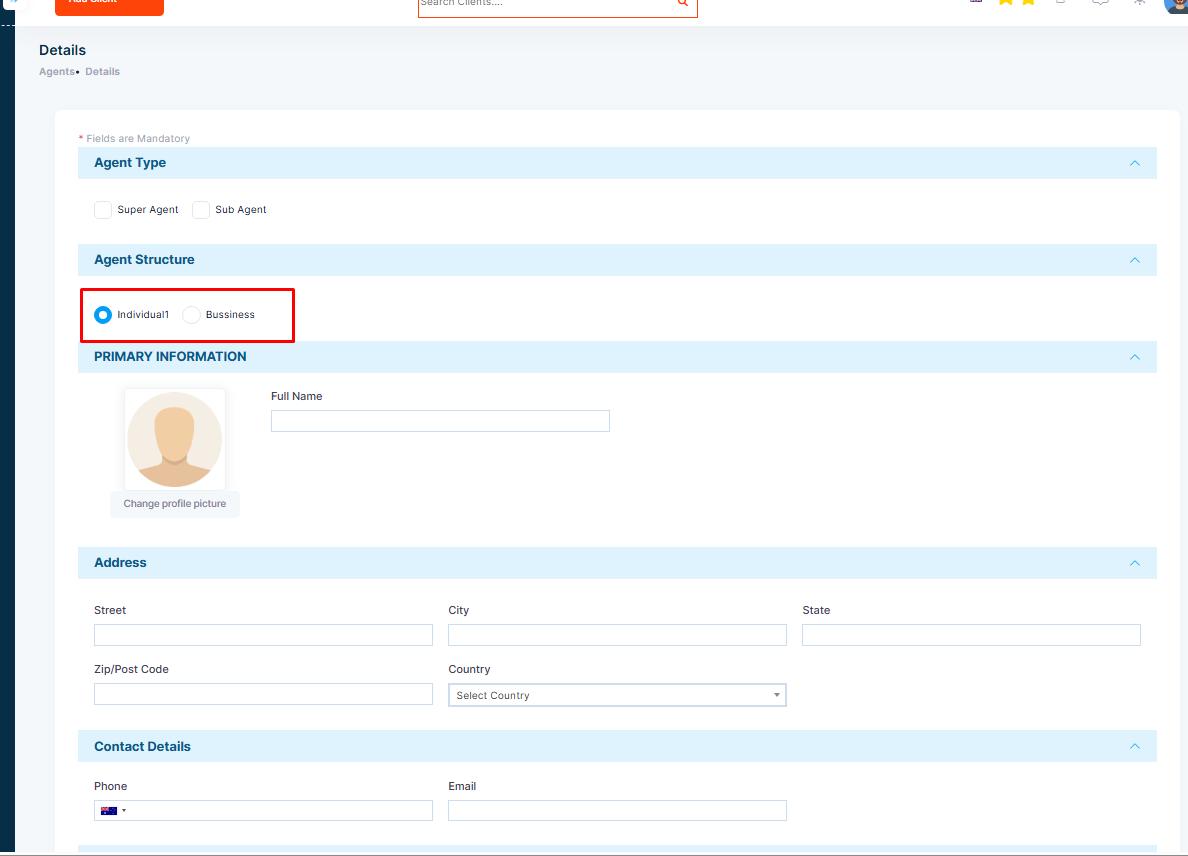
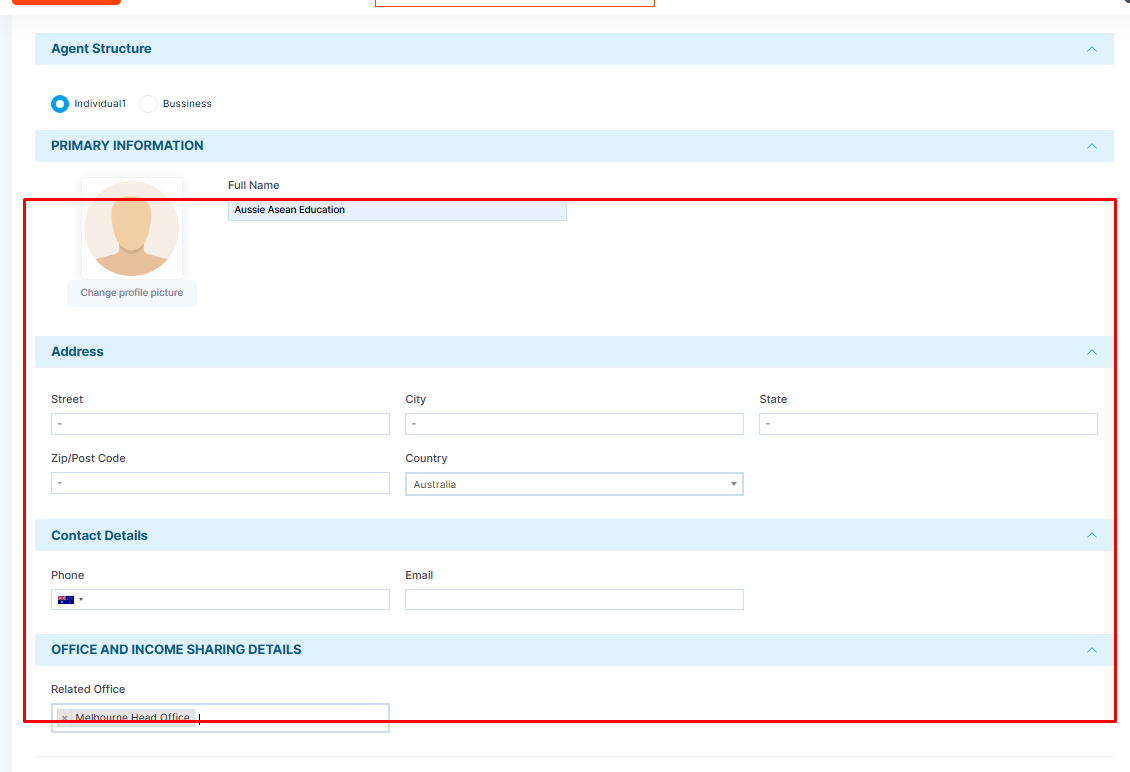
Step 4: Select the structure of the agent that is Individual or Business.
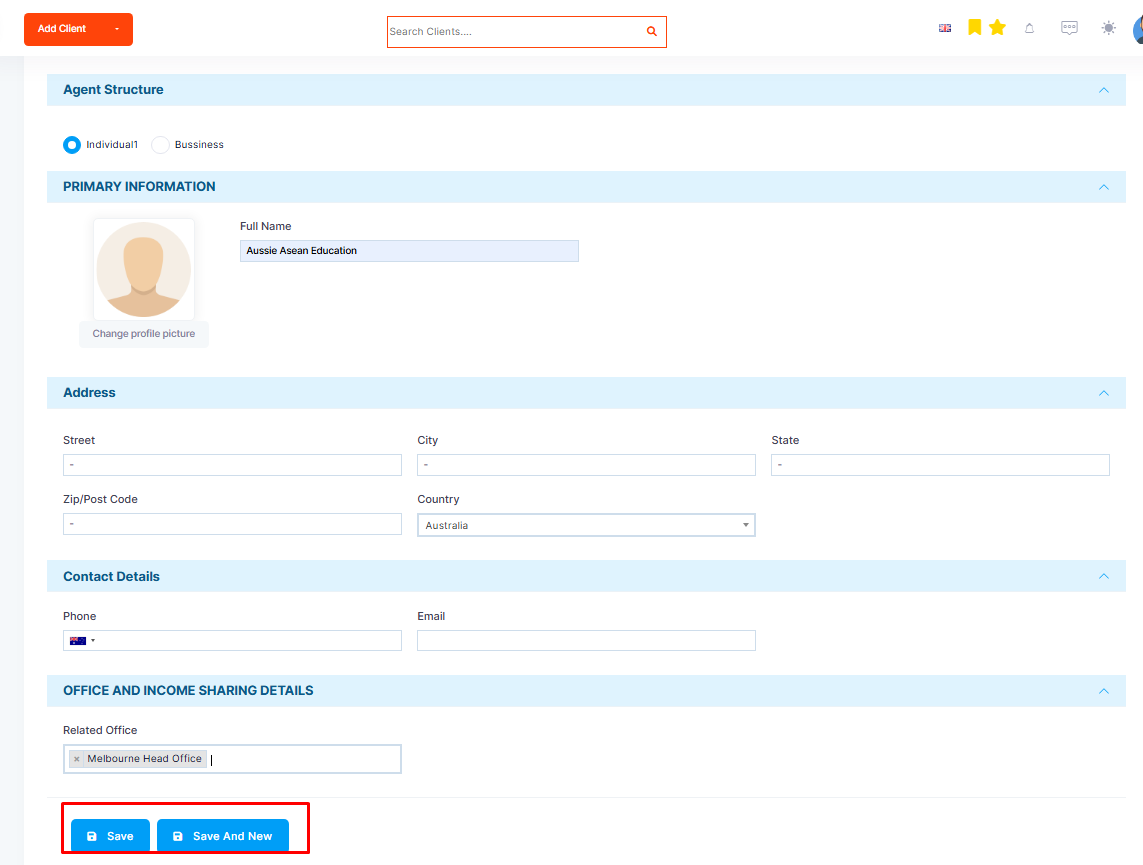
Step 5: Fill the details of the agent
Step 6: Save once you complete.