To manage the agents details in OZIAgent
After you add the agents in the system, you can edit the details of the agents and make them inactive as well.
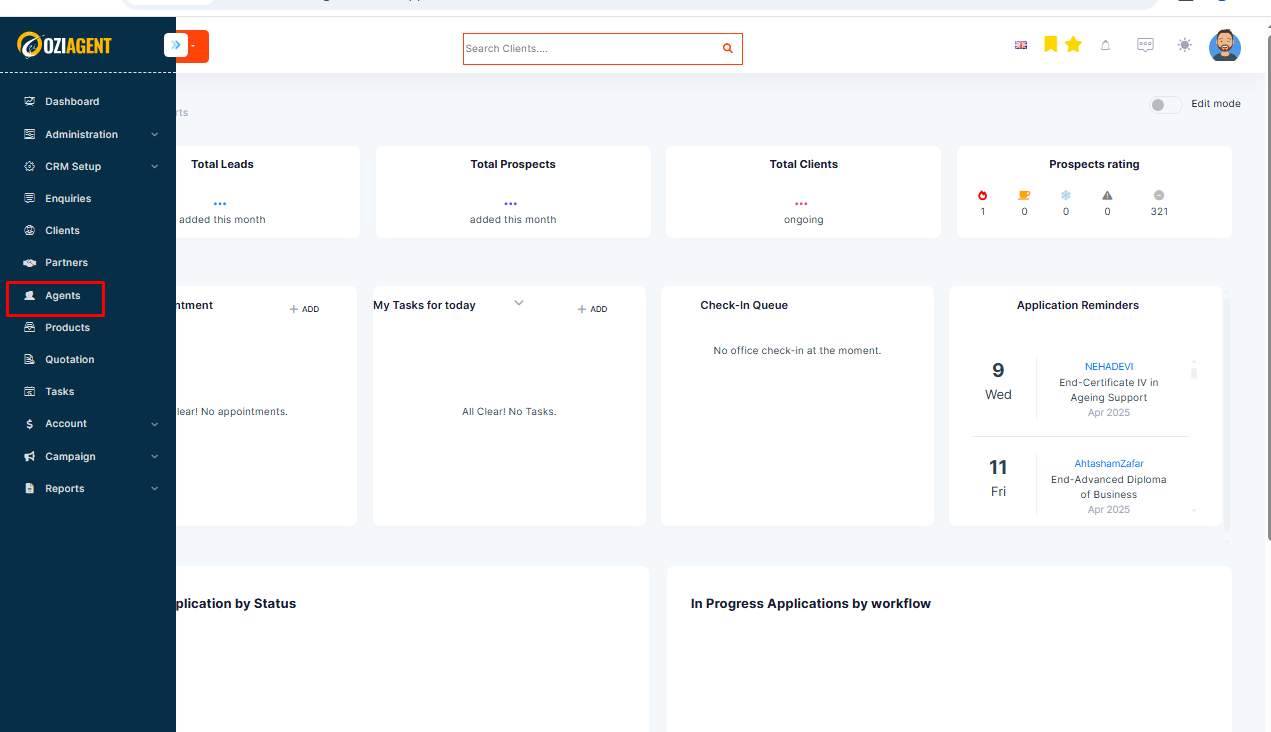
Step 1: Select the Agents from the side navigation bar.
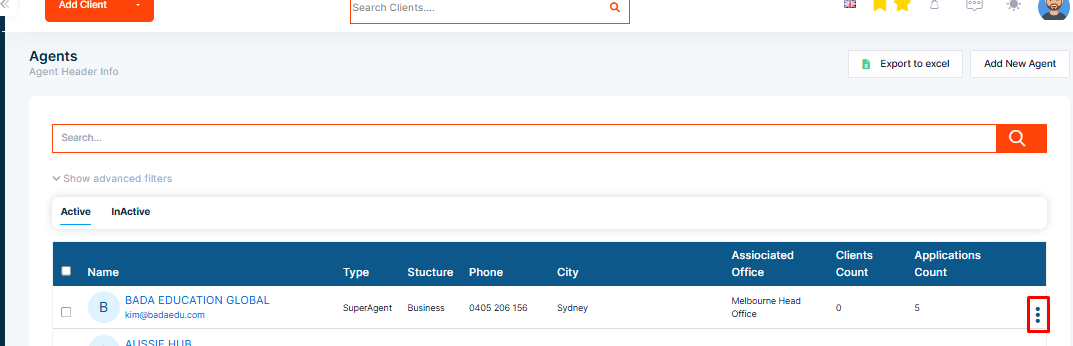
Step 2: Select the three dots.
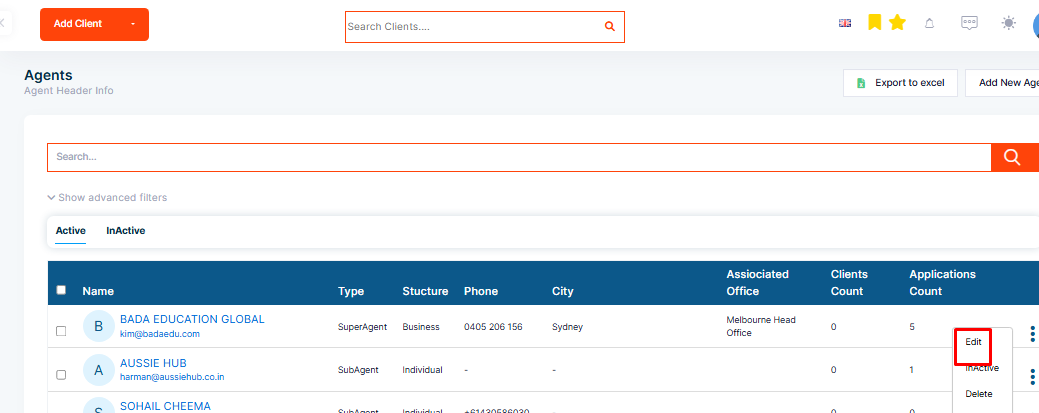
Step 3: Select the Edit option.
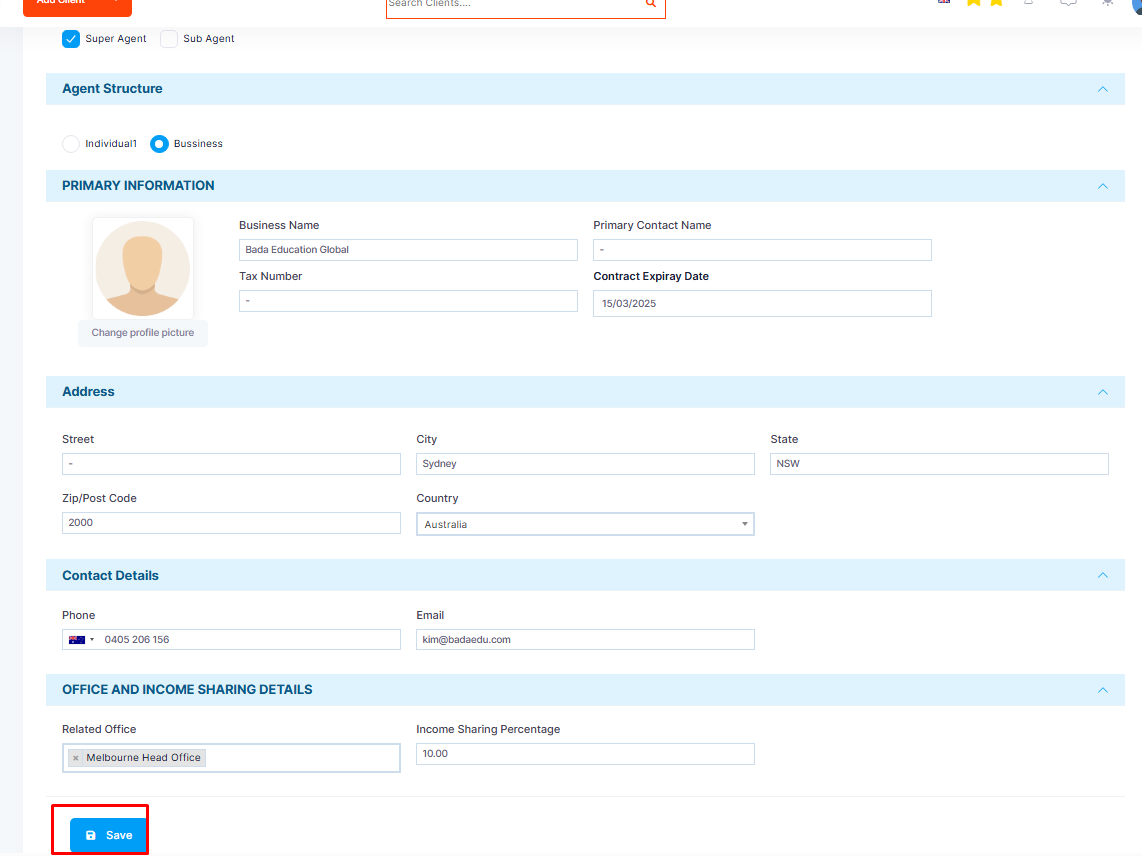
Step 4: Make the necessary changes and save once you complete.
Note: Once you have set the structure of the agent (i.e., Individual or Business), you cannot edit this later. Make sure you have filled the agent information correctly.