Editing Interested Services
How to edit the added interested service?
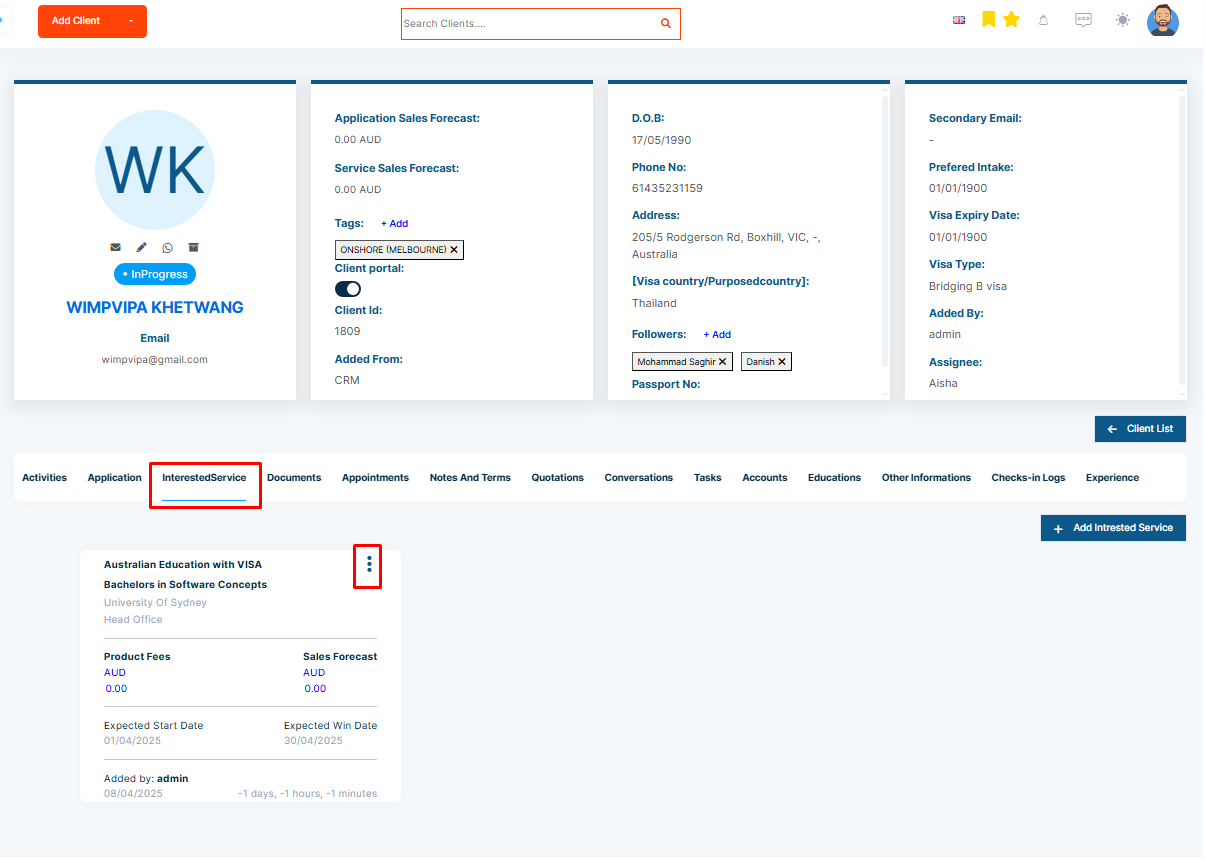
Once added, the interested service added can be edited. To edit Interested Service and perform further action follow the given steps below:
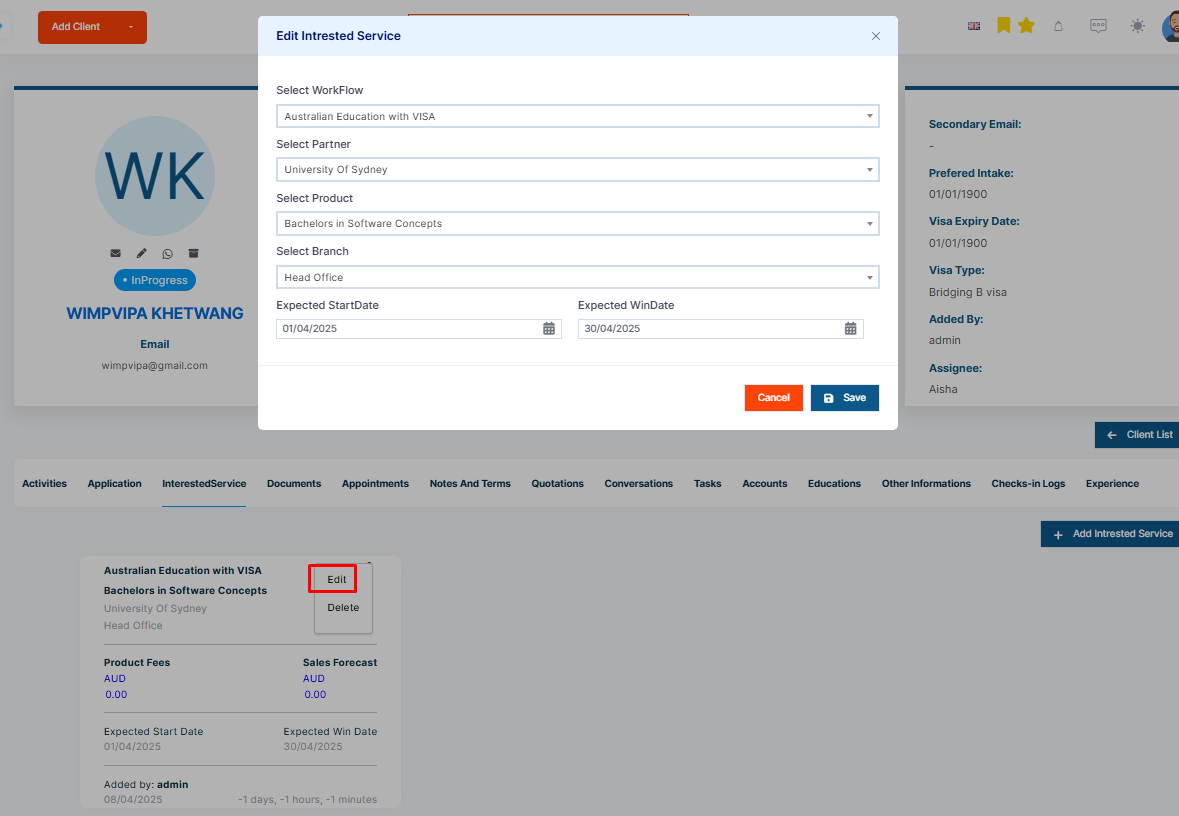
Step 1: Click on the three dot then edit to the Interested Service card.
Step 2: Then edit workflow, partner, product, and branch details as required.
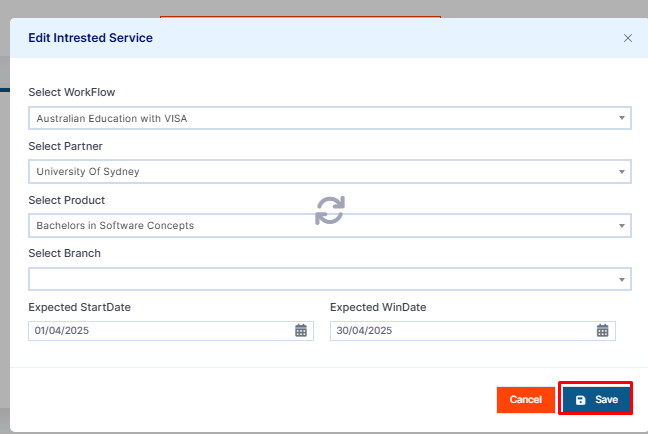
Step 3: Click on Save to save the changes.