How to manage Group Invoice in OZIAgent?
Managing a Group Invoice
This tutorial guides you through the process of managing a Group Invoice in the OZIAgent system, ensuring a simple and efficient invoicing procedure.
There are many activities you can do to manage the group invoices. You can view the group invoice details, preview the PDF of the invoice, email the group invoice to your Partner or SuperAgent, attach new invouce view logs, search the group invoice, remove an invoice from the group and also delete the group invoice overall.
To view the details of a group invoice, please do the following:
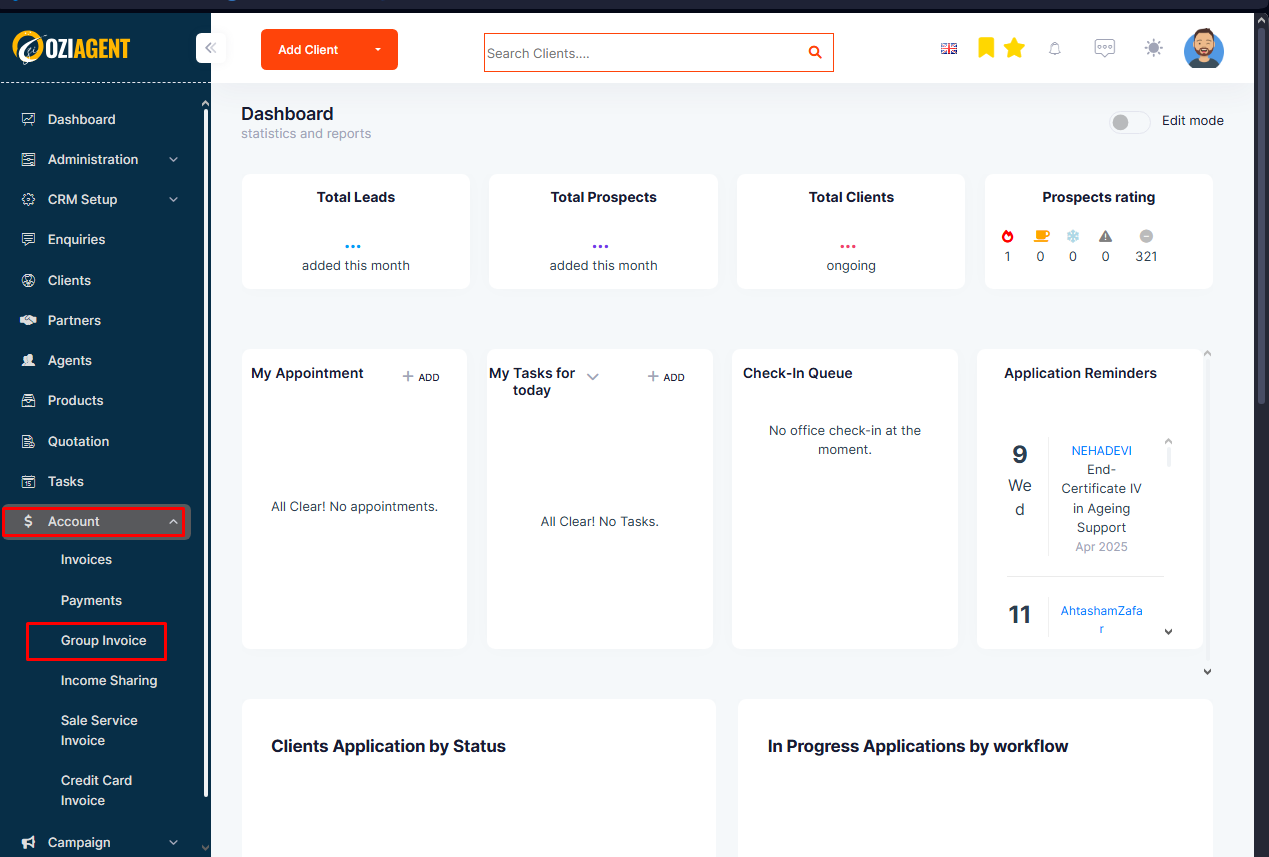
Step 1: Select Accounts from the side navigation bar and select Group Invoice.
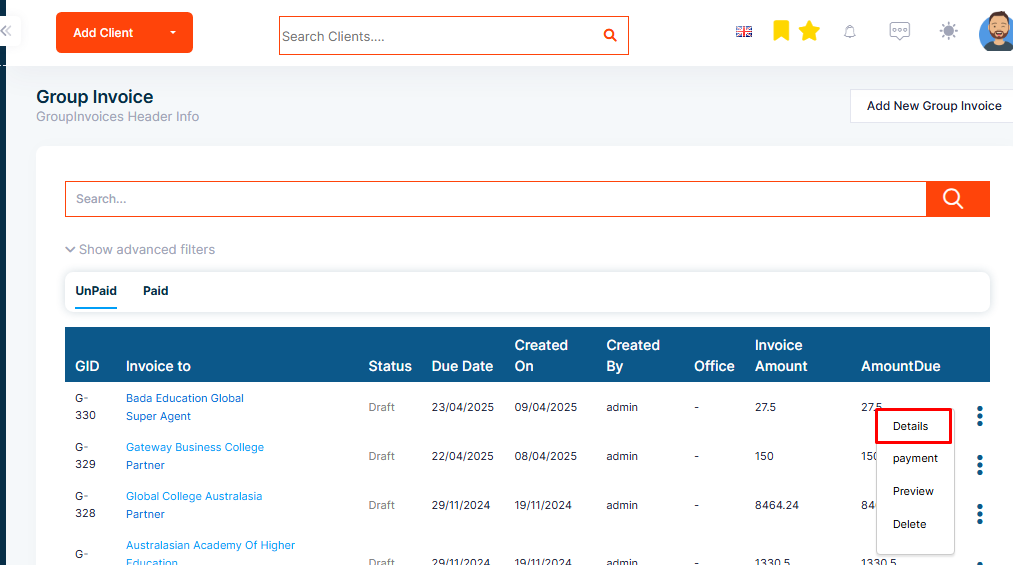
Step 2: In the group invoice list, click on the View Detail button of the invoice you want to see.
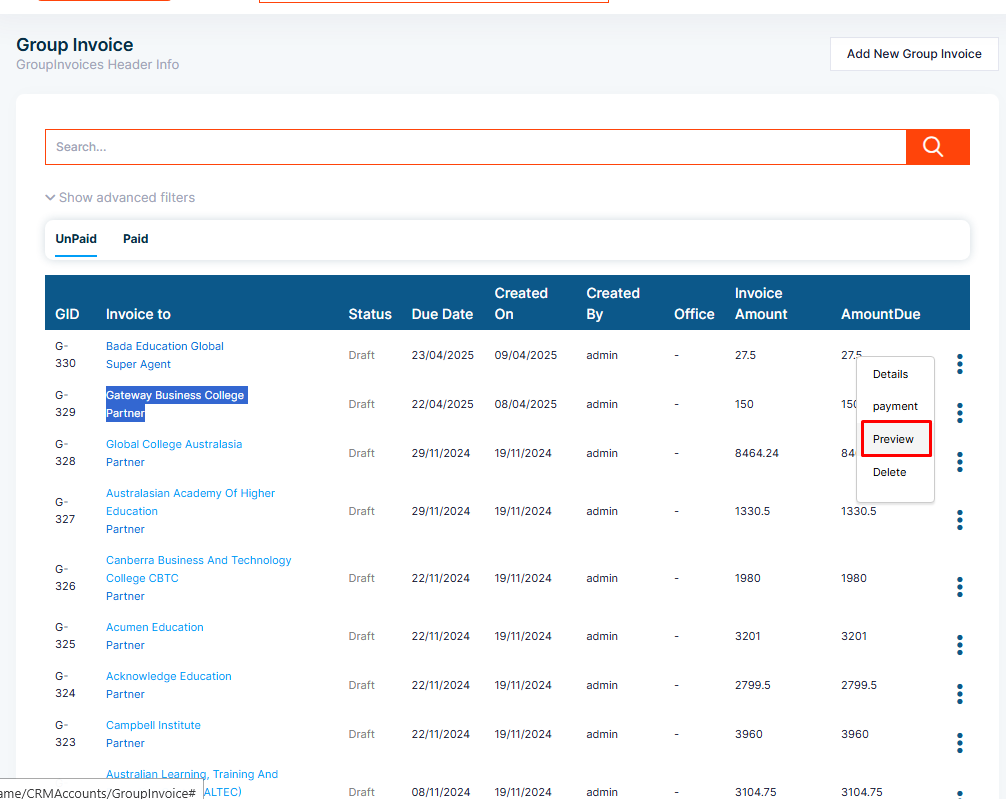
Step 3: To preview the group invoice PDF, click on the Activity button of the invoice you want to preview and select Preview PDF.
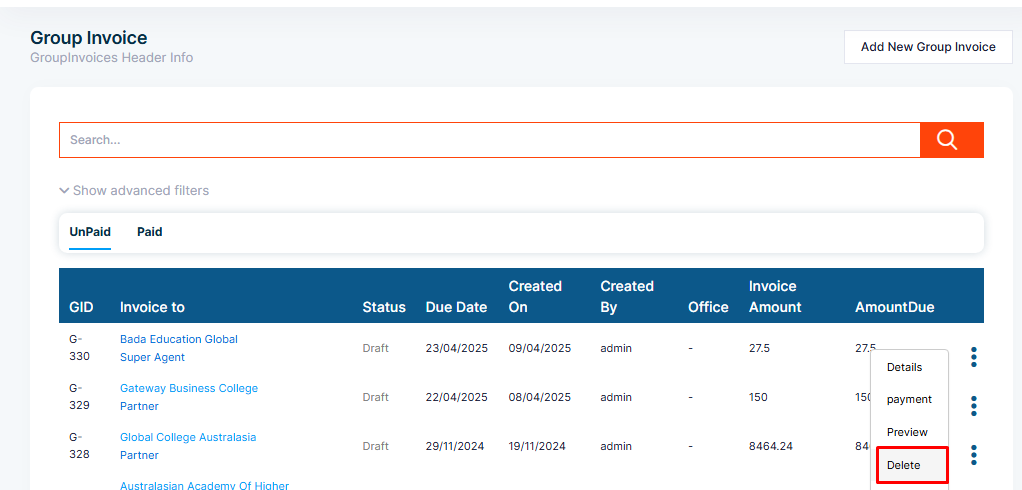
Step 4: To delete a group invoice, click on the three dot button of the group invoice list and select Delete.