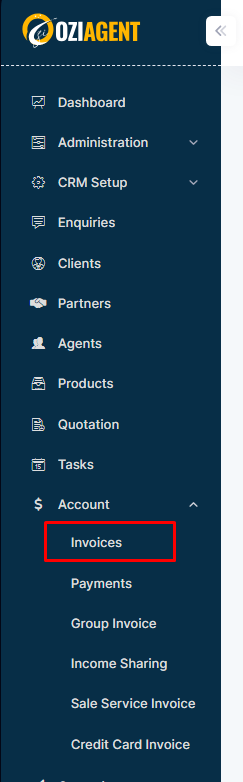
Step 1: Select Accounts from the side navigation bar and then select Invoices.
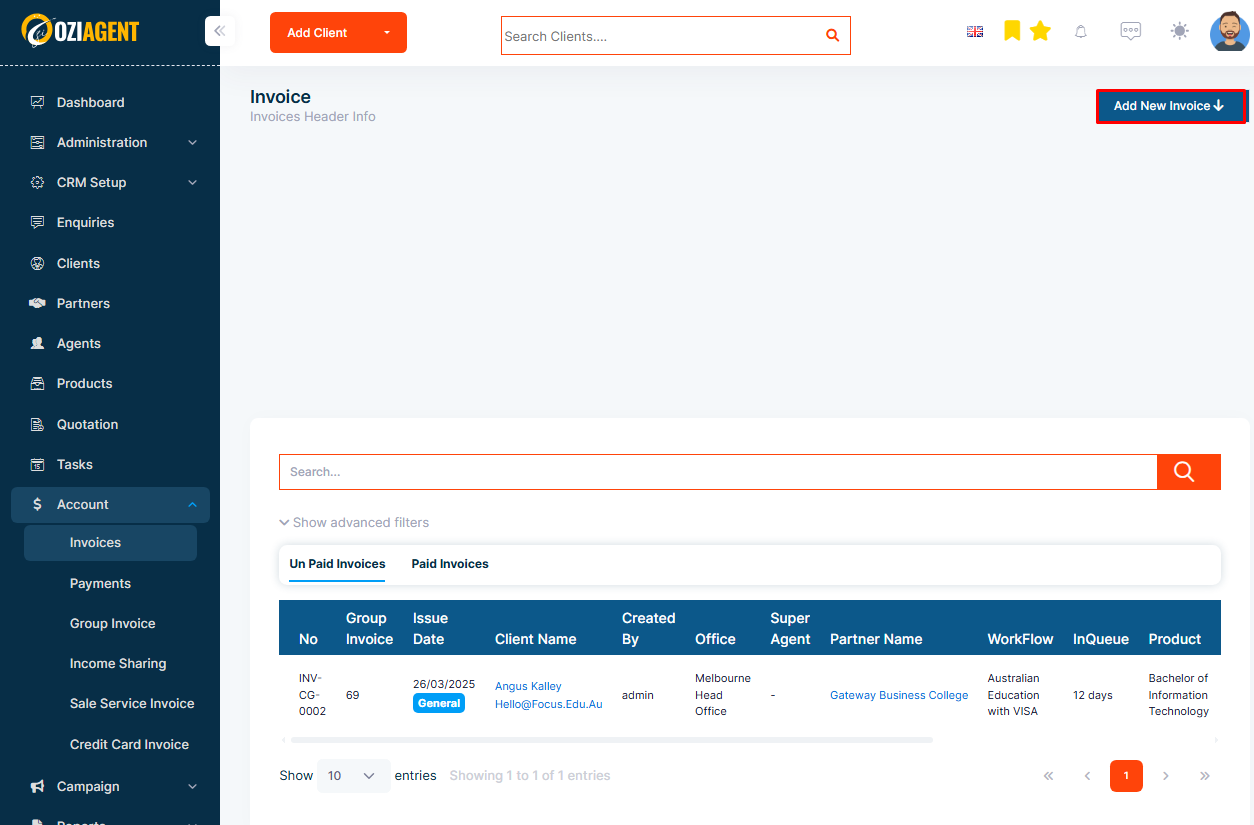
Step 2: Select Create Invoice on the top right corner.
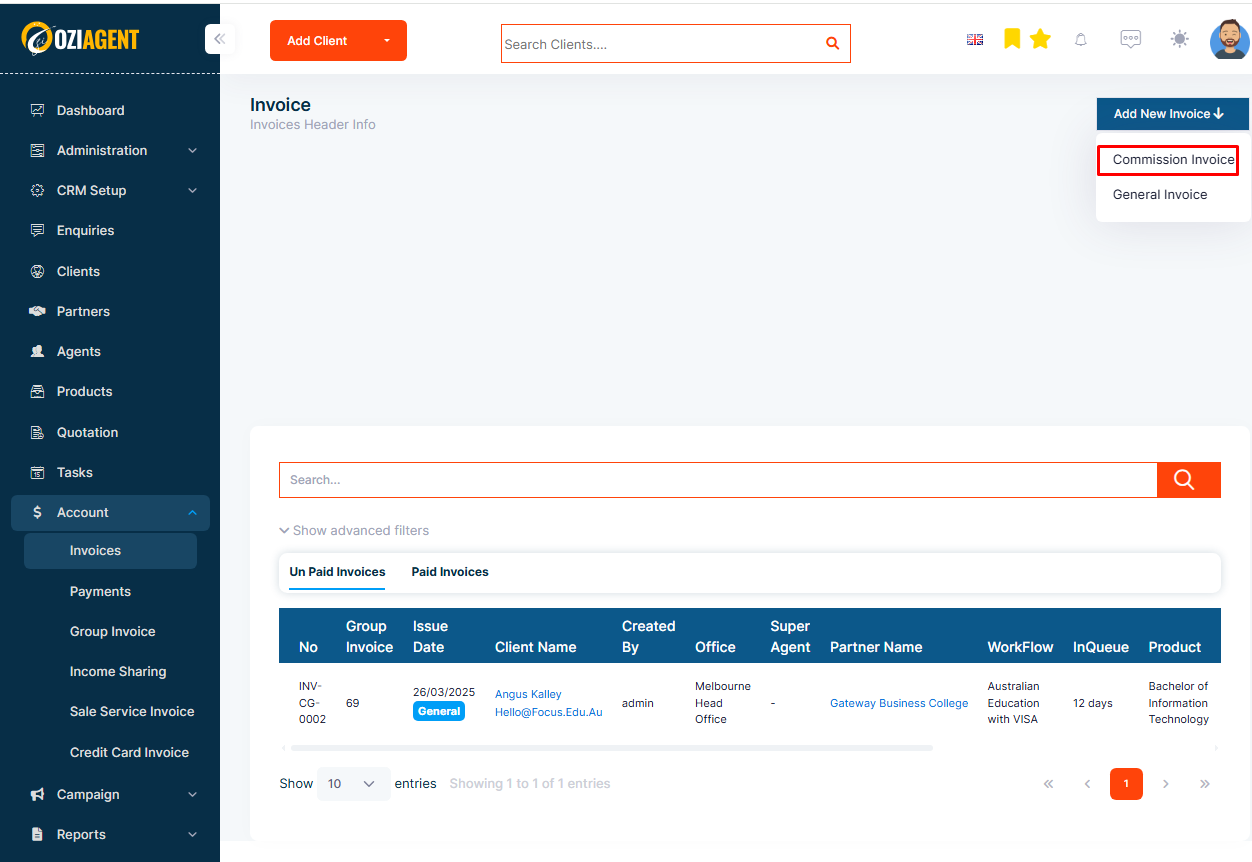
Step 3: Select Commission Invoice from the dropdown.
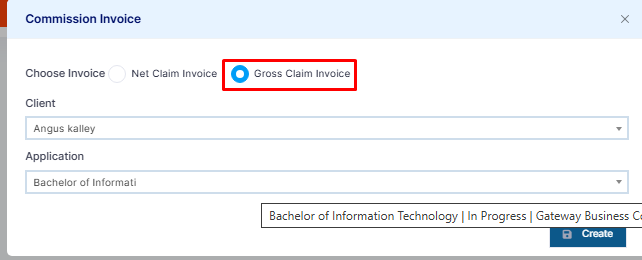
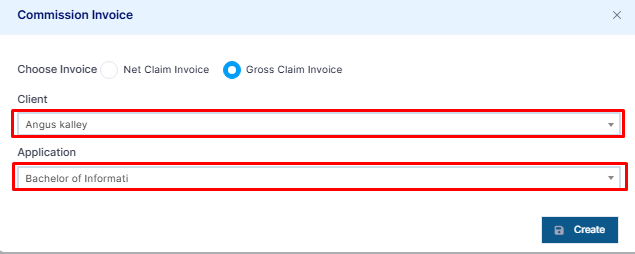
Step 4: In the pop-up form, select Gross Claim Invoice.
Step 5: Select the client and application for which you are creating the Gross Claim Invoice.
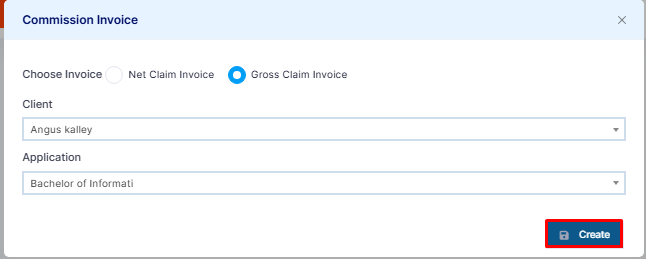
Step 6: Click on Create Invoice.
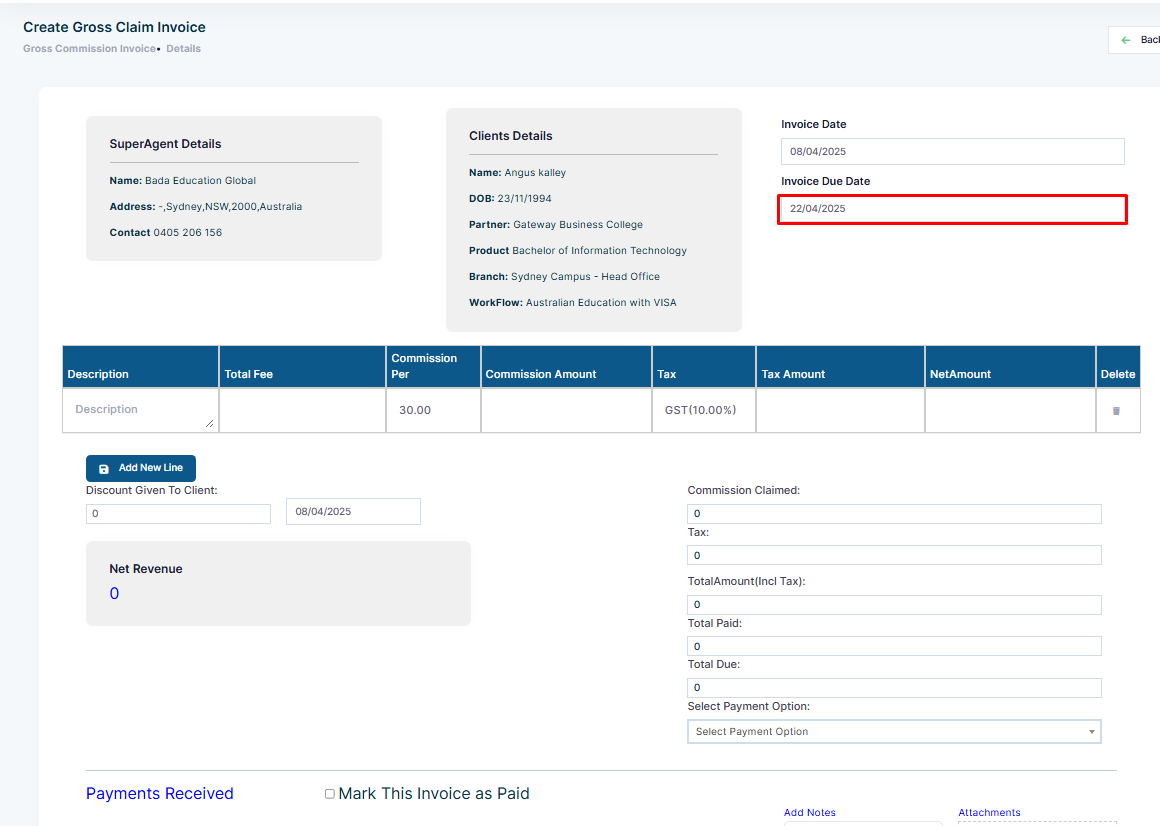
Step 7: Select an invoice due date.
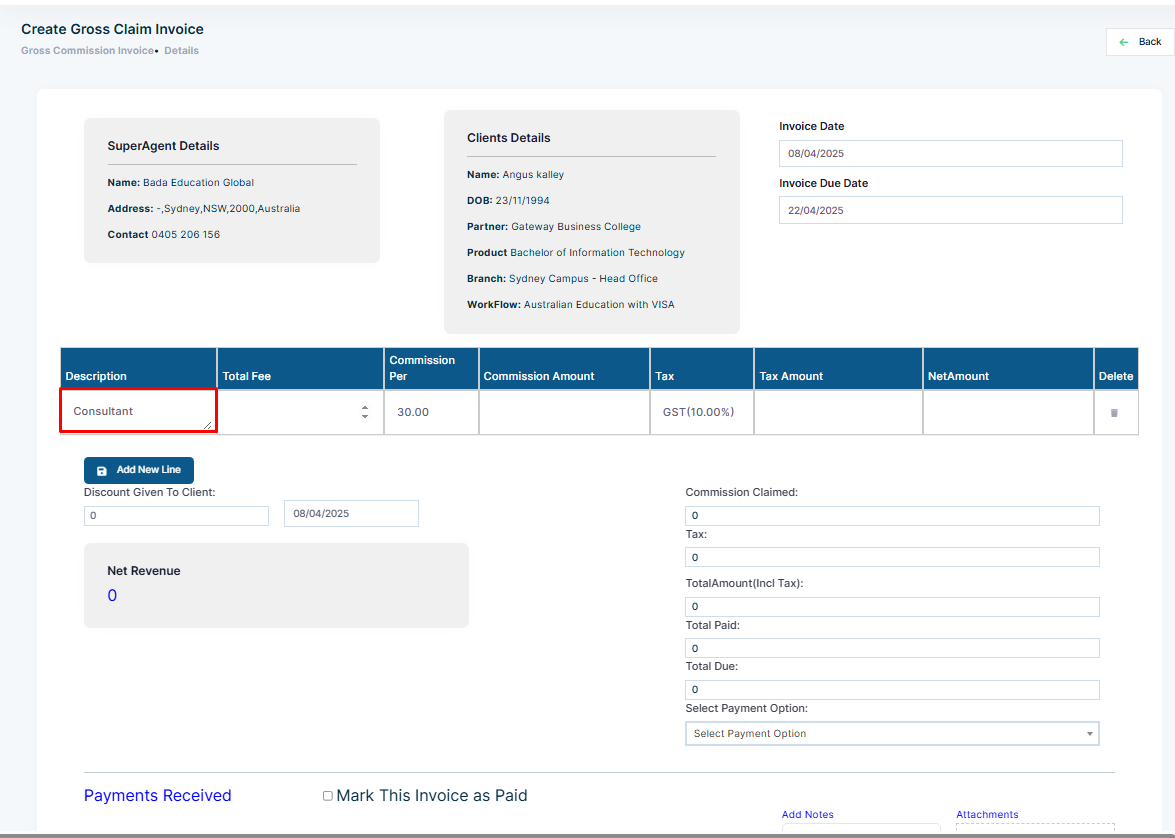
Step 8: Add the invoice description in the Description field.
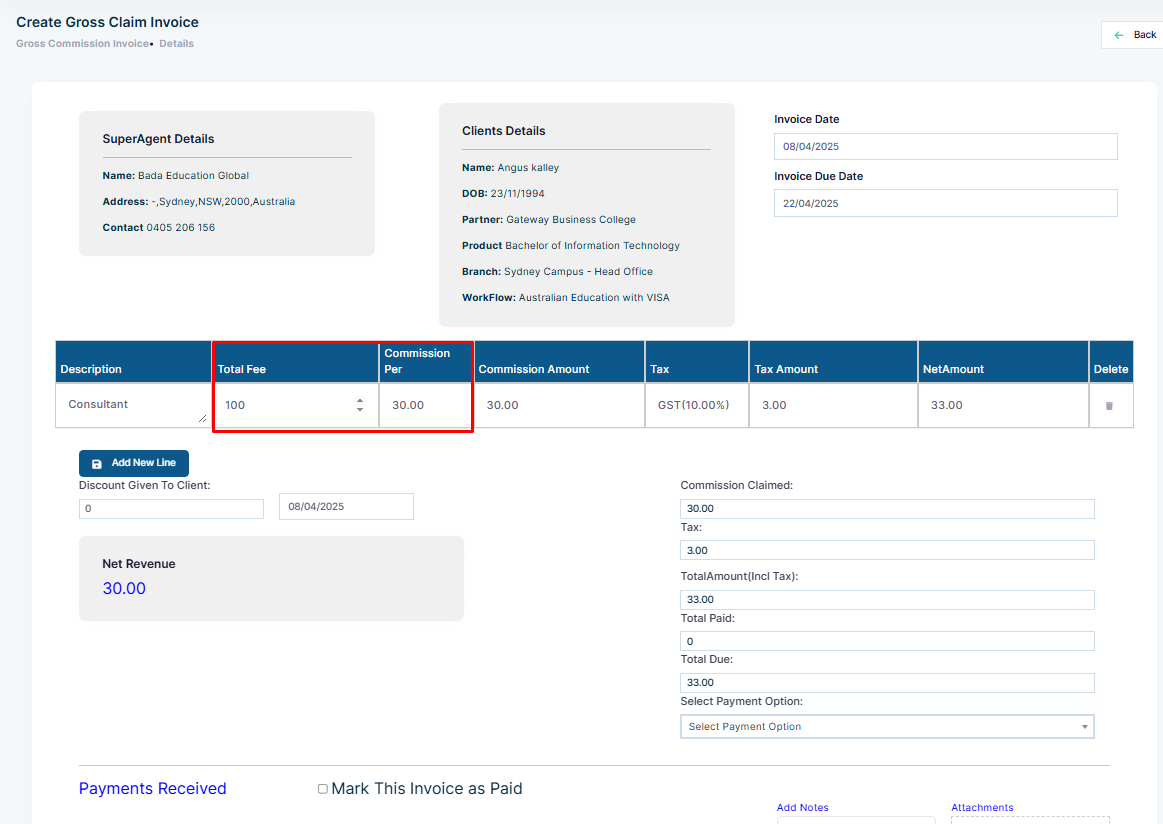
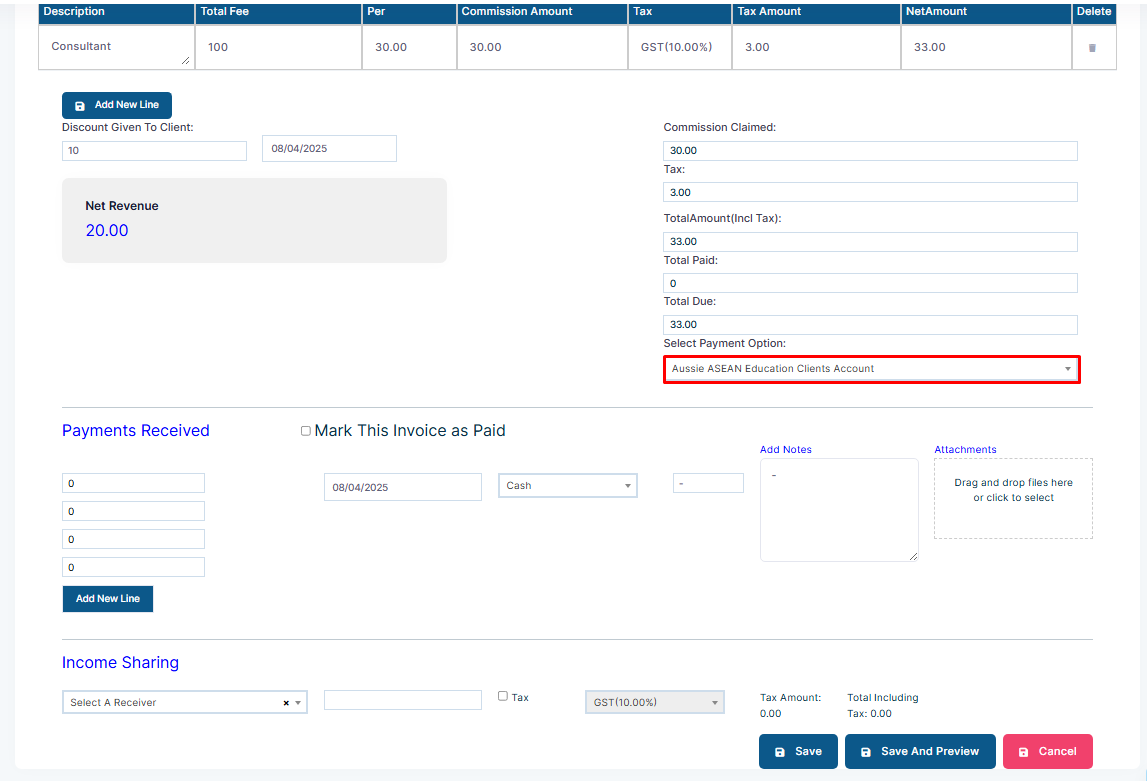
Step 9: Add the total fee and commission percentage. The commission amount will be calculated automatically.
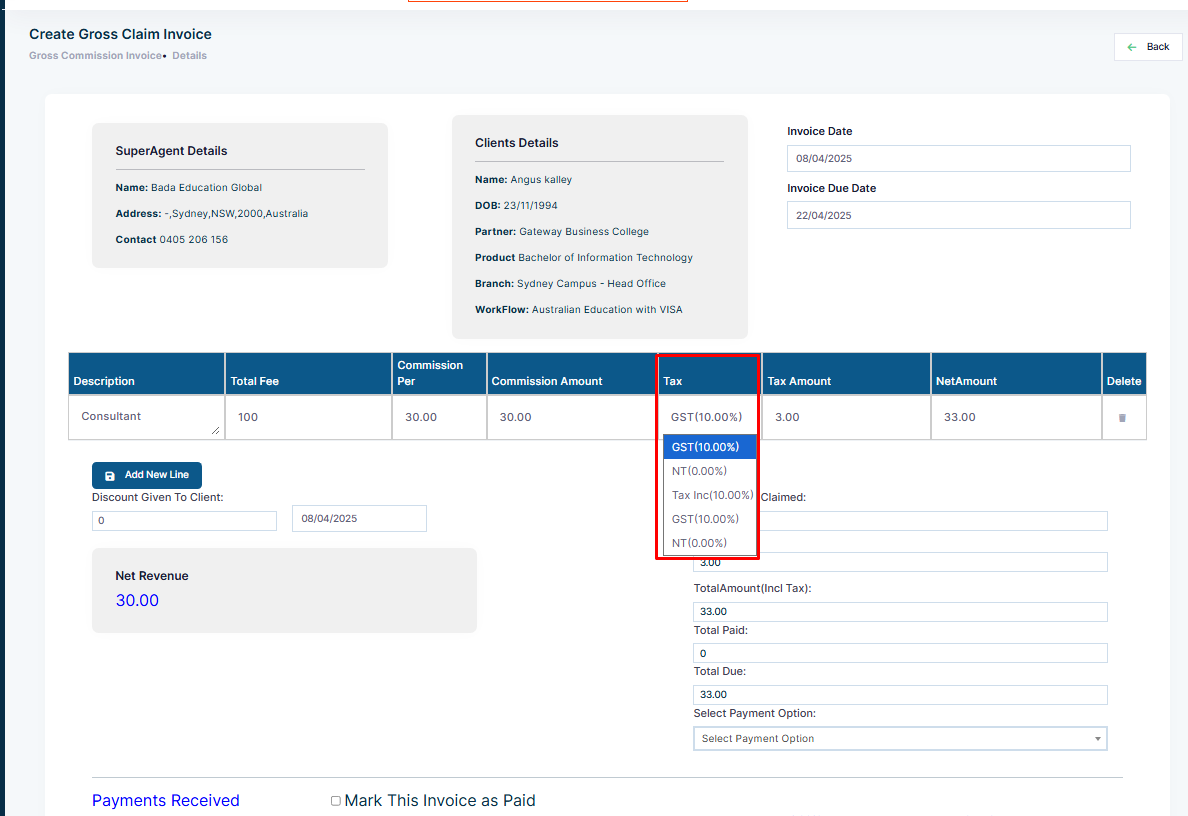
Step 10: Select the tax code.
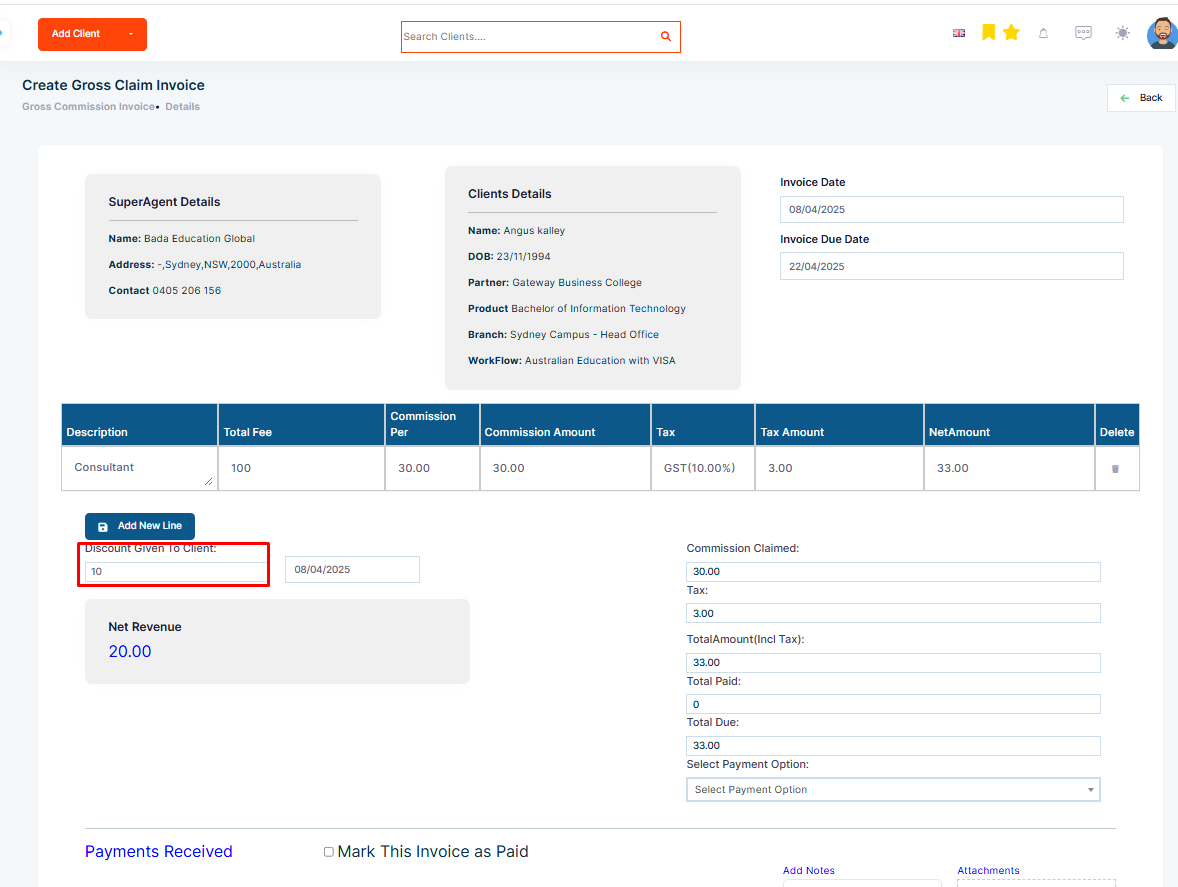
Step 11: Add any discount amount given to the client.
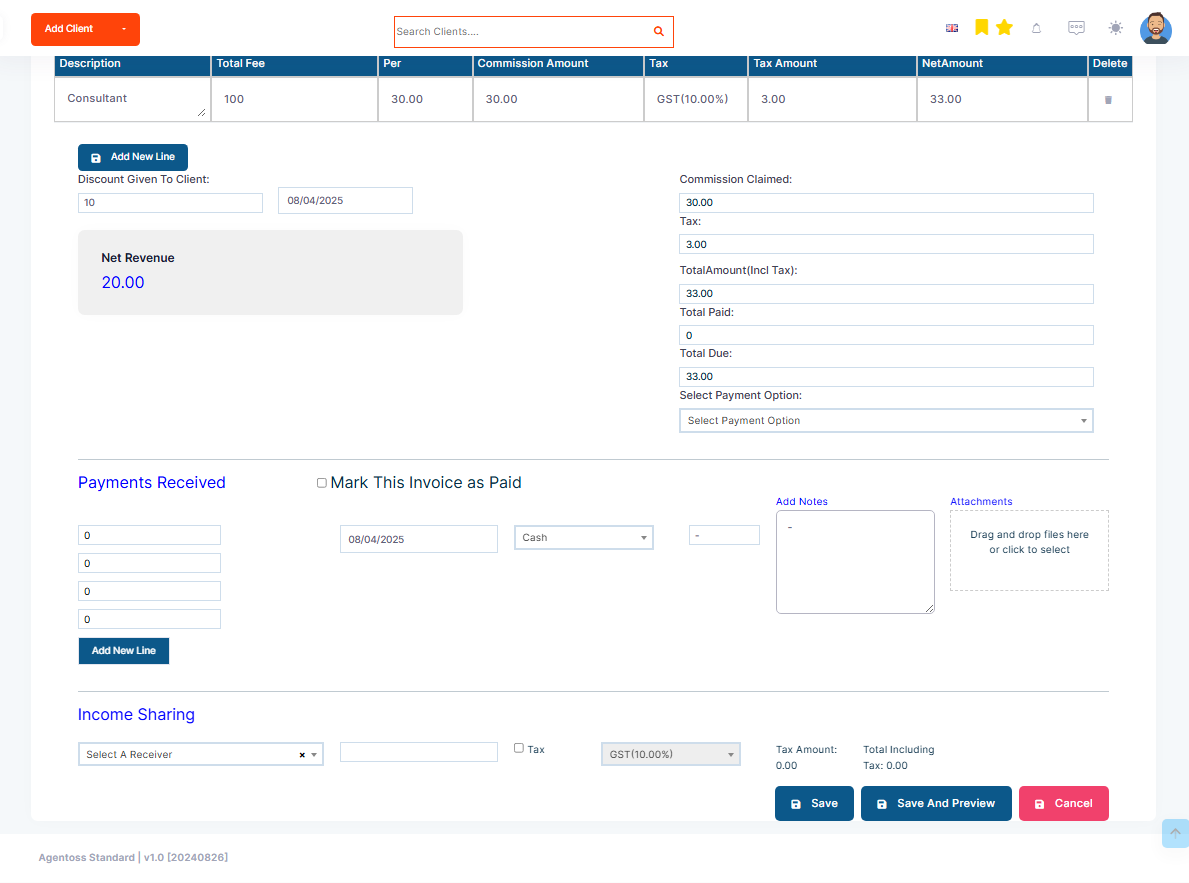
Step 12: If necessary, add notes in the Notes field and attach any relevant files.
Step 13: Select the payment options.
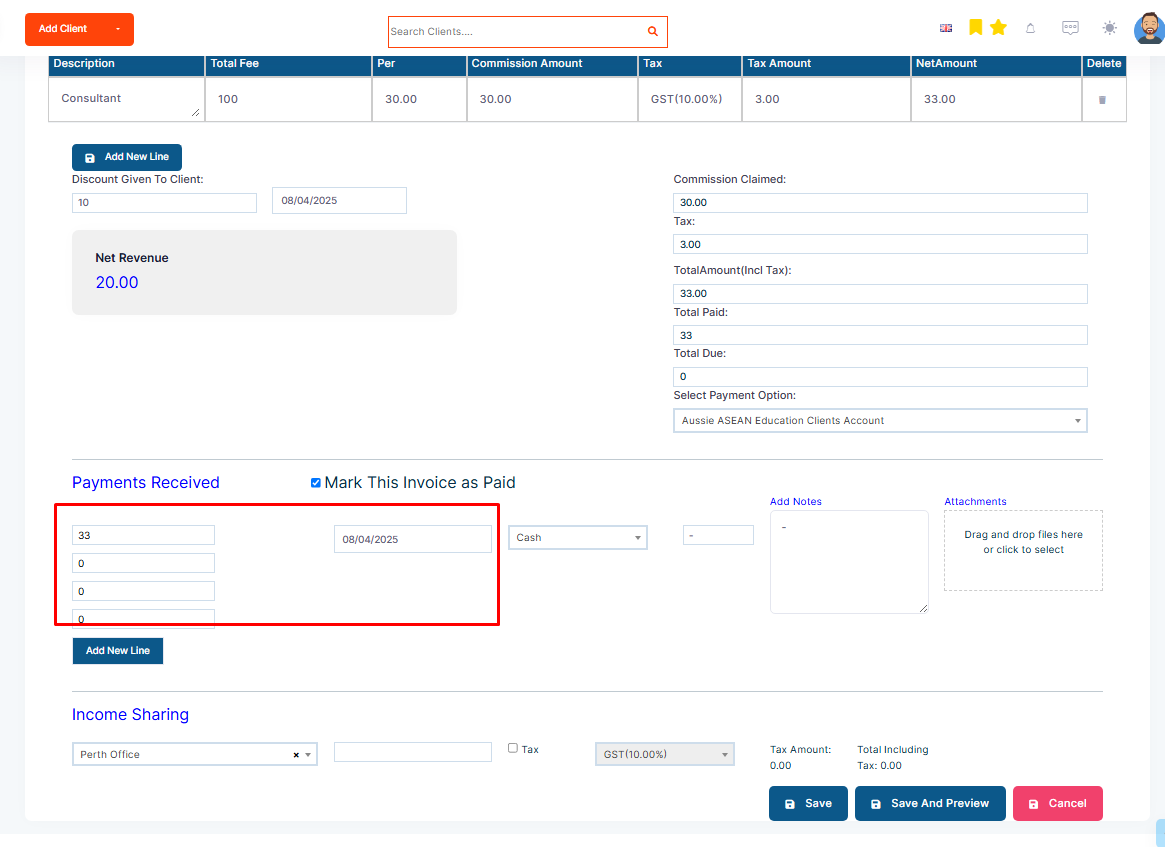
Step 14: Add payment details if the invoice is marked as paid.
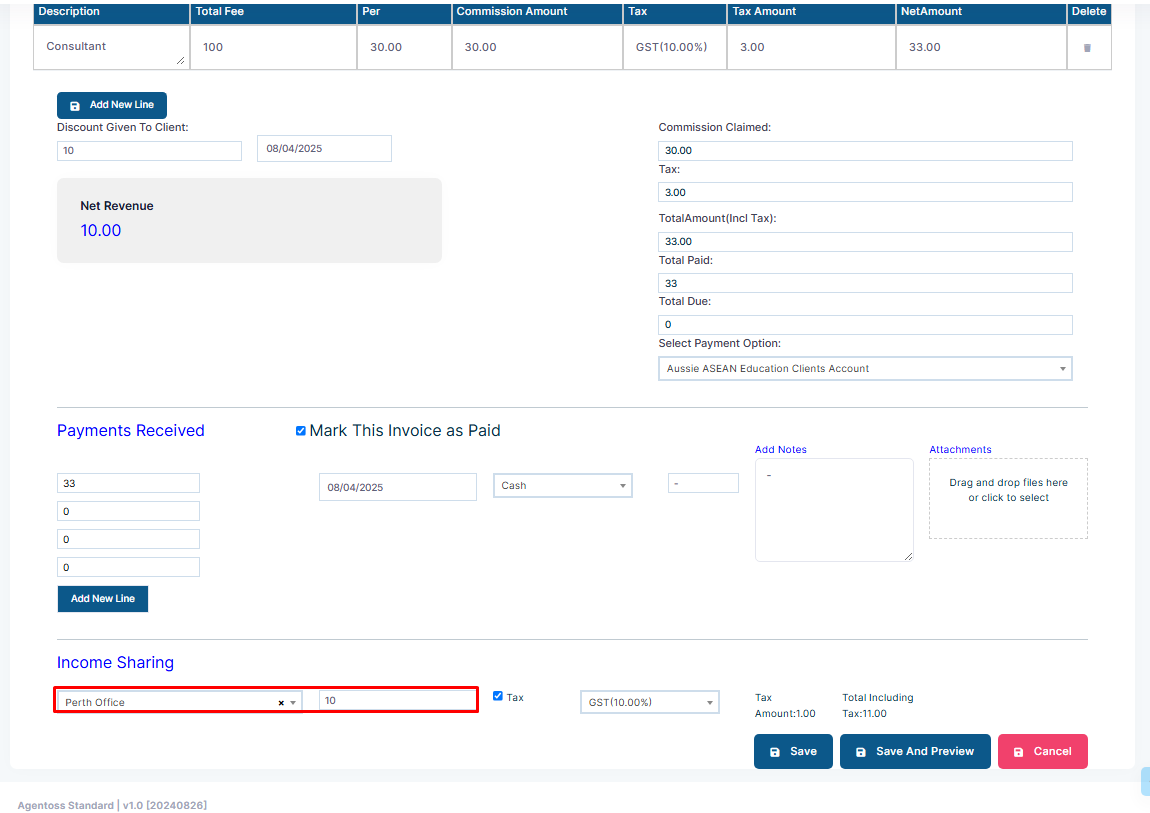
Step 15: Select a receiver in Income Sharing (Subagent or another branch) and input the amount and tax code.
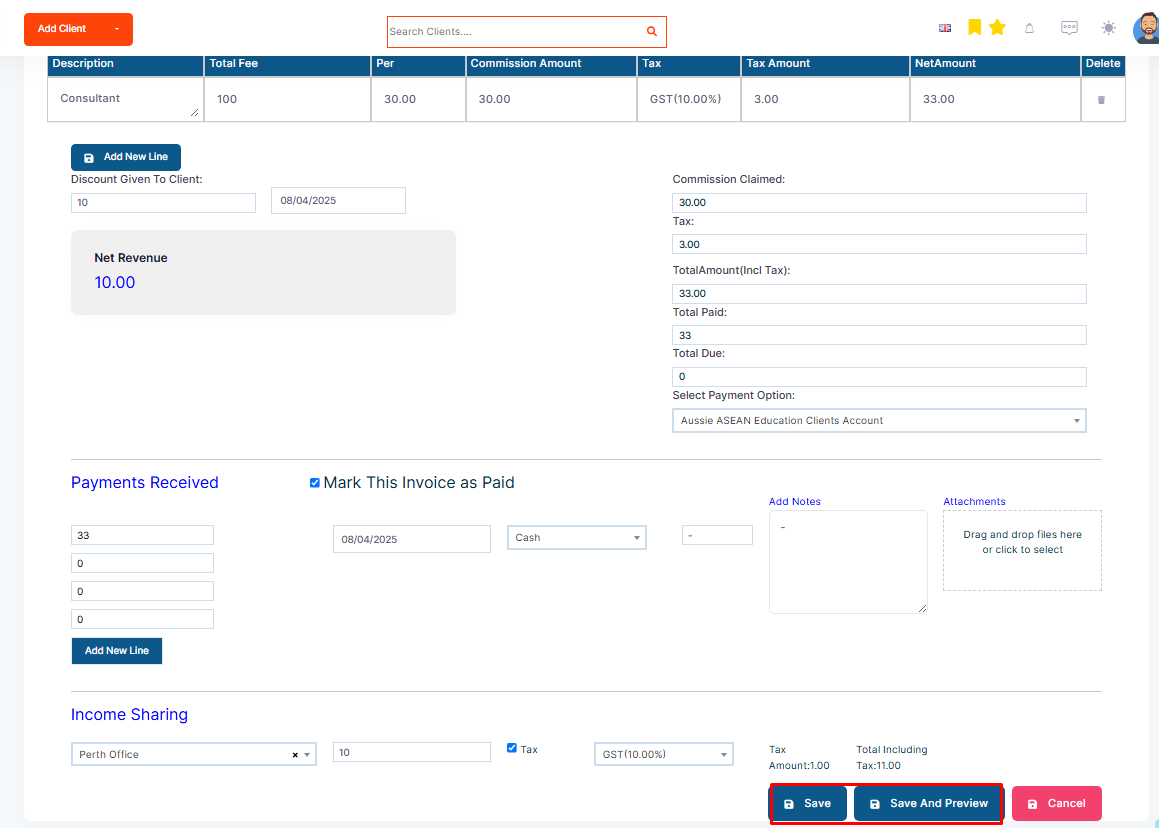
Step 16: Save and send the invoice, or save it to send later.