Client By Application Report
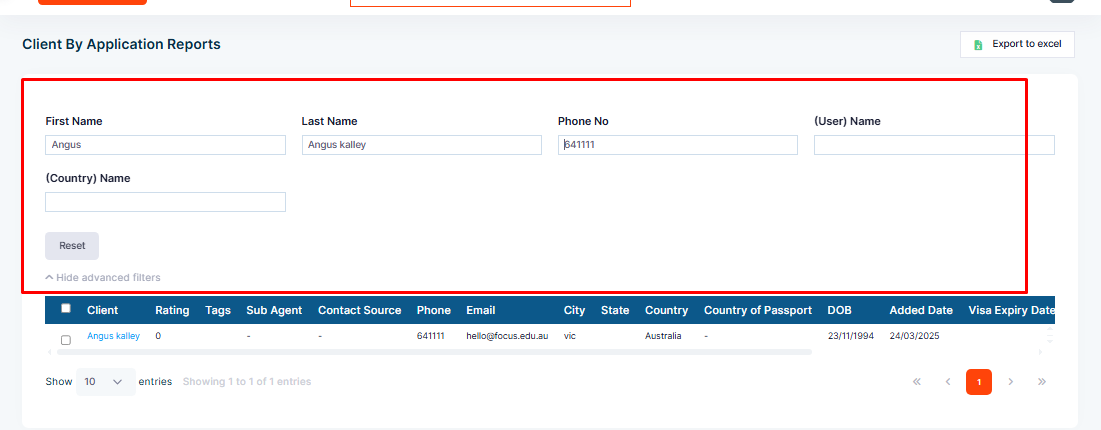
Client by Application Report helps to generate reports of specific information about clients’ applications. Different filters like Application Stage, Application Status, Workflow, Partner, Product, and Workflow can be applied to generate the report.
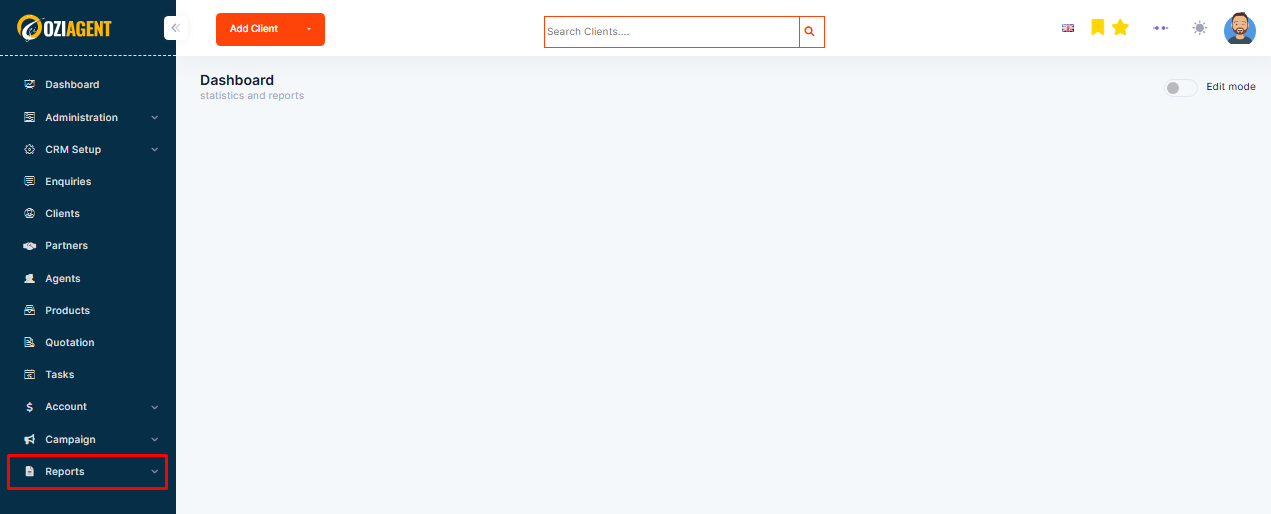
Step 1: Select Report from the dashboard.
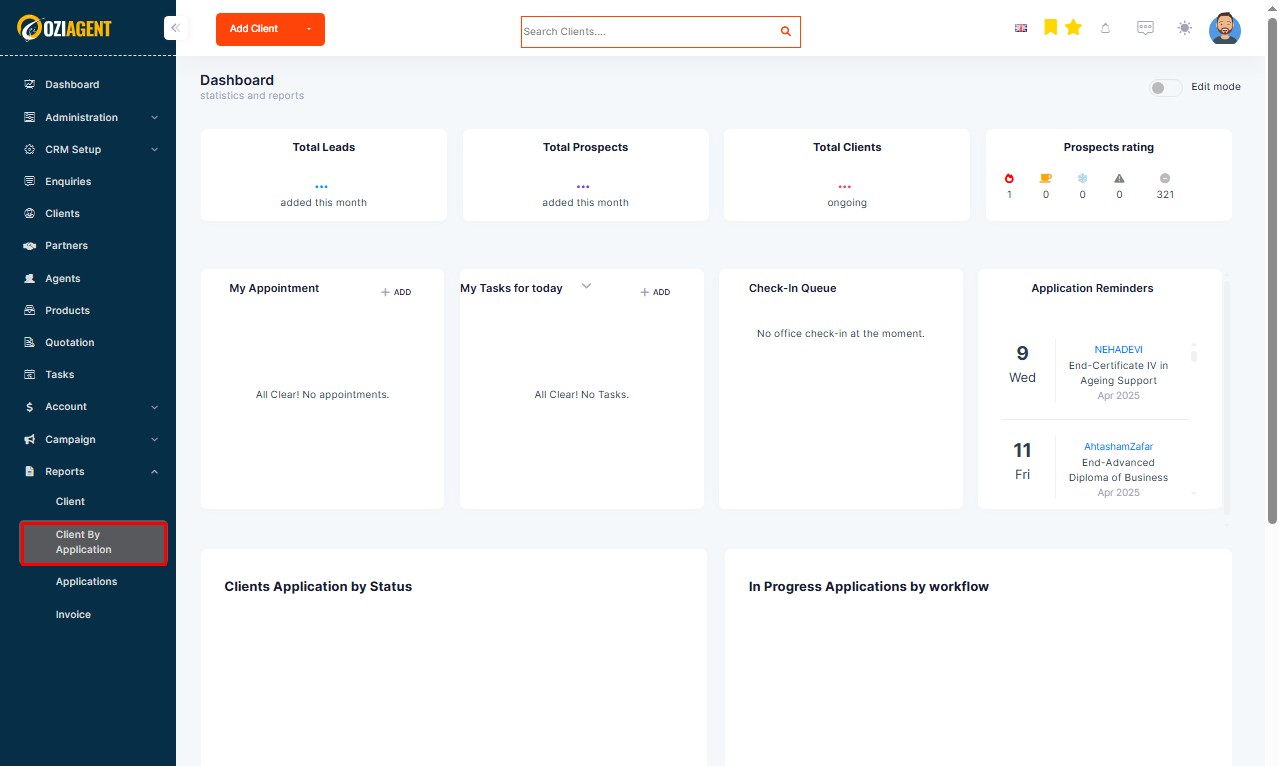
Step 2: Select Client by Application from the dropdown.
Step 3: Select Add New Filter and choose the required filter from the dropdown.