How can appointments be set with contacts and partners?
OZIAgent helps you to set a meeting with your contact or partner and sends a calendar invite to them after the meeting has been scheduled. The invitation can be added to their calendar for further reminders from the invitation email.
To quickly add an appointment,
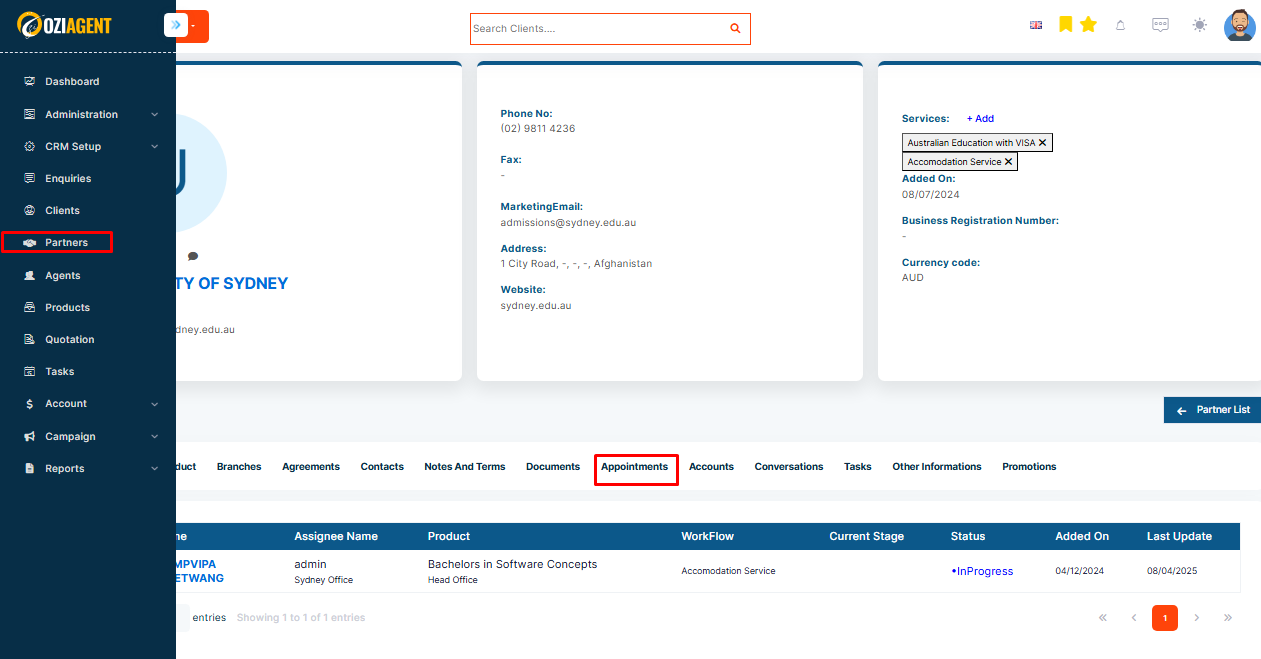
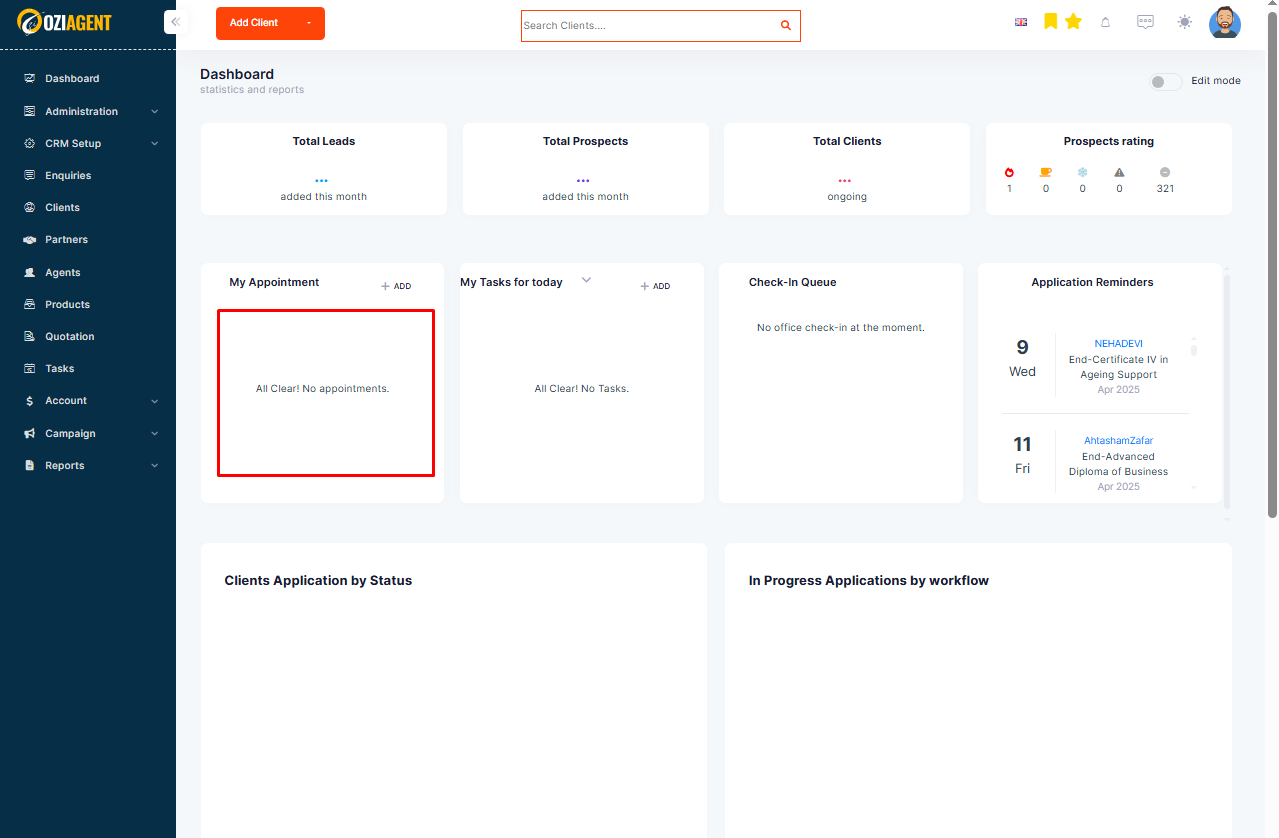
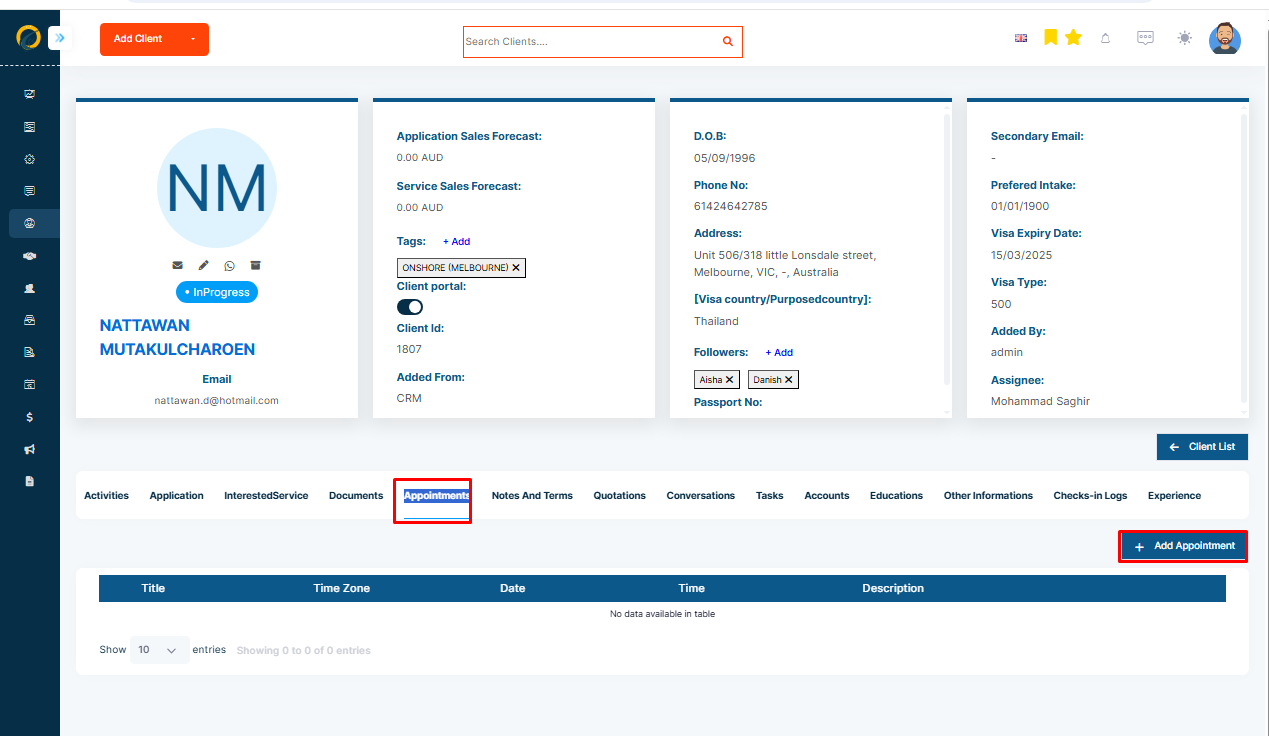
Step 1: Please Note: Appointments can be added from the dashboard and also from the client and partner detail page.
Step 2: Select Add Appointment.
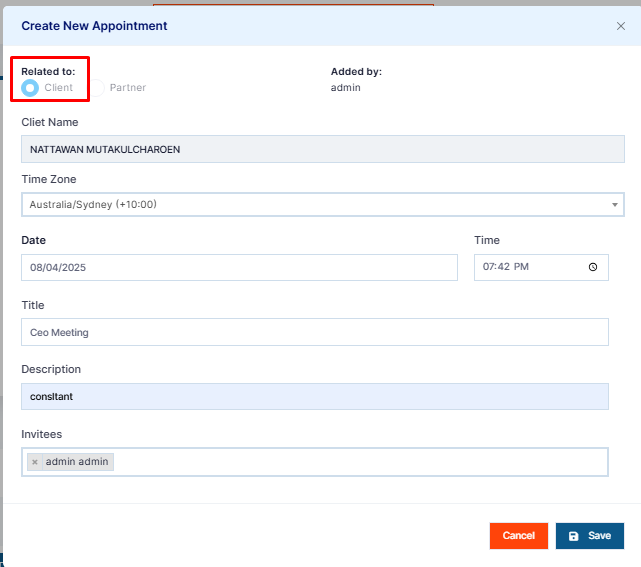
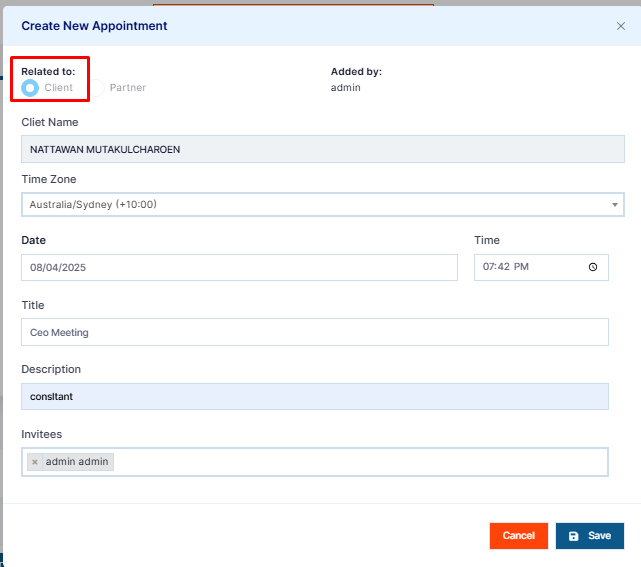
Step 3: Select if you are creating an appointment for a client or a partner.
Step 4: Select your timezone, date, and time for the appointment.
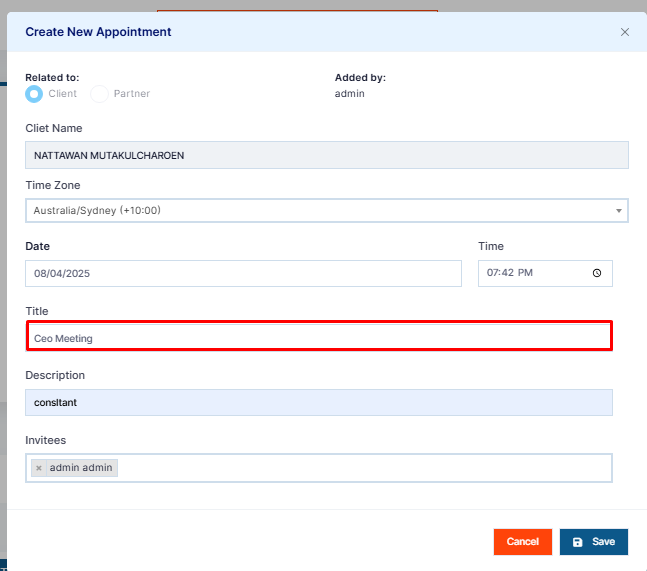
Step 5: Add a Title for the purpose of the appointment.
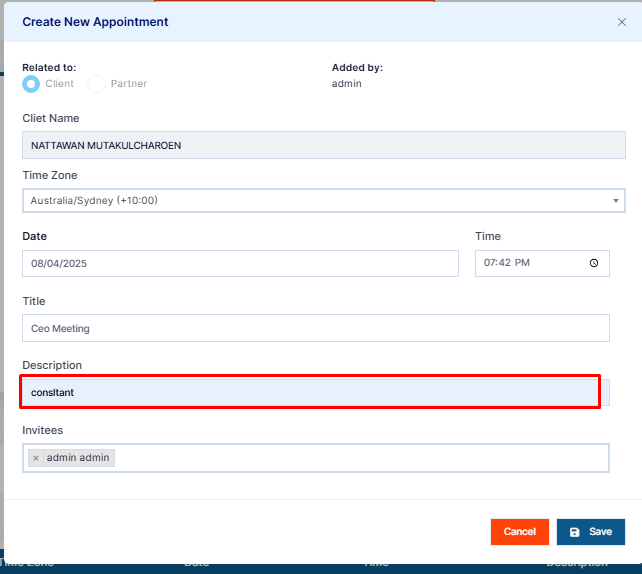
Step 6: Then, add a Description of the agenda for the meeting if needed.
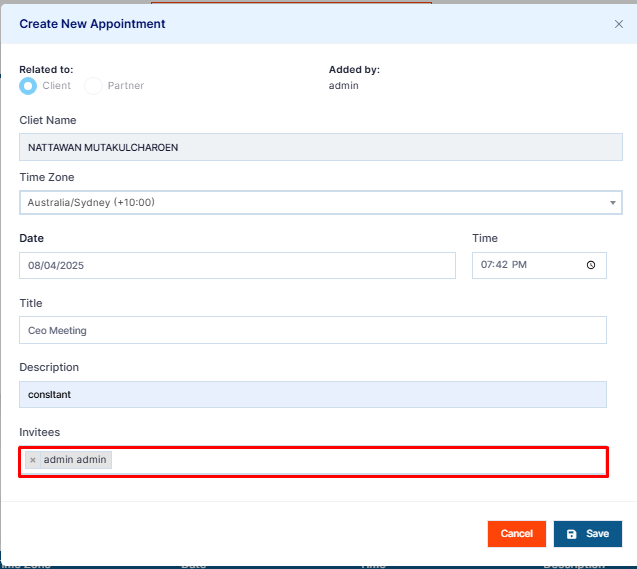
Step 7: You can also invite your other team members to the appointment by selecting their names under Invitees. All invitees, including contacts or partners, will be automatically emailed the details of the appointment.
Step 8: On the appointment day, you will see the appointment on your OZIAgent Dashboard.