How to create quotations?
Providing a quotation in a timely manner indicates to your prospect and lead you are proficient as a Counsellor and easy to do business with. You can send multiple product quotations to your clients directly from OZIAgent to effectively communicate with them.
To create a Quotation,
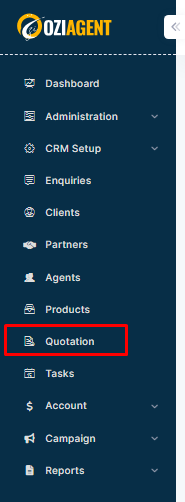
Step 1: Select Quotation from the side menu.
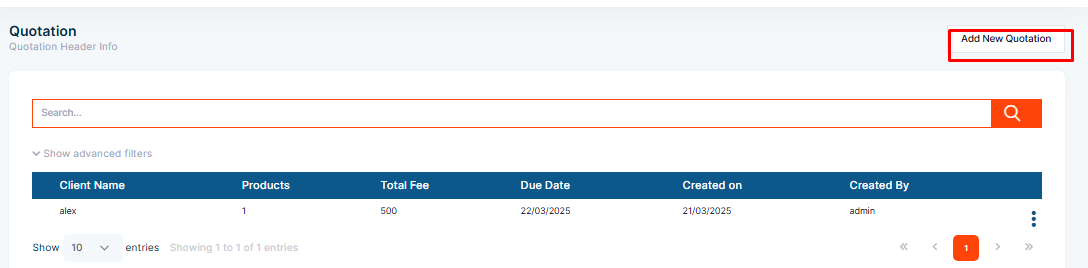
Step 2: Click the “Create Quotation” button.
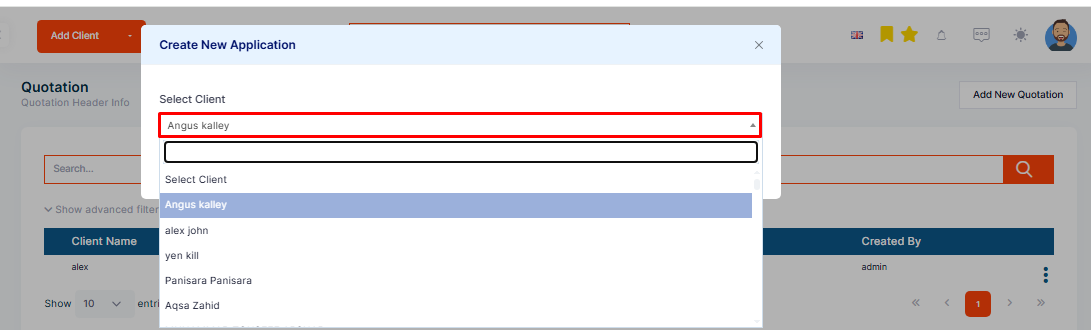
Step 3: This opens a window to Choose the Client for whom you are creating quotations. Hence, the contact must be saved in OZIAgent to create quotations.
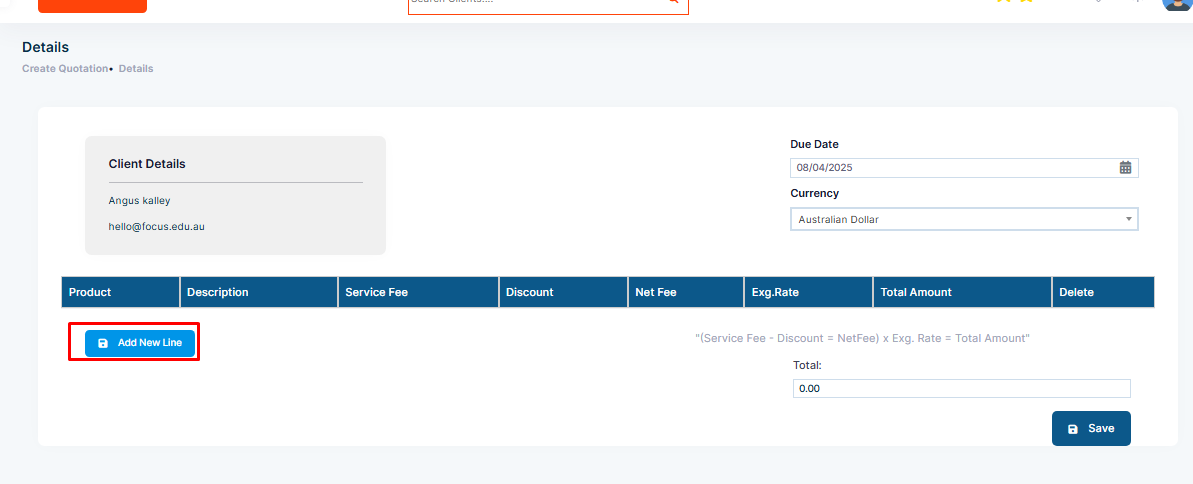
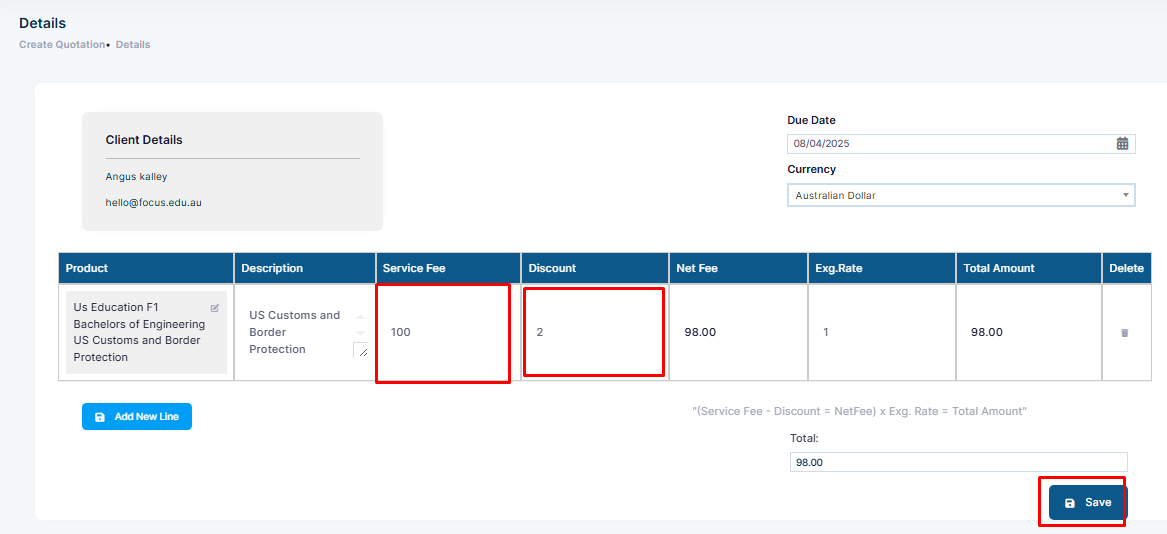
Step 4: Add the Due Date and choose the Quotation Currency.
Step 5: Now let's start adding services to the quotation by clicking on the “Add a new line”.
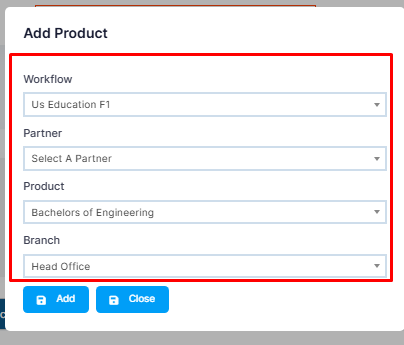
Step 6: This opens a window where you can select the Workflow, Partner, Product & Partner’s Branch. You can add multiple products here.
Step 7: Once done, click Save to save the quotation and go to the Quotations list. You can also click Save & Create from the dropdown action, which will save the quotation and then open another Create Quotation page.