Adding a single product in OZIAgent
Follow the given steps to add product in the system :
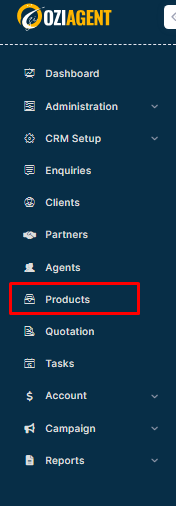
Step 1: Click on the Product from the Dashboard.
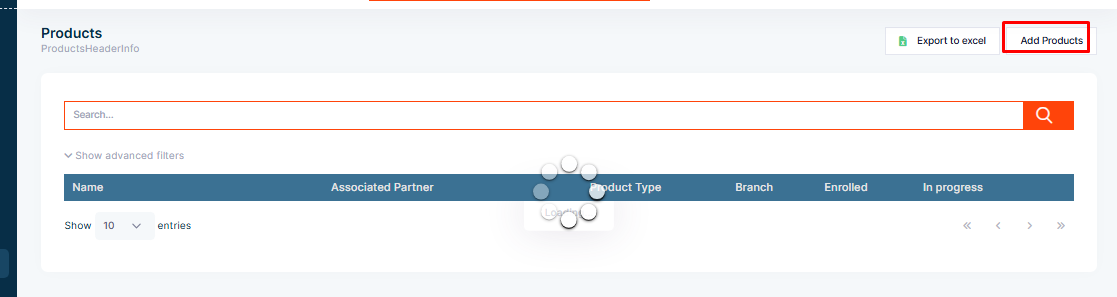
Step 2: Select Add.
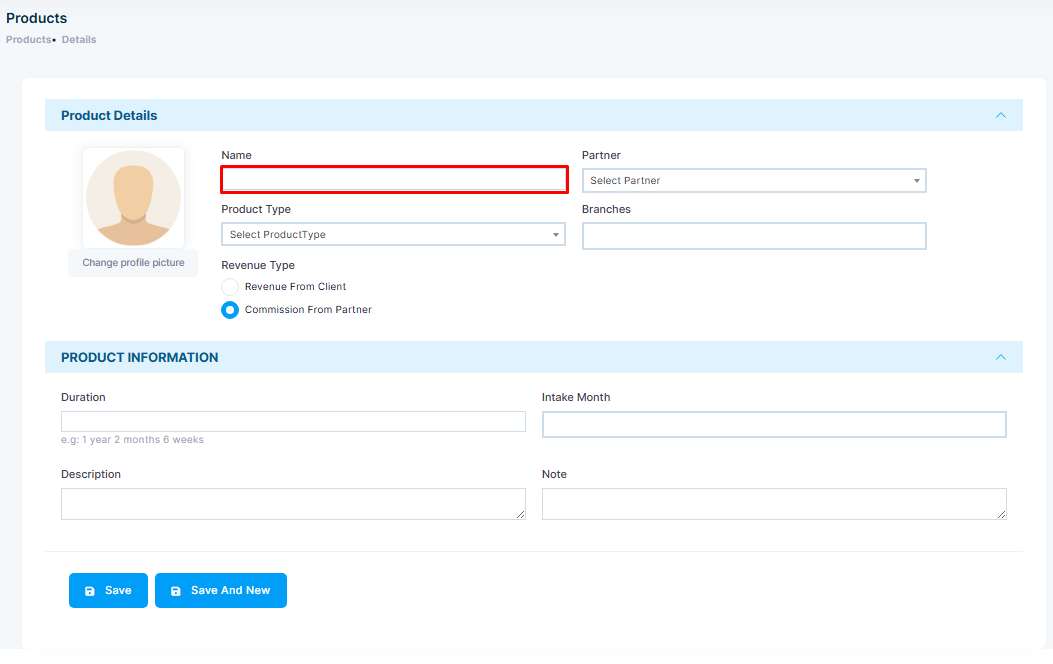
Step 3: Now add the Product's name.
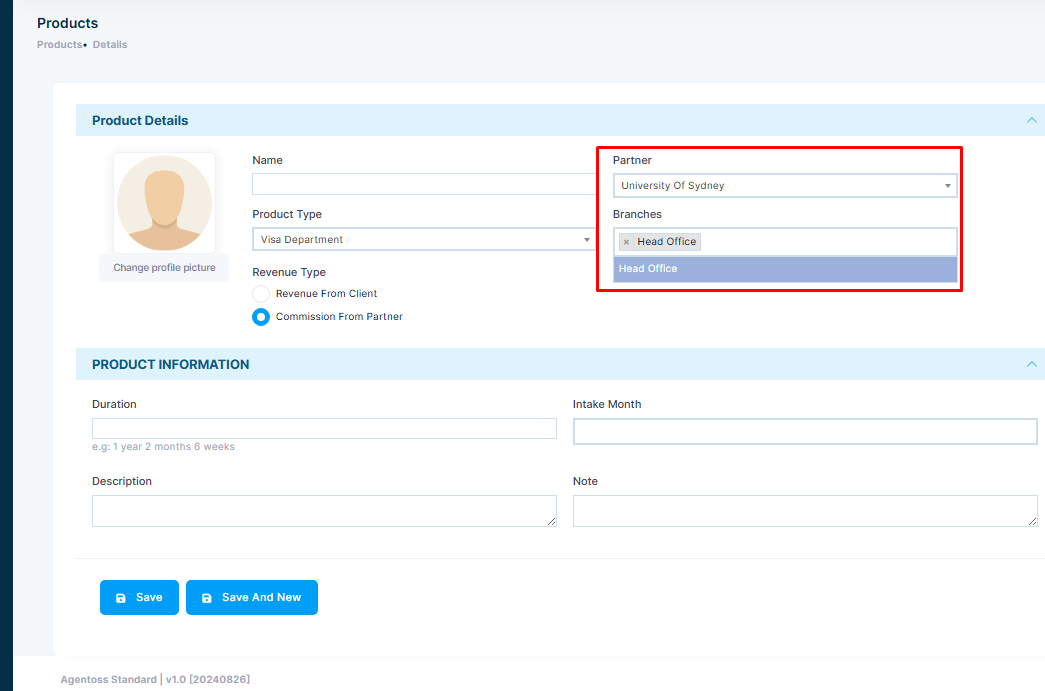
Step 4: Add the associated Partner and its Branches.
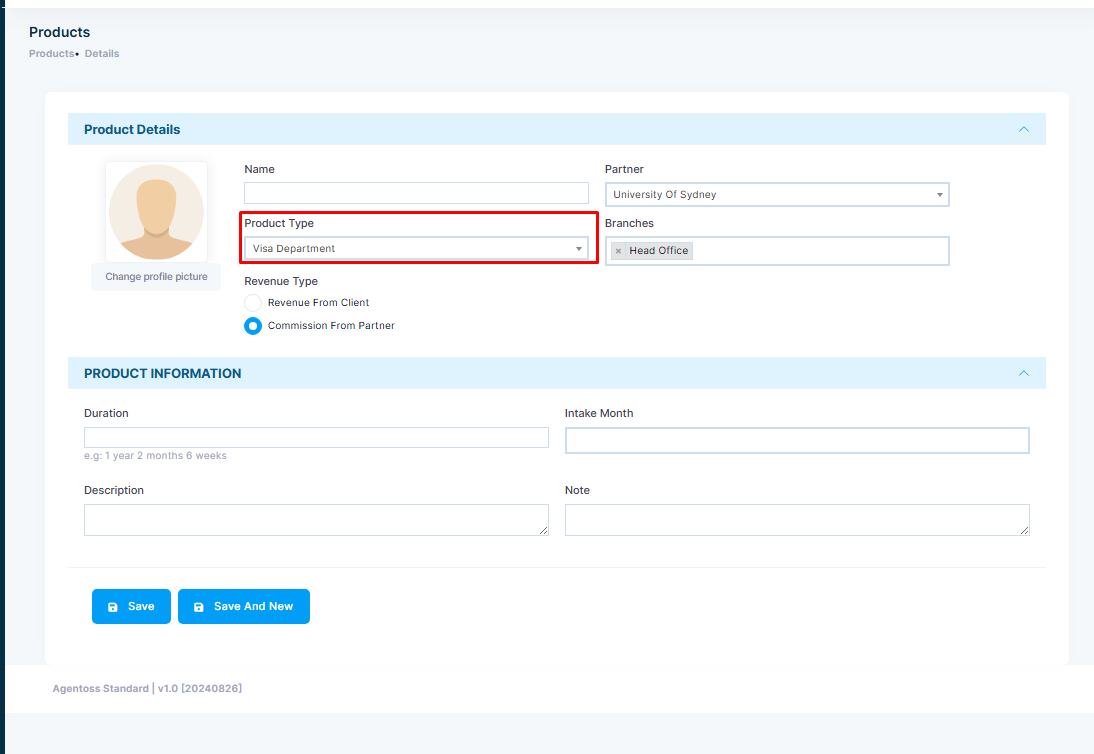
Step 5: Add Product Type.
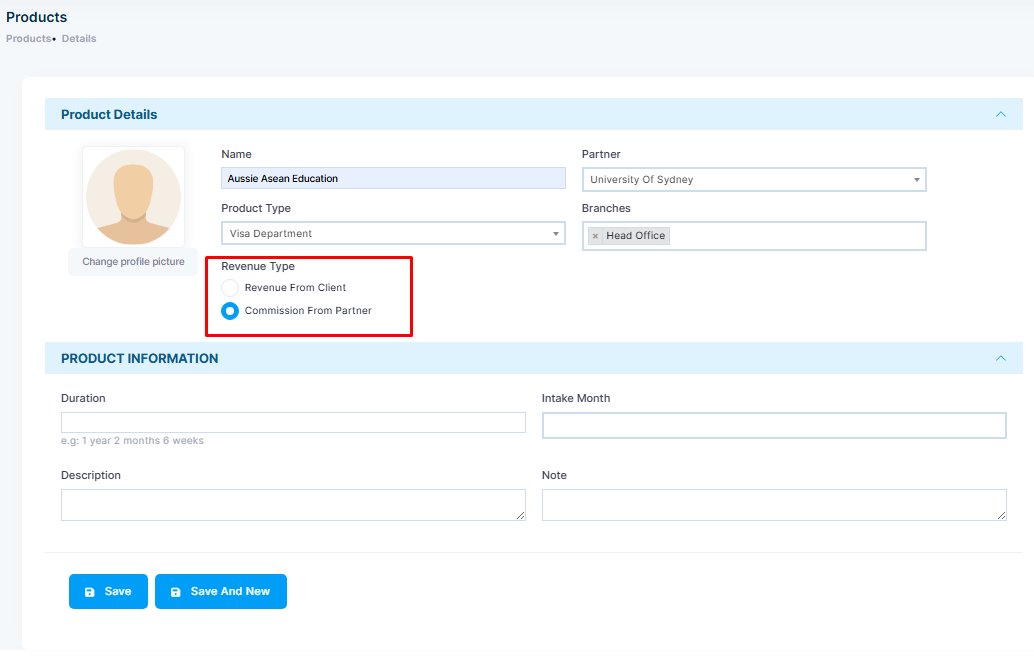
Step 6: Then add the Revenue Type whether it is revenue generated from a client or from the partner.
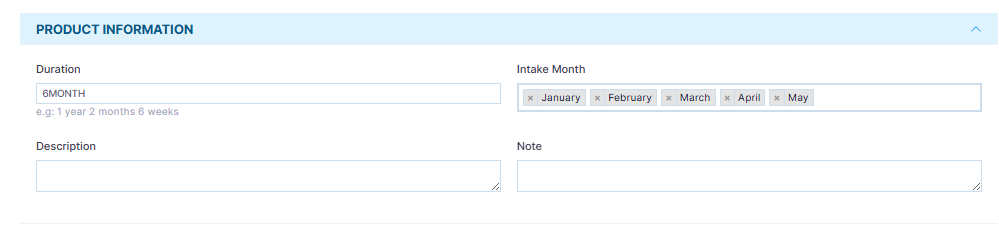
Step 7: You can also add product information like Duration, Intake Month along with Product Description and Notes for other team members to see when required.
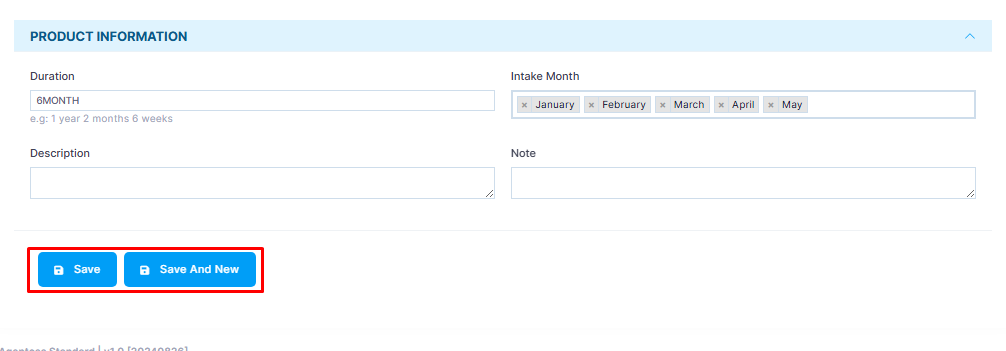
Step 8: Click on the Save button.