How to add notes for the client and partner?
Notes is an efficient way to add additional information to your contacts. To help save you the trouble of using sticky notes or other note apps, OZIAgent made this feature so you can add additional information about clients, applications, and partners to your notes.
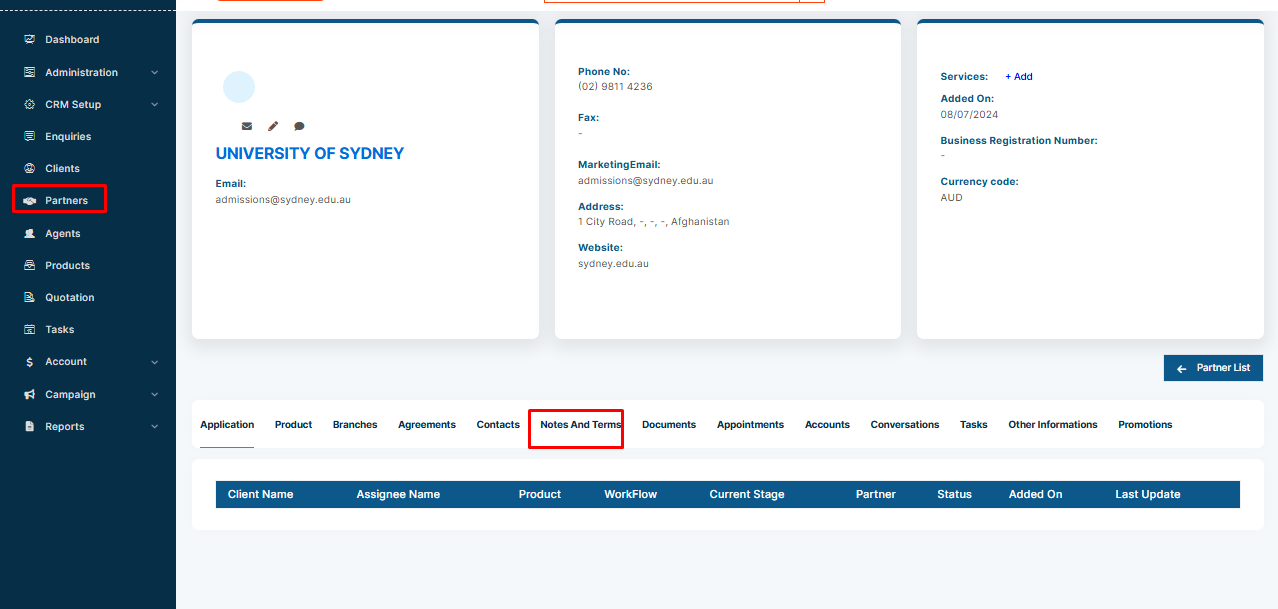
To add a note for a client or partner,
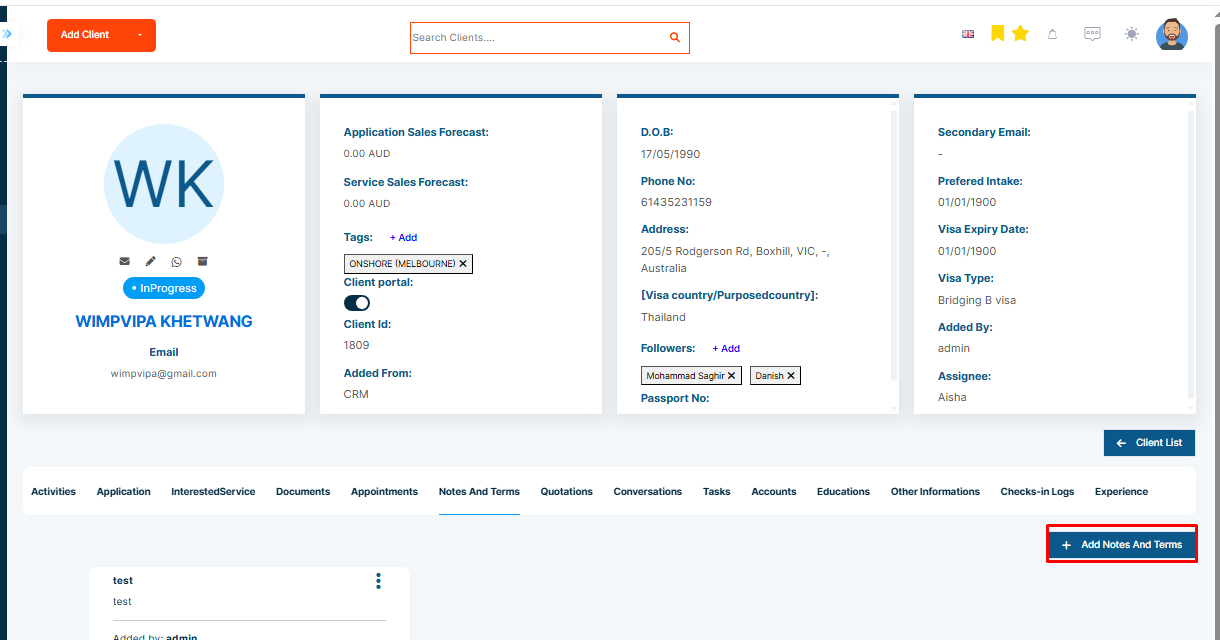
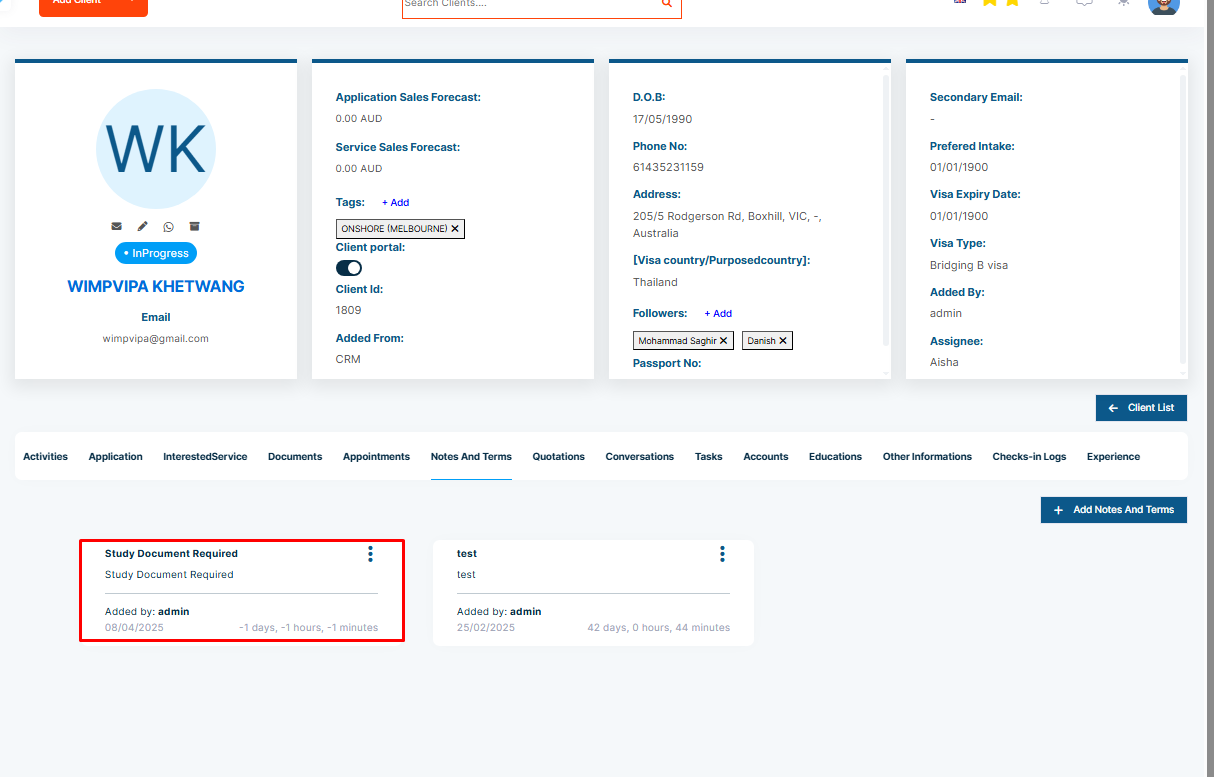
Step 1: Go to the Notes & Terms tab in the contact or partner profile.
Step 2: Click on the Add button to create a new note.
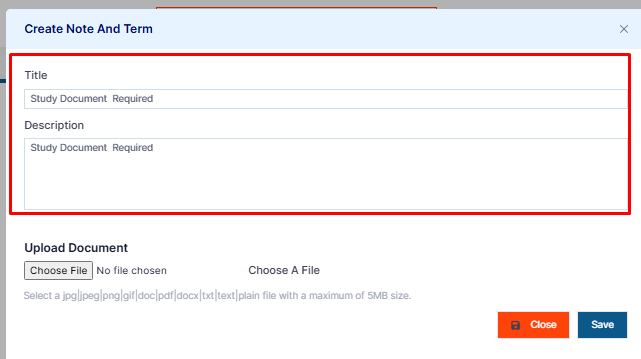
Step 3: Fill in the required information.
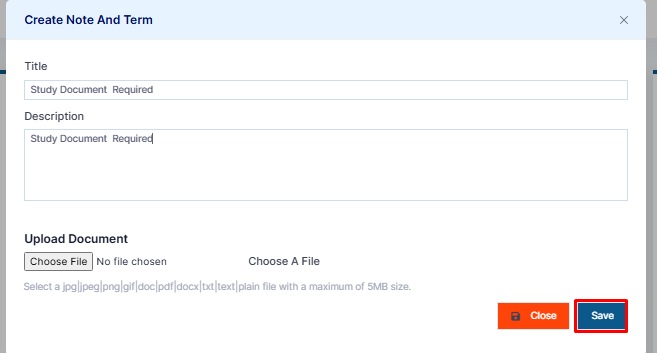
Step 4: Click on Submit to save.
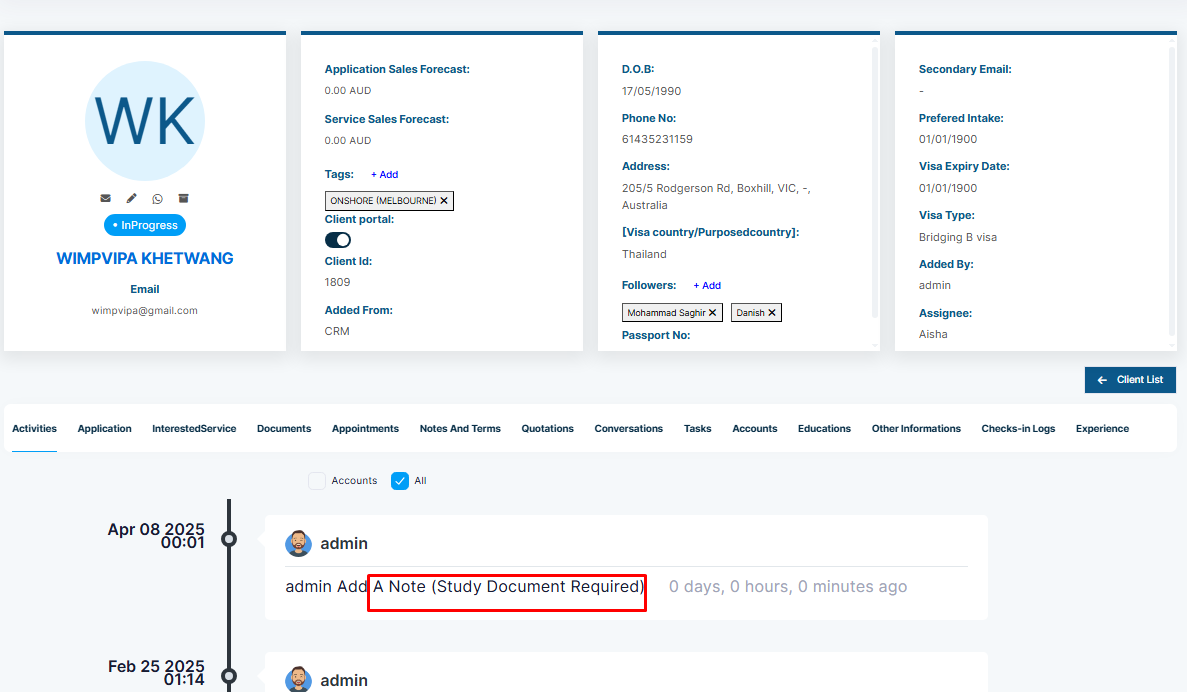
Please Note: All the notes are saved under the Notes & Terms tab according to the added date. This will also be recorded in the Activities tab.