Adding Interested Service
How to add interested service for the contact?
To add Interested Service for contact,
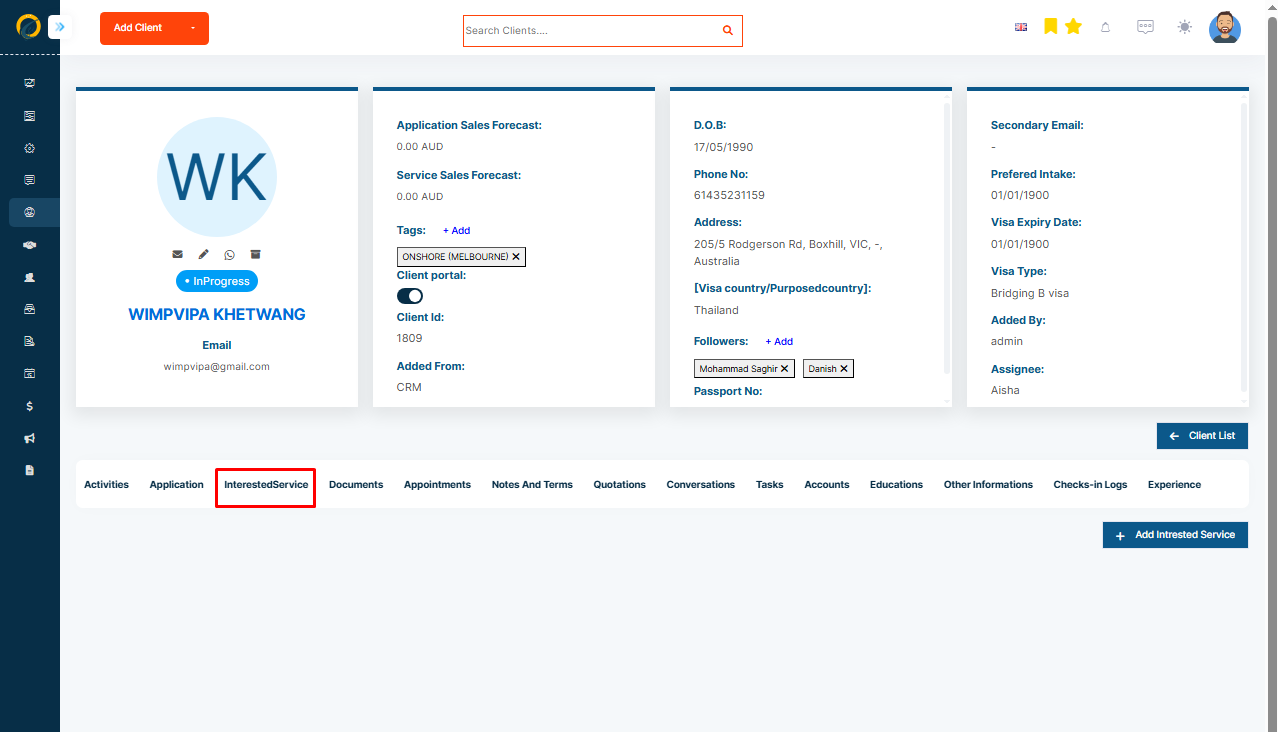
Step 1: Please click on the Interested Services tab on the Contact Profile page.
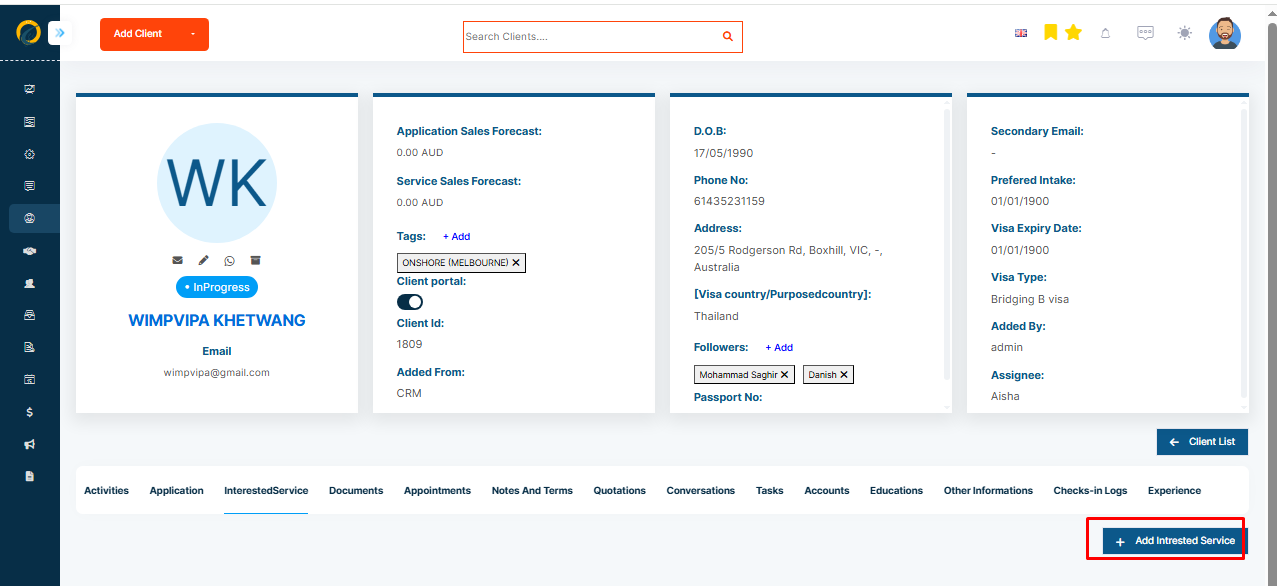
Step 2: Select the Add button.
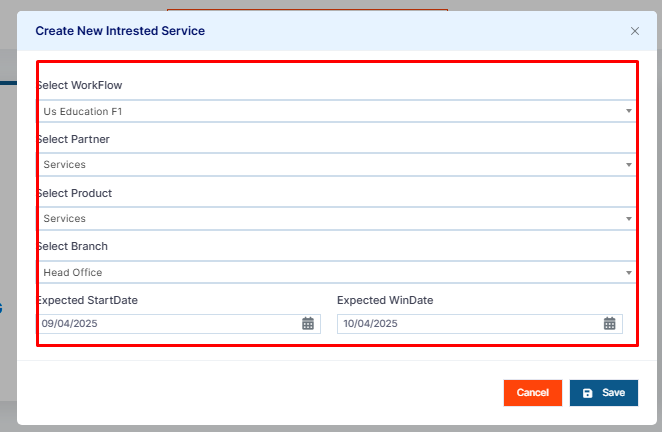
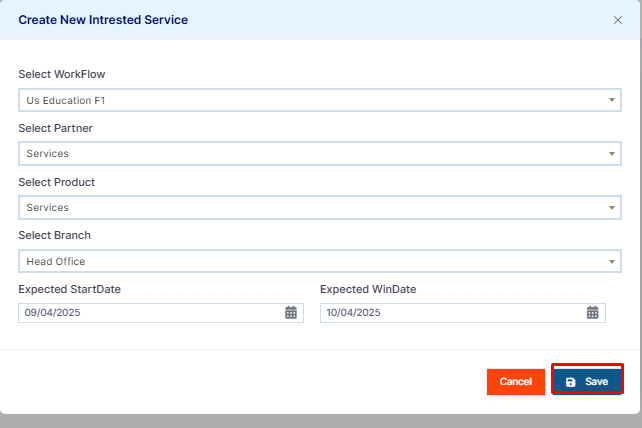
Step 3: Now select the workflow, the Partner, the Product, and the Partner Branch. Add the Expected Start Date if needed.
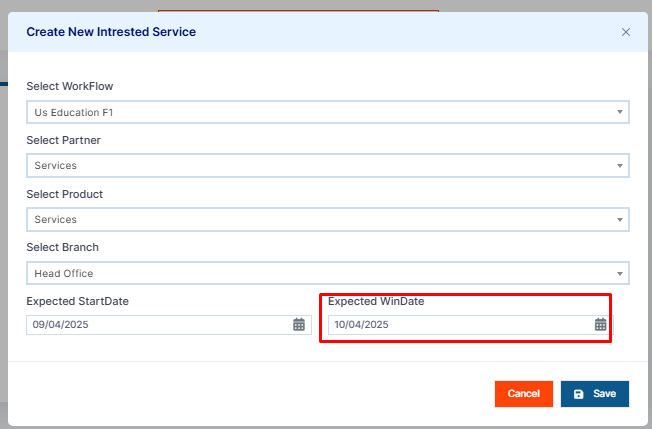
Step 4: Then add the Expected Win Date for the service. The expected win date is the date when your client’s application is to be confirmed - that’s why it’s a win! This will help you predict your future conversion date.
Step 5: Click Save.