Adding a single branch in OZIAgent
Follow the given steps to add branch in the system :
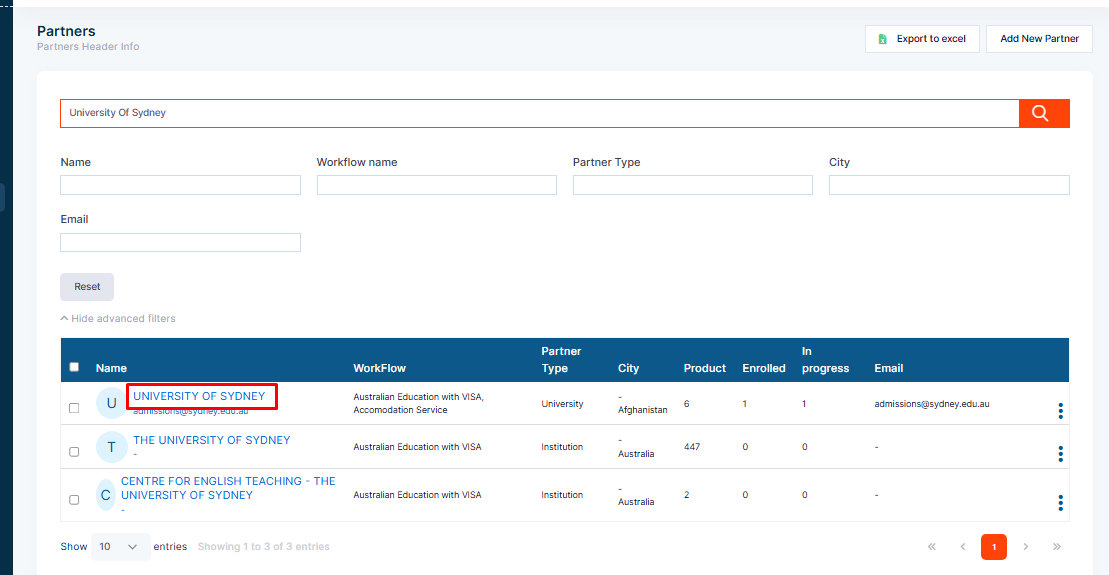
Step 1: Click on the Partner from the Dashboard.
Step 2:Select the partner from the list.
Step 3: Open the partner profile by clicking on the name of the partner.
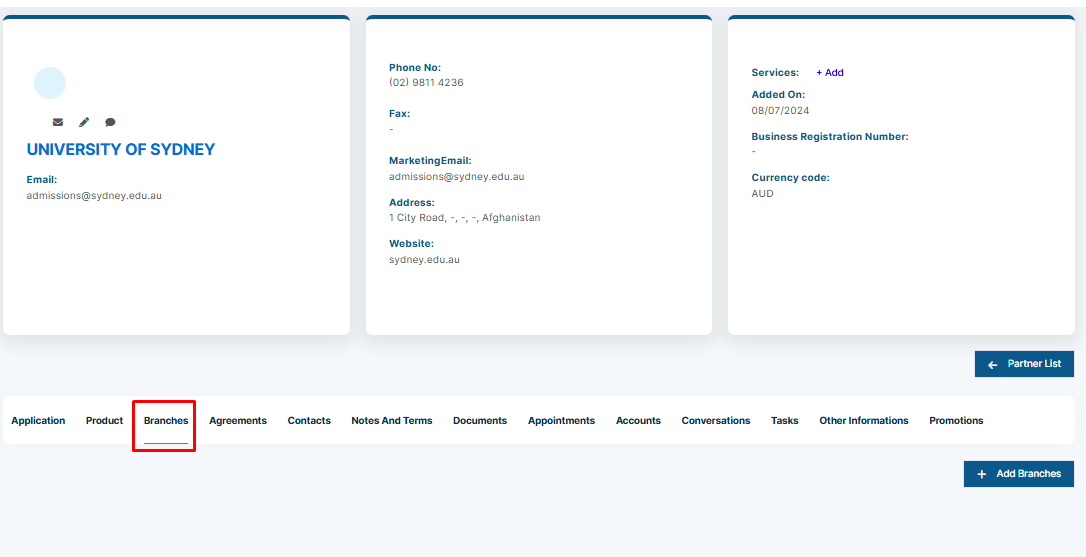
Step 4: :Click on the Branch tab.
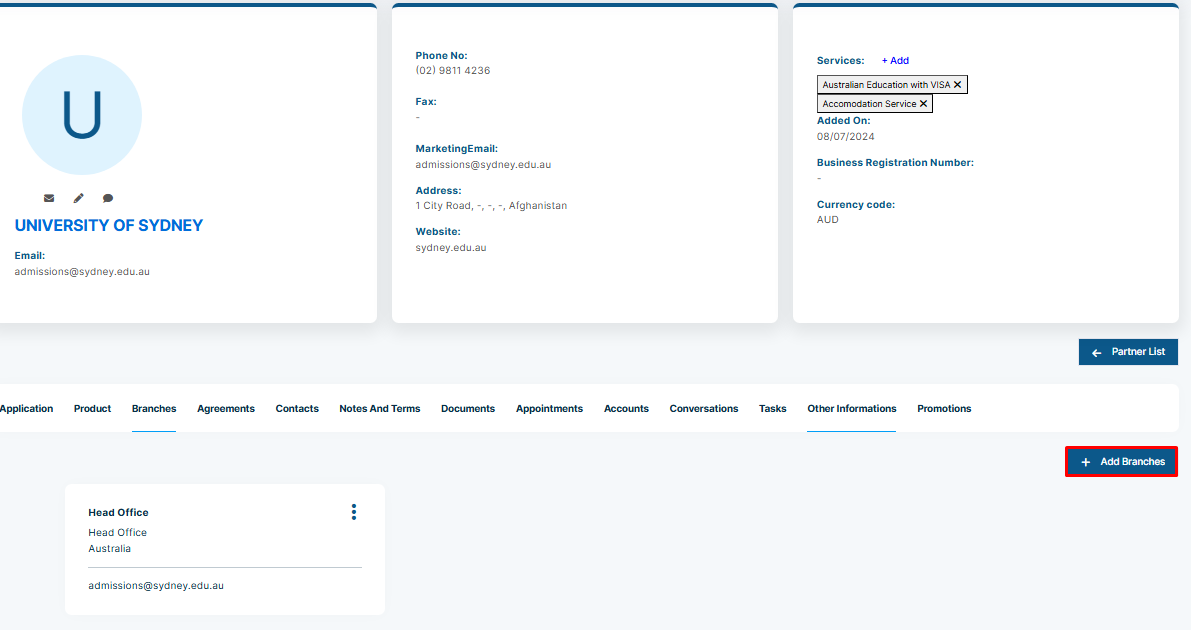
Step 5: Click on the Add Branch button.
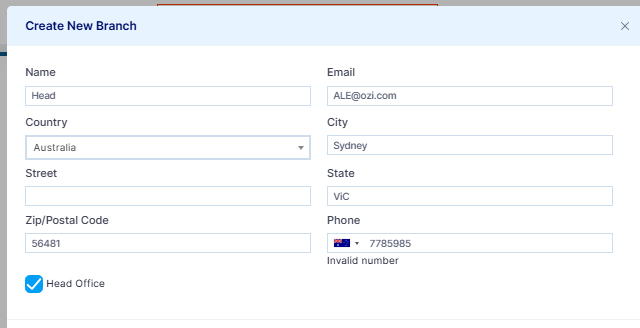
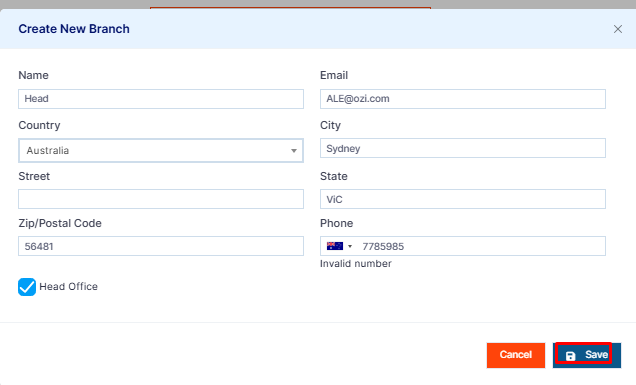
Step 6: Fill the details
Step 7: Click on save button