Limited Time Offer
Get 3 Months FREE when you start your trial today!

Changing assignees

The assignee assigned to the contact can be changed if required, learn the process here.

You may need to change the assignee of the contacts(Prospects and Clients) in cases such as staff reassignment, specific knowledge, workload management, or client preference. OZIAgent makes it easy to reassign contacts, ensuring smooth client handling, avoiding disruptions, and maintaining high-quality service.

Follow the following steps to change the assignee of the contacts(Prospects and Clients).

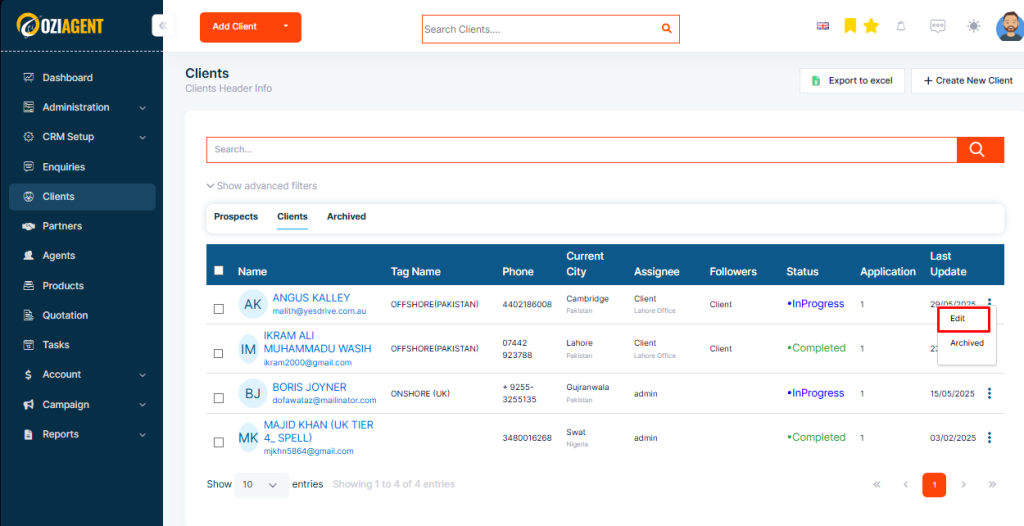
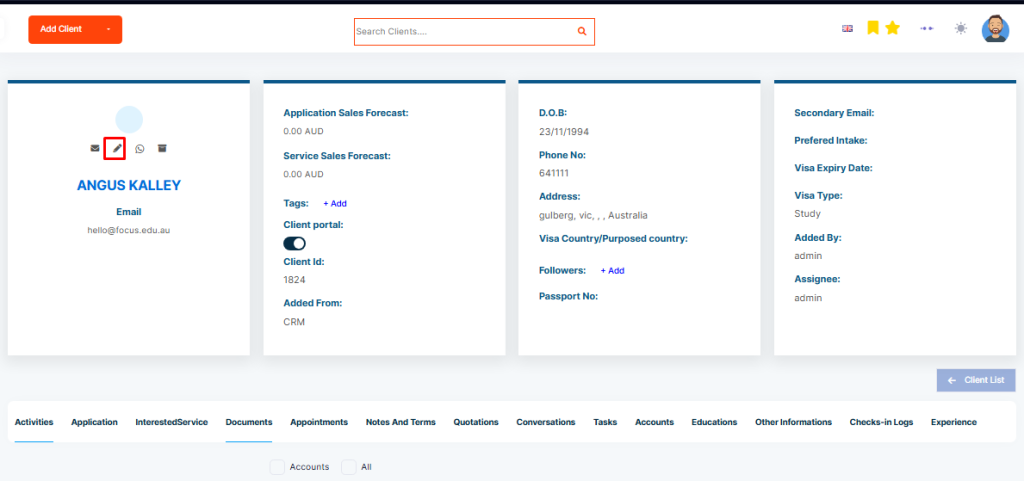
Step 1: To change the assignee of any contact, you need to edit the contact.

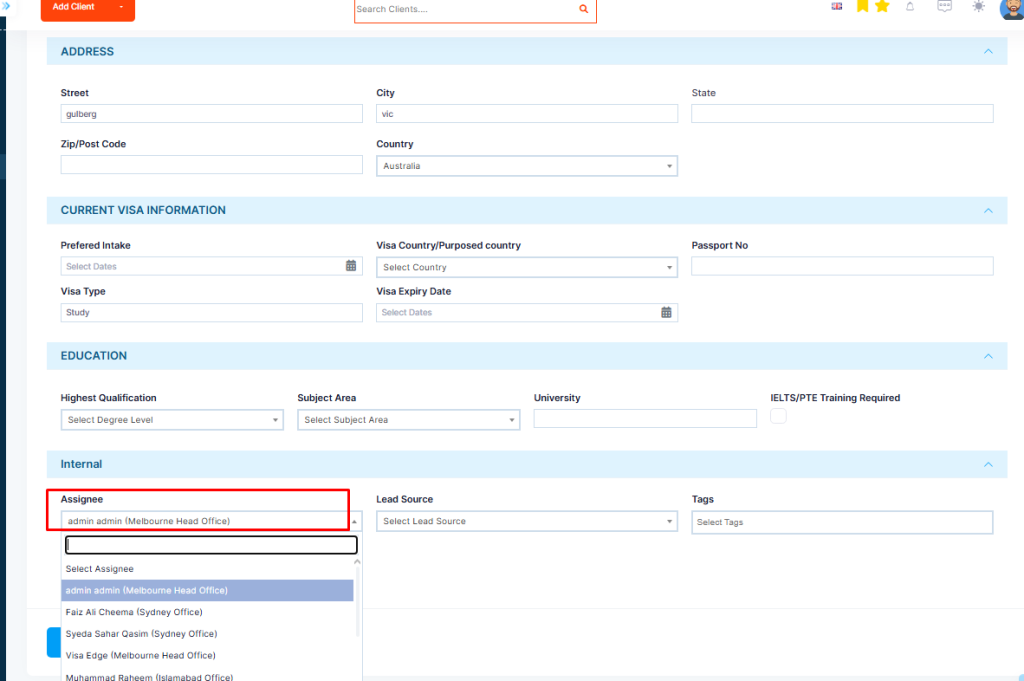
Step 2: There is an option to change the contact’s Assignee when you are on the edit contact page. You can choose a team member to whom you want to assign a contact

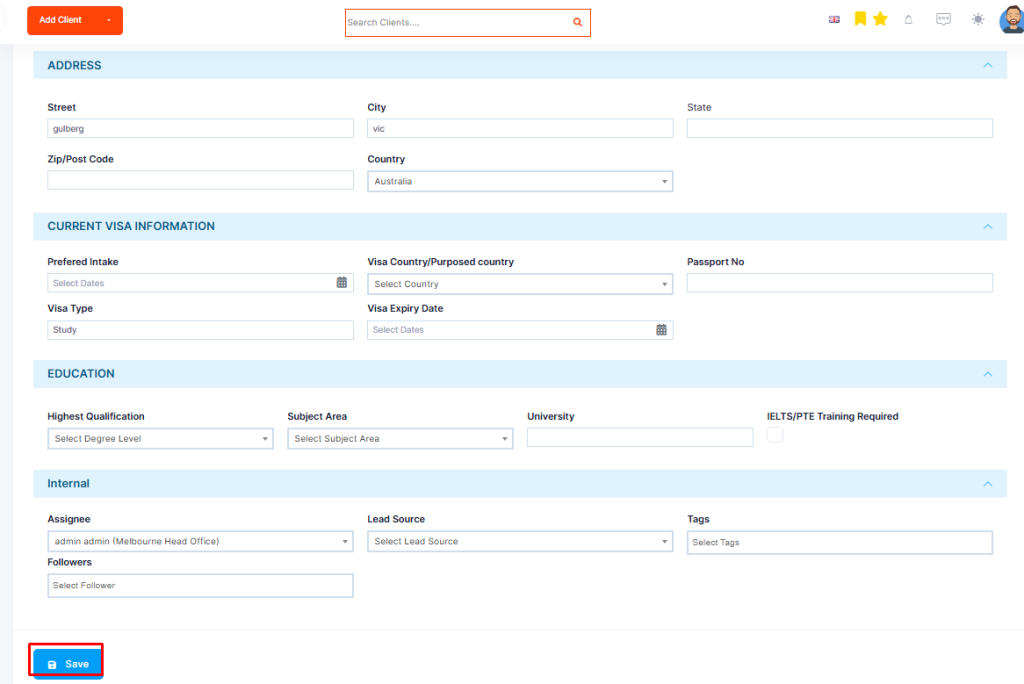
Step 3: Click save and the new Assignee will receive a notification as soon as they have been assigned..