Limited Time Offer
Get 3 Months FREE when you start your trial today!

Archiving Contacts

If you want the client or prospects to be removed from the list of clients or prospects then they can be archived.

Archiving contacts in OZIAgent helps keep your database organized by managing inactive or irrelevant contacts without permanently deleting them.

Common Reasons to Archive Contacts:

  • Inactive Contacts – Leads or clients who are no longer engaging with your services.
  • Duplicate Entries – Avoid confusion while preserving records.
  • Lost or Unresponsive Leads – If a prospect is unresponsive after multiple follow-ups.
  • Completed Services – Clients who have successfully completed their applications but may return in the future.
 

Archiving ensures a clutter-free CRM while allowing you to restore contacts if needed, keeping your data structured and manageable.

Please note, that there should not be any ongoing applications to archive the clients. Please discontinue the application if there is any ongoing application.

To Archive the contacts

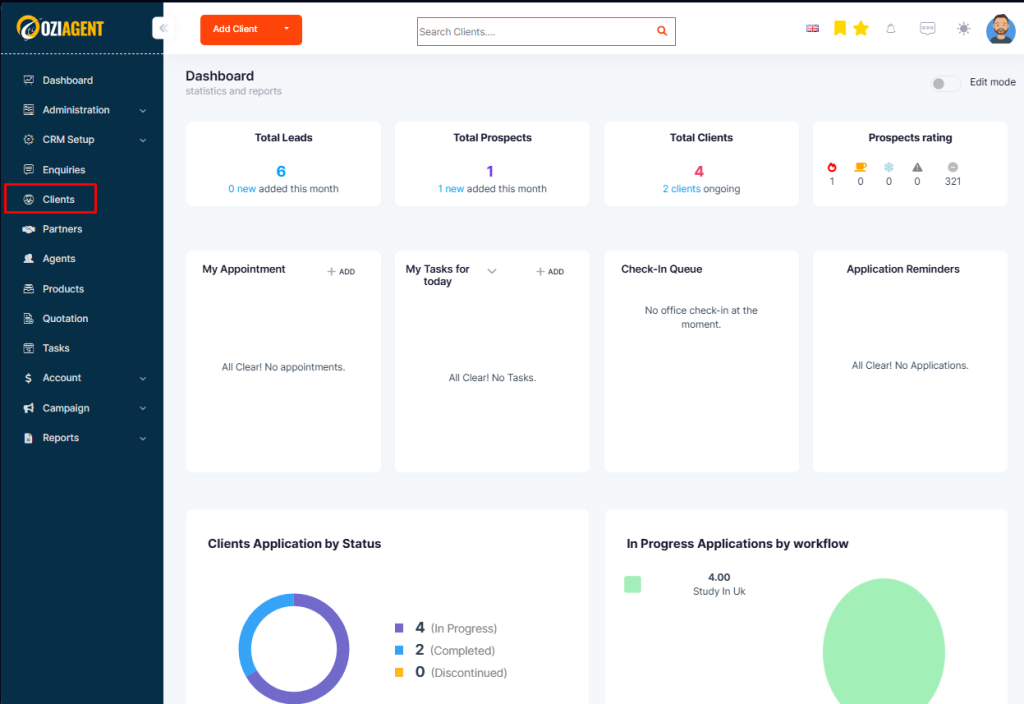
Step 1: Select Contacts from the dashboard.

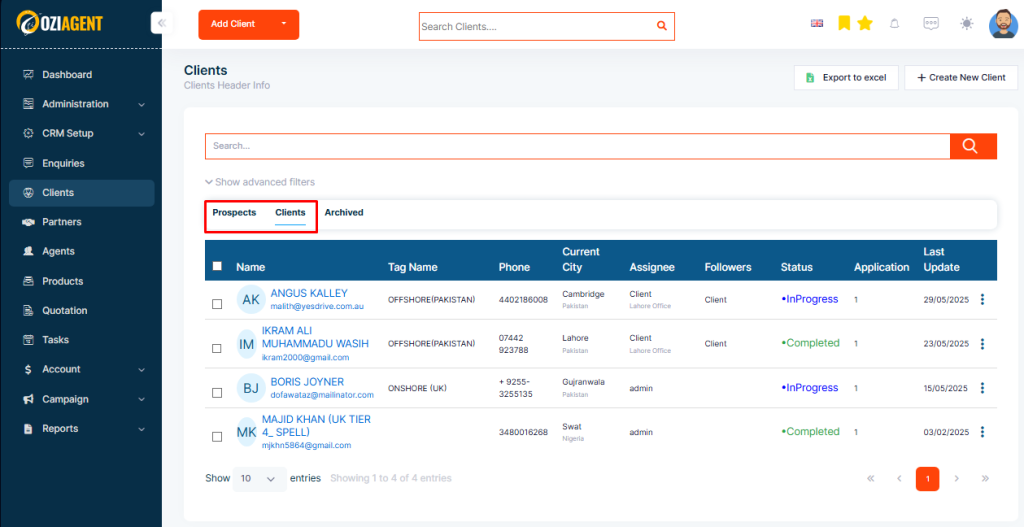
Step 2: Select Clients or prospects

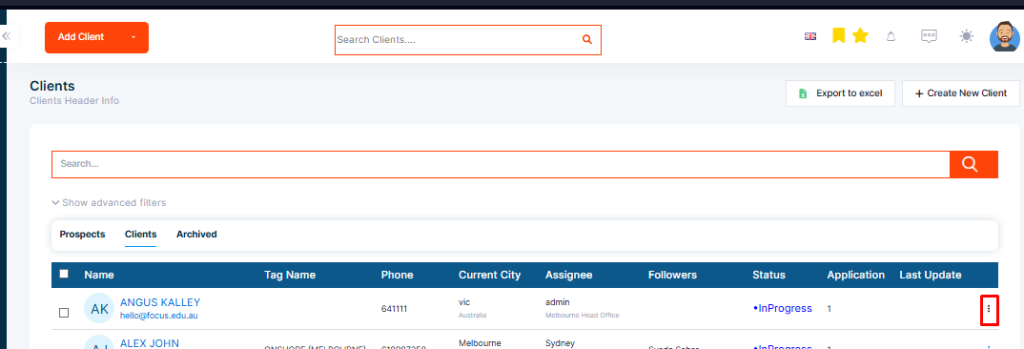
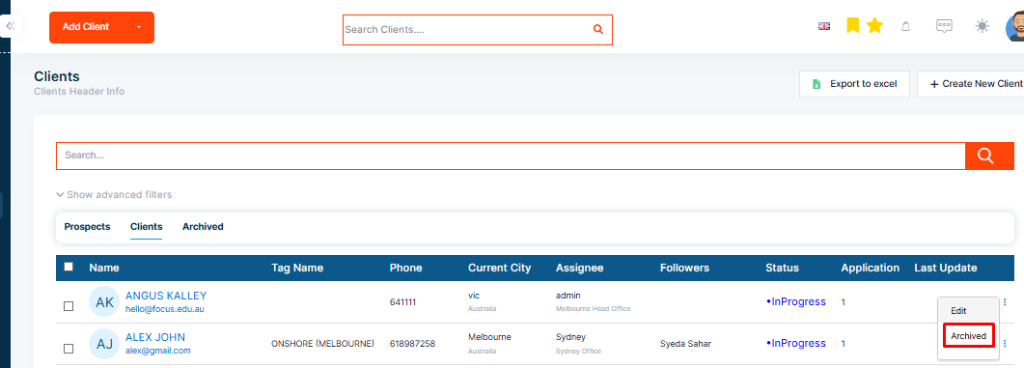
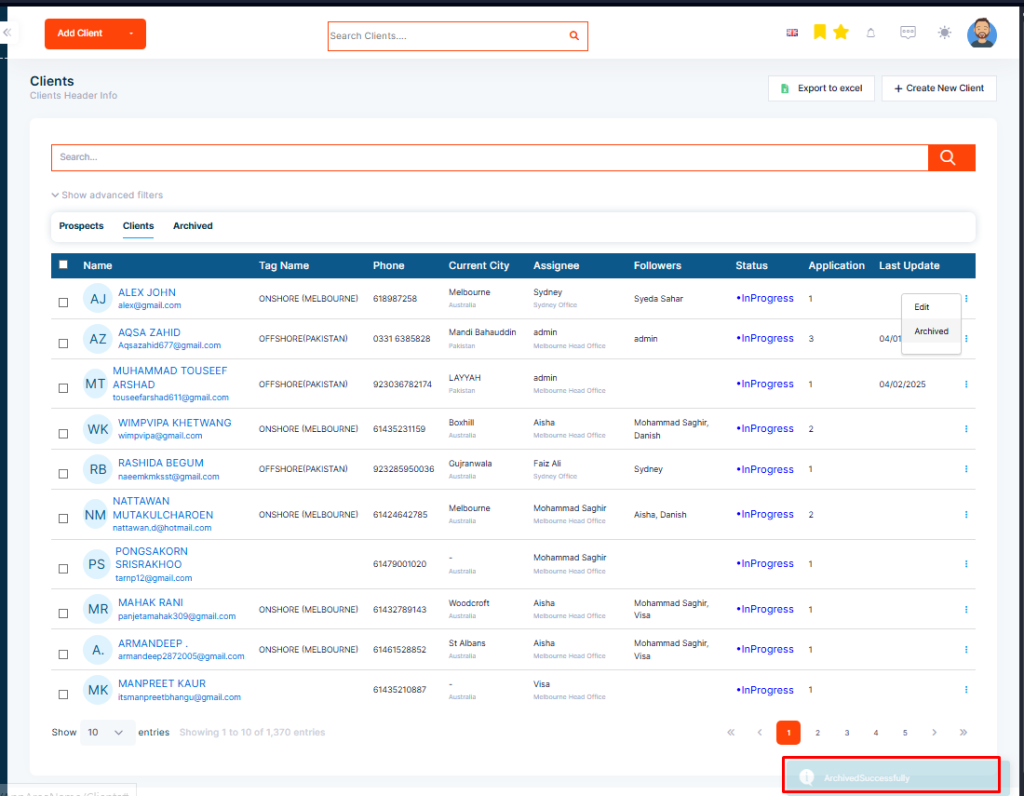
Step 3: From the list select the contact you want to archive then click on the three-dot button from the right end and click on archive.

You can also directly go to the contact’s profile and select this archive icon to archive the client.

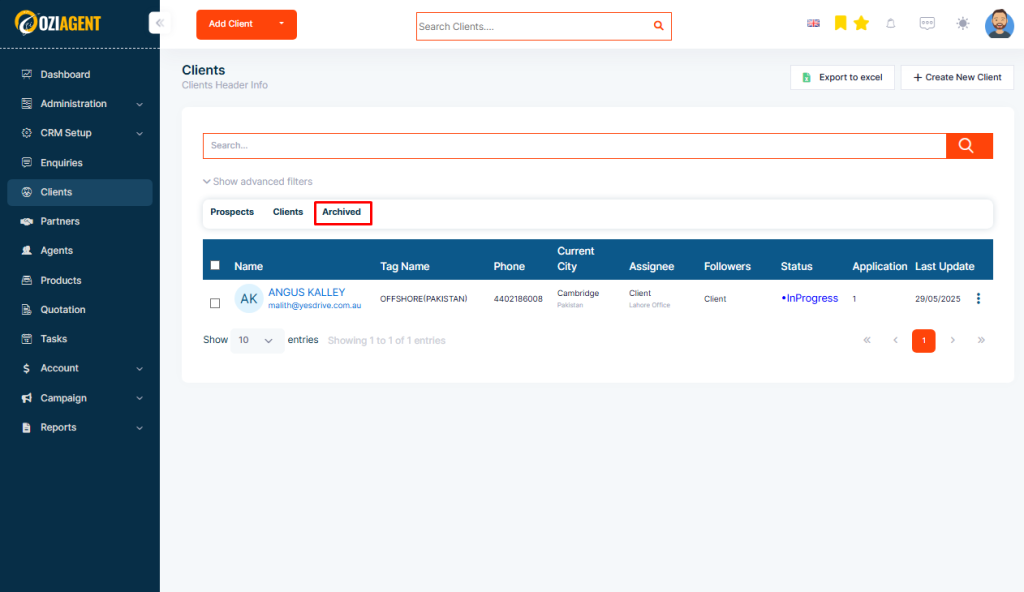
Step 5: Once the contacts are archived, the contacts will be listed in the archived list.

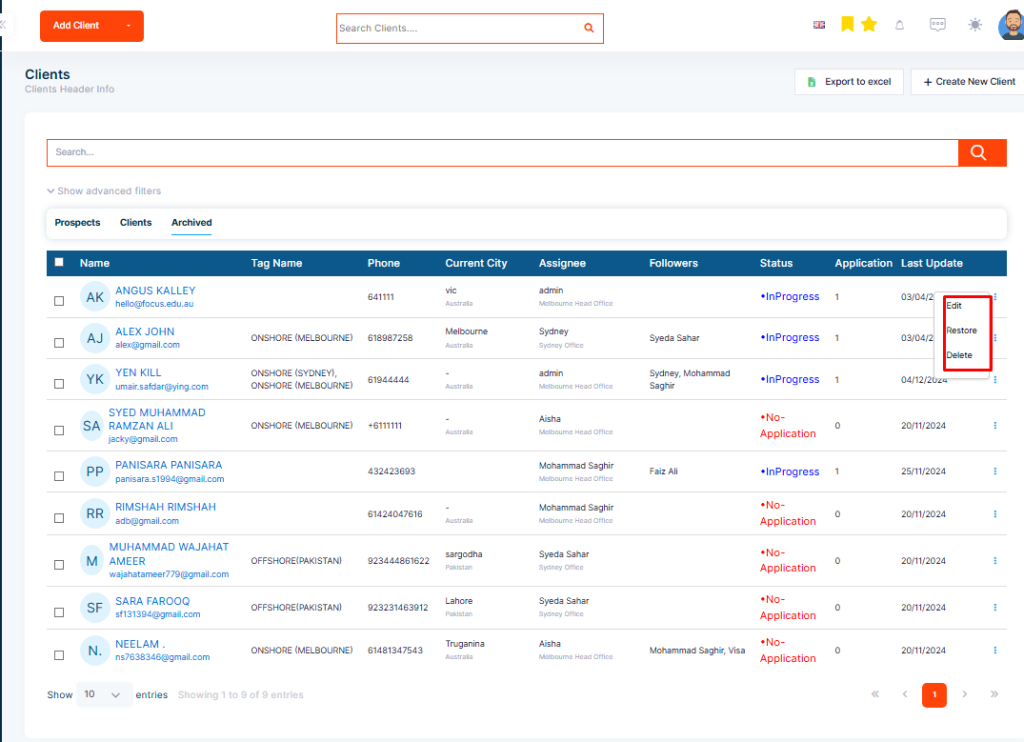
Step 6: From this list, you can either restore a client or delete their information permanently by clicking on the three-dot icon