

Learn the way to search the contacts
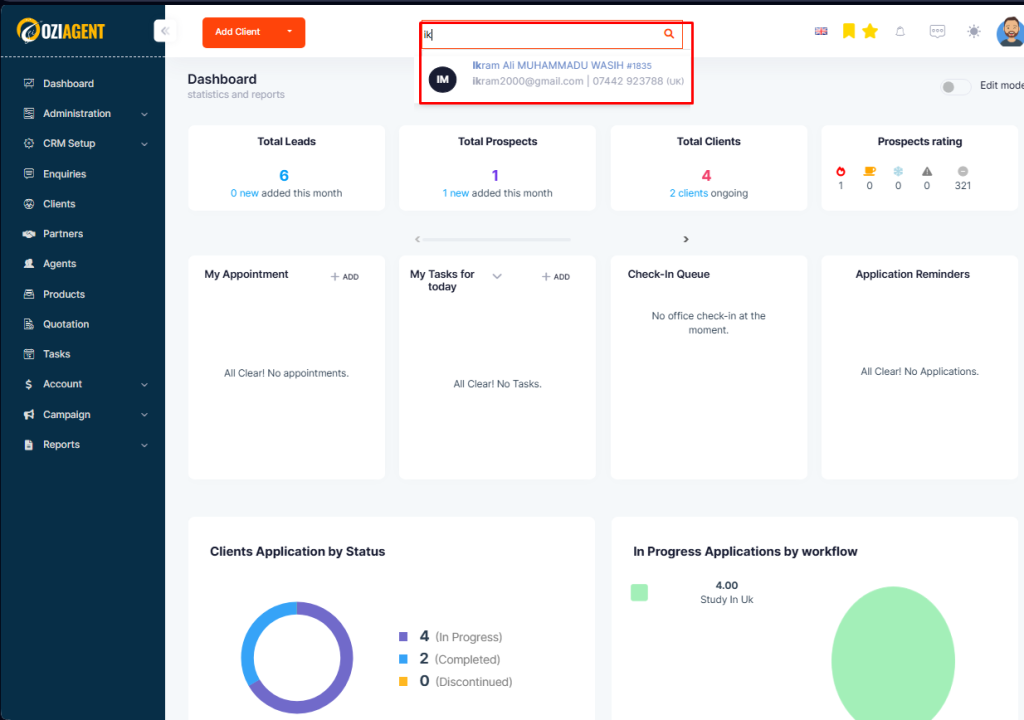
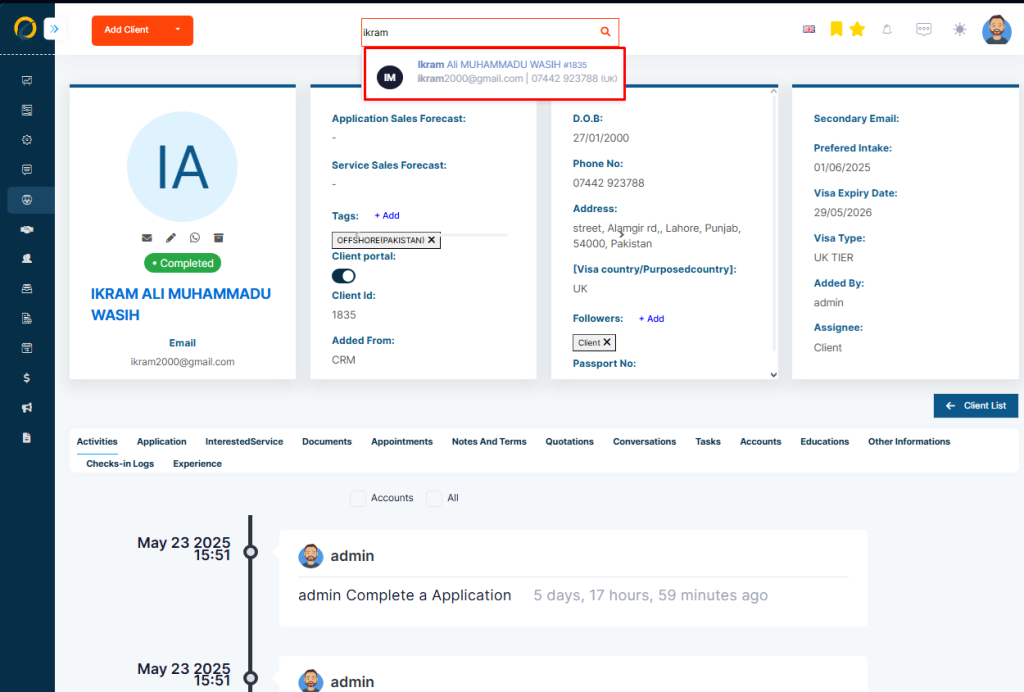
You can quickly search for contacts using the Top Bar Search function in OZIAgent. This feature allows you to instantly find contacts without navigating through multiple pages, saving time and improving efficiency.
In OZIAgent contacts are categorized into Enquiries, Prospects, and Clients for efficient contact management.
Enquiries are potential students who have expressed interest in your services by submitting Lead Forms through various channels, such as your website, Facebook campaigns, or QR code scans. These individuals may require assistance immediately or consider engaging with your services in the future.
Prospects are the students who have shared their information but have no assigned application. They are assigned to one of the users for further engagement and follow-up. You can manage their details, documents, and interested services.
Clients have started an application and are actively using your services.
For finding or searching contacts, follow the following steps
In OZIAgent, a Client ID is a unique identifier assigned to each client for easy tracking and management. This ID helps differentiate clients, ensuring efficient record-keeping and quick retrieval of information.
However, you won’t be able to view the contact profile if you are not authorized to. You will get an error message in this case.