Limited Time Offer
Get 3 Months FREE when you start your trial today!

Editing Contact details

  1. Home
  2. /
  3. Understanding Contacts and its...
  4. /
  5. Editing Contact details

Learn the steps to edit the details of the contact added.

The Editing Option in OZIAgent allows users to update and modify Contact(Enquiries, Prospetcs and Clients) details when necessary. This ensures that records remain accurate and up to date, improving overall data management.

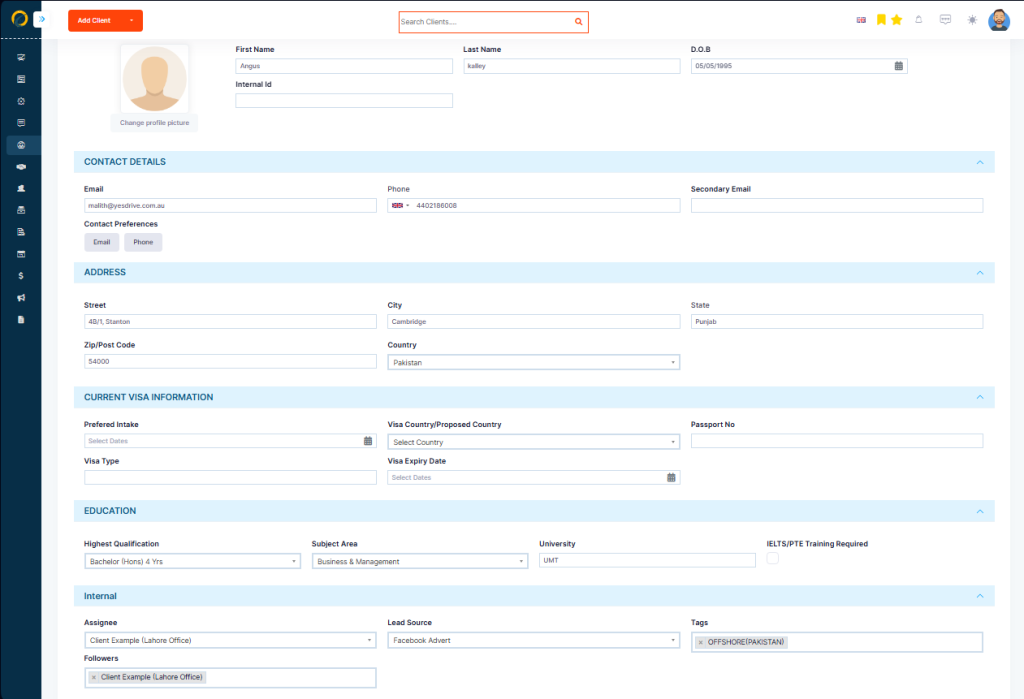
With the right permissions, users can edit important contact(Enquiries, Prospetcs and Clients) details such as name, phone number, email, and other relevant information. This feature is particularly useful when correcting errors, updating client information, or adding missing details

To edit the client details

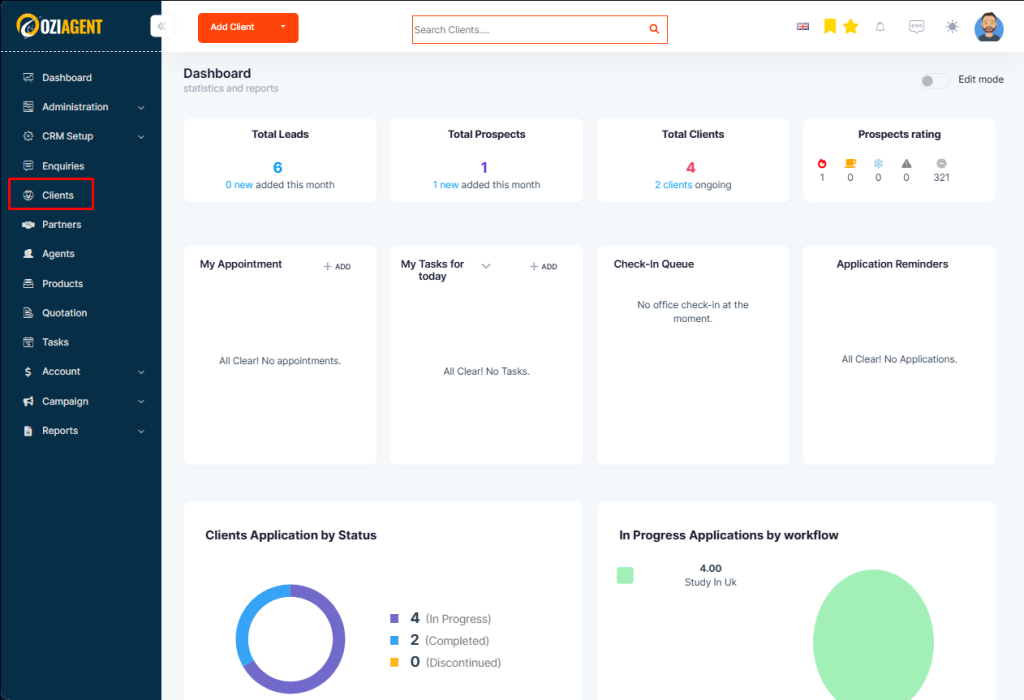
Step 1: Go to Contacts in the side navigation bar

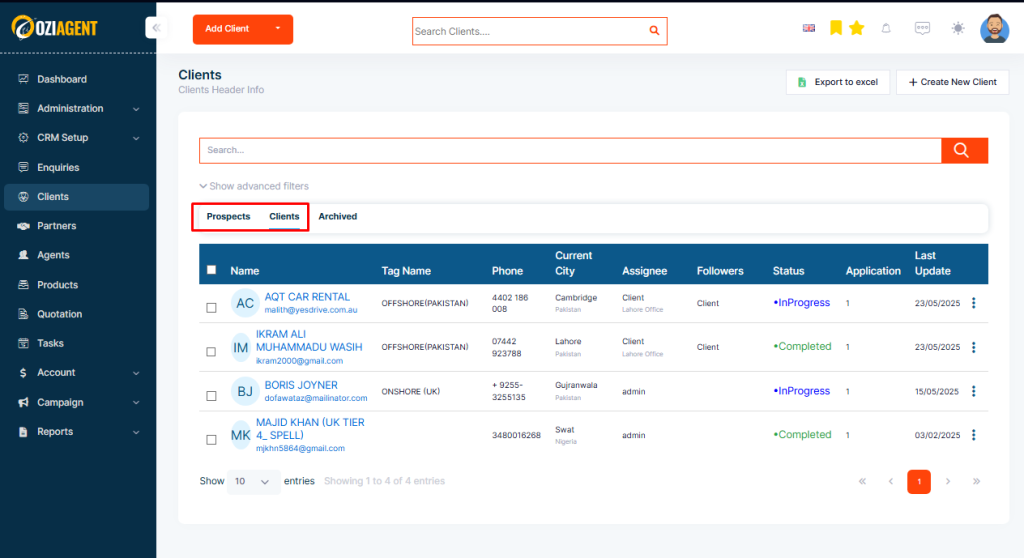
Step 2: Select Clients or prospects.

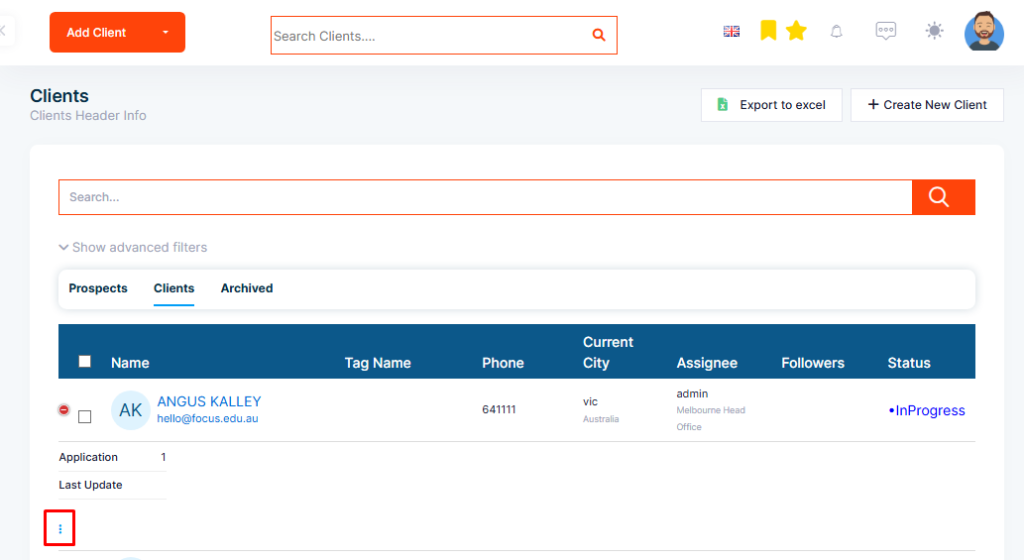
Step 3: From the list select the contact whose details are to be edited and click on the three dots at the right end.

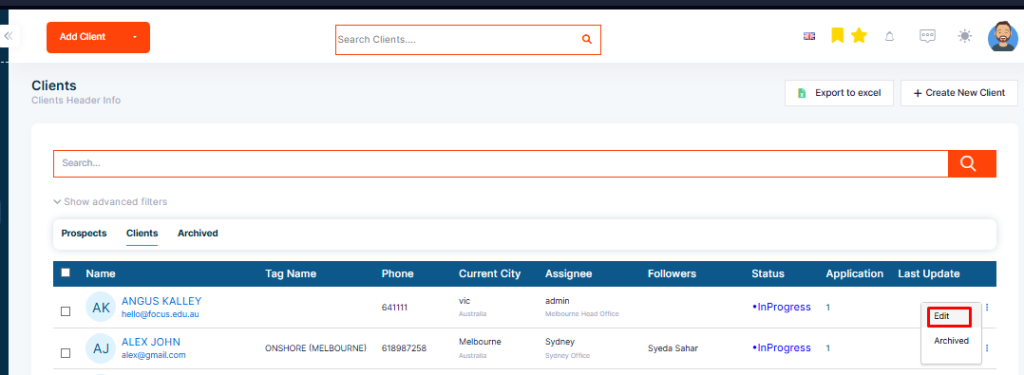
Step 4: Select edit from the drop-down.

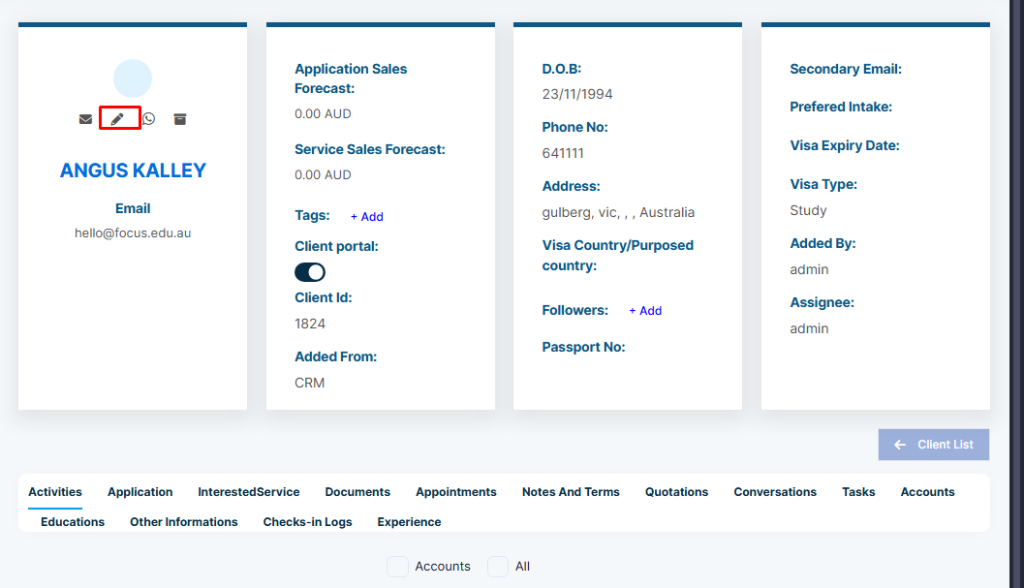
Step 5: You can also edit contacts by going directly to their profile and selecting the edit icon.

Step 6: The edit page will appear and you can make necessary changes and select save. For example if you previously miss adding the contact phone number while adding the contacts then you can add the email here.