Enquiries (Leads)
Enquiries are potential students who have expressed interest in your services by submitting Lead Forms through various channels, such as your website, Facebook campaigns, or QR code scans. These individuals may require assistance immediately or consider engaging with your services in the future.
- Action: Collect their details and follow up.
- Goal: Convert them into Prospects.
Prospects
Prospects are the students who have shared their information but have no assigned application. They are assigned to one of the users for further engagement and follow-up. You can manage their details, documents, and interested services.
- Action:Organize their profile and provide necessary information.
- Goal: Move them to Clients.
Clients
Clients have started an application and are actively using your services.
- Action: Track progress and offer support.
- Goal: Ensure a smooth application process.The Quick Add option in OZIAgent allows users to instantly add new contacts with minimal steps, improving efficiency and reducing data entry time.
The Quick Add option in OZIAgent allows users to instantly add new clients with minimal steps, improving efficiency and reducing data entry time.
To add the client or prospects, follow the following steps: You should have the permission to add the client. Please confirm
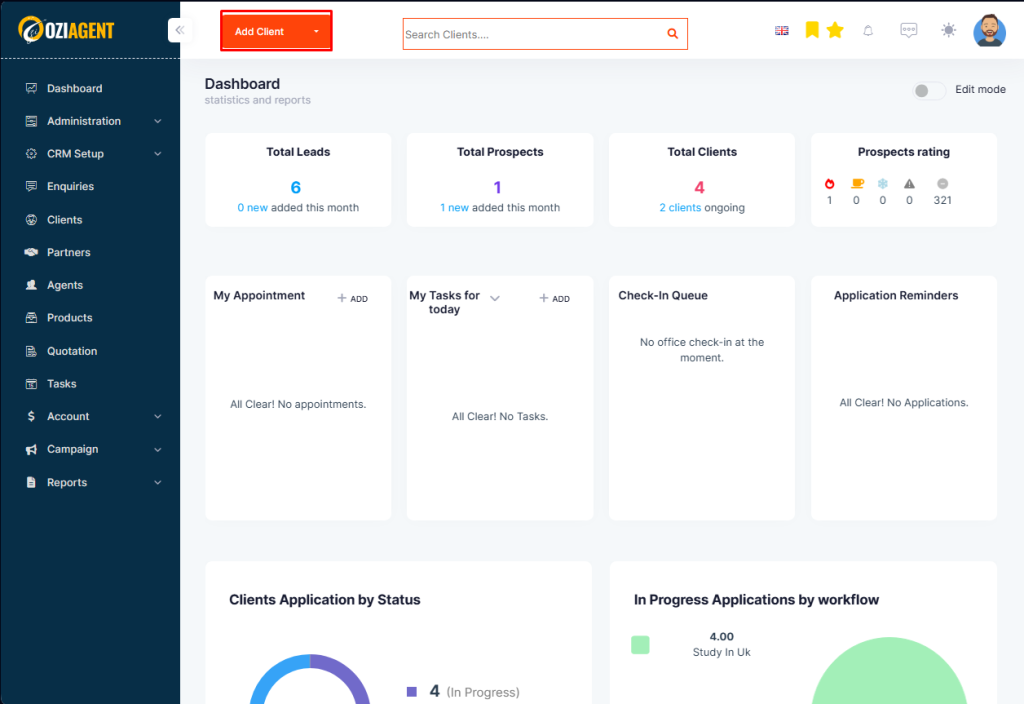
Step 1: Click on the “Add Client” tab on the top info bar.
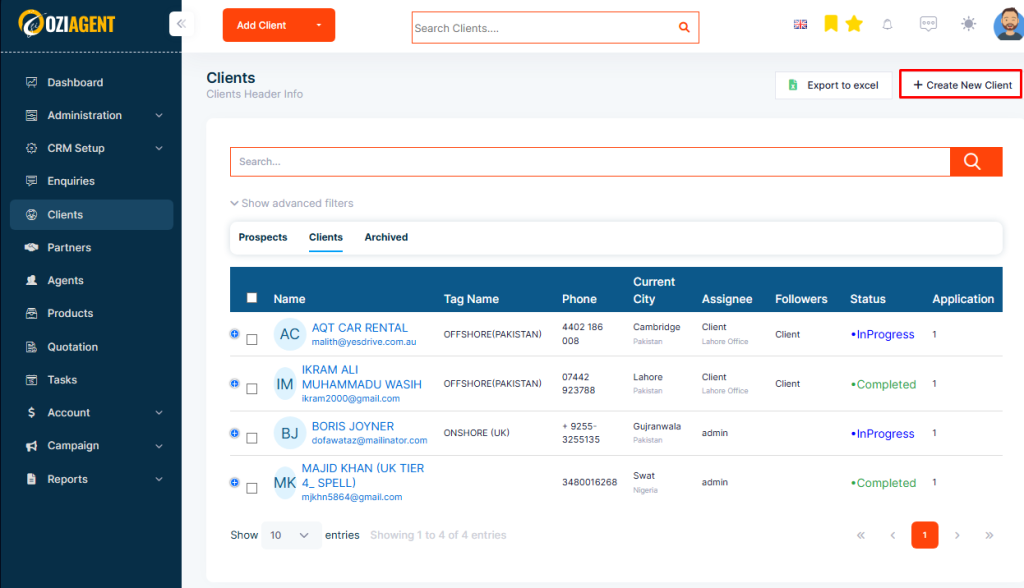
You can also add New contacts from the Prospects or Client Tab under the Contact Menu.
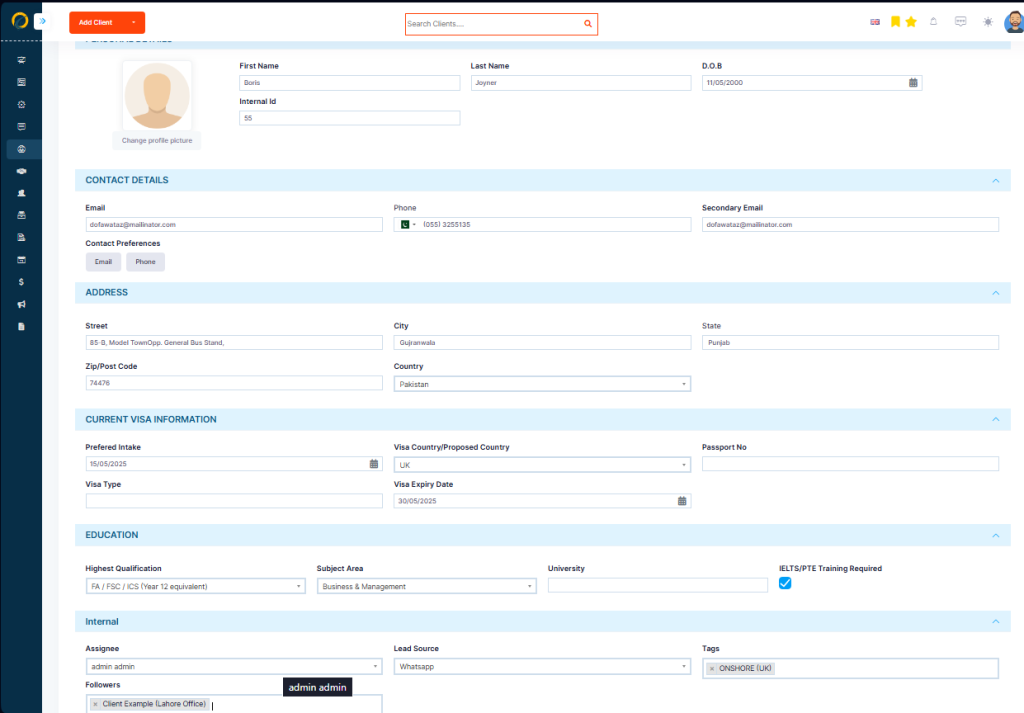
Step 3: Fill in the details of the client on the pop-up that appears after you click on the Add tab. The fields that are marked asterisk are the mandatory fields.
Note: Avoid the Application section and Email section if you are willing to add prospects.
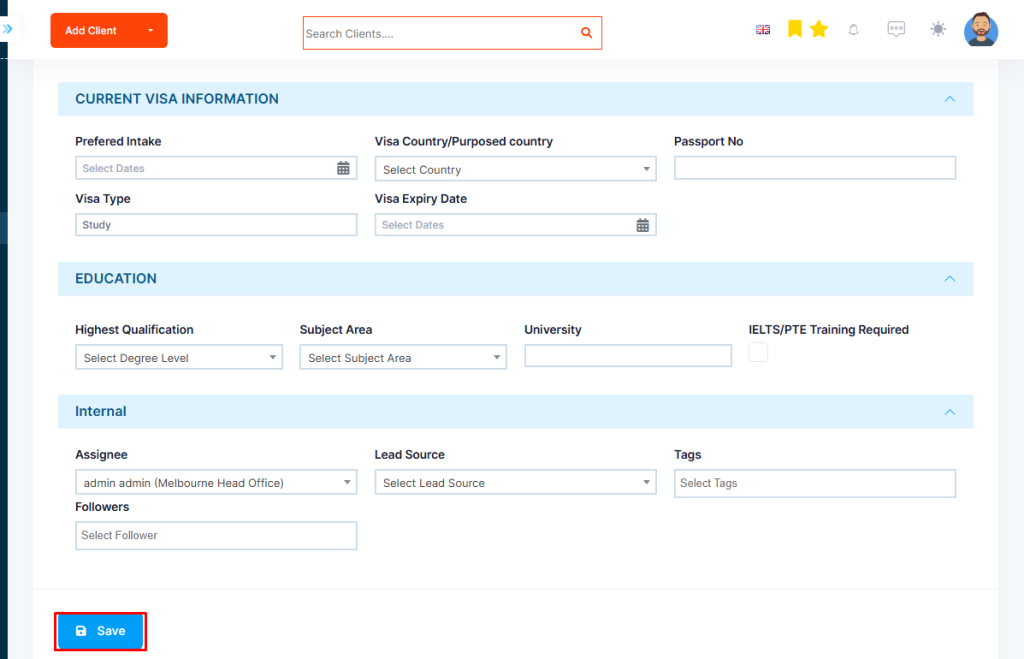
Step 4: Click on Save tab once you add the details.